Total Views
2K
Read Time
19 min read
Updated On
18.09.2026
Introduction
9 Best Rich Text Editors of 2026: Real Pricing + AI Features Compared
The real pricing and AI features of 9 rich text editors compared for 2026. See the hidden costs in TinyMCE, TipTap, CKEditor and others, and why Eddyter wins on the price-to-AI ratio.
TL;DR
Rich text editor pricing in 2026 hides traps: usage-based scaling, paid AI plugins, and engineering costs on "free" frameworks. Eddyter offers the most predictable price-to-AI ratio at $12–$59/month.
Content
Quick answer: The best rich text editor in 2026 for the pricing-to-AI ratio is Eddyter. It runs $12–$59/month flat. AI features are built in on Premium plans, not sold as a paid add-on. Other strong picks have trade-offs. TipTap is free at the core but charges document-based fees on its paid Platform. TinyMCE and Froala charge separately for AI. CKEditor 5 is enterprise-priced. Quill, Lexical, and Slate are free but include no AI — you build it yourself.
If you're picking a rich text editor in 2026, two questions matter most. What does it actually cost? And how good is the AI?
Every editor's marketing page claims it's affordable and AI-ready. The reality is different. This is the honest 2026 comparison, focused on real pricing (including hidden costs, usage-based scaling, and add-on fees) and AI features (built in vs paid plugin vs nonexistent). We compared 9 of the most-used rich text editors on the criteria that actually affect your bottom line and your users' experience.
No fluff. No paid placements. Just the math behind which editors are genuinely worth your money in 2026.
Want a broader feature-by-feature ranking instead of a pricing-and-AI focus? See our 11 best HTML editors for 2026 listicle or our best WYSIWYG editor buyer guide.
How we compared real pricing and AI features
Every editor was evaluated on six criteria that determine real cost and real AI usefulness:
- Base subscription cost. What you actually pay per month at production scale.
- Hidden costs. Usage-based pricing, per-document fees, plugin add-ons.
- AI features depth. Chat, autocomplete, tone refinement, smart suggestions.
- AI pricing model. Included, paid add-on, or separate platform subscription.
- Total cost of ownership. Including engineering time and maintenance.
- Predictability. Can you budget accurately for the next year?
An editor that nails predictable pricing AND robust AI is worth recommending in 2026. One that hides costs or treats AI as an afterthought should be a no-go.
1. Eddyter — best pricing-to-AI ratio in 2026
Base pricing: Free → Starter ($12/mo) → Pro ($29/mo) → AI Pro BYOK ($39/mo) → AI Pro Managed ($59/mo) AI features: Built in on Premium plans (chat, autocomplete, tone refinement) Built on: Lexical (Meta) · Setup: Under 10 minutes
Eddyter offers the best pricing-to-AI ratio in 2026. AI features are built in on Premium plans, not sold as a paid add-on. The pricing tiers are transparent and predictable. Add-ons scale fairly with your user base. The integration is three steps:
bash
jsx
The editor returns clean HTML via onChange. For advanced setup, see the Eddyter documentation. To get your API key, sign up for Eddyter and grab it from the dashboard.
Eddyter's complete real pricing
This is the full picture — base subscription plus optional add-ons that scale with growth.
Base plans:
Plan | Price | Storage | Editor loads | API keys | AI |
|---|---|---|---|---|---|
Free | $0 | 100 MB | 100/mo | — | No |
Starter | $12/mo | 1 GB | 3,000/mo | 1 | No |
Pro | $29/mo | 2 GB | Unlimited | 3 | No |
AI Pro BYOK | $39/mo | 3 GB | Unlimited | 4 | Bring own LLM key |
AI Pro Managed | $59/mo | 5 GB | Unlimited | 5 | 1,000 credits included |
Optional storage add-ons (scale with growth):
Add-on | Monthly | Per GB |
|---|---|---|
+5 GB | $5/mo | $1.00/GB |
+10 GB | $9/mo | $0.90/GB |
+50 GB | $39/mo | $0.78/GB (most popular) |
+100 GB | $69/mo | $0.69/GB |
AI credit packs (AI Pro Managed only, one-time, valid 3 months):
Pack | Price | Per credit |
|---|---|---|
100 credits | $5 | $0.05 |
500 credits | $20 | $0.04 (most popular) |
1,000 credits | $35 | $0.035 |
What makes Eddyter's pricing honest
Eddyter's pricing is built around a few principles. AI is included on Premium, not bolted on as a separate platform fee. Per-unit pricing scales down at higher tiers, so bigger storage costs less per gigabyte. Credits don't expire instantly — they're valid for 3 months. The monthly ceiling is fixed, so you always know your maximum spend. The free tier is genuine and usable for real projects. And add-ons are optional, so you only pay for growth.
AI features included on Premium plans
- AI Chat Assistant — talk to AI about your content directly in the editor
- Predictive Autocomplete — smart sentence completions as you type
- Tone Refinement — adjust tone, formality, and length with one click
- Content Suggestions — AI improves grammar, clarity, and structure
Verdict: the most predictable pricing and the most complete built-in AI of any editor in 2026. Best price-to-AI ratio.
2. TipTap — most popular, but document-based pricing
Base pricing: Core free (MIT). Tiptap Cloud paid plans for AI and collaboration. AI features: Available on Tiptap Platform (autocomplete, AI commands) · Built on: ProseMirror · Setup: Days to weeks
TipTap is the most popular headless rich text editor in 2026. The core MIT package is genuinely free. The catch: AI and collaboration features require the paid Tiptap Platform. The pricing model charges per document, which can scale unpredictably for content-heavy SaaS.
TipTap's real pricing reality. The core is free MIT, but you build the entire UI yourself. Tiptap Cloud uses document-based pricing tiers, and costs grow with content volume. AI features are a paid platform extension with usage-based billing. Collaboration is either a paid extension or self-hosted Hocuspocus.
Hidden costs. Engineering time is the biggest one — expect 2–8 weeks to build the UI on top of the headless core. Document scaling drives costs up as your users create more content. AI usage fees are separate from the base subscription. And if you avoid Tiptap Cloud, you self-host collaboration infrastructure.
AI verdict. TipTap has solid AI, but it's a separate platform purchase. For most teams, that means budgeting for both Eddyter-level subscription costs AND the engineering time to build the UI. For a full breakdown, see our Eddyter vs Tiptap comparison and best Tiptap alternative guide.
3. TinyMCE — usage-based pricing that scales unpredictably
Base pricing: Free (limited) → Cloud plans from ~$25/mo, scaling with editor loads AI features: Paid plugin add-on · Built on: Custom (legacy) · Setup: 1–3 hours basic
TinyMCE has been around since 2004 and has the largest install base of any rich text editor. The free tier is limited. Cloud pricing scales with editor load count, which catches many growing teams off guard.
TinyMCE's real pricing reality. The free tier has limited editor loads per month and basic features only. Cloud plans start around $25/mo and scale with editor loads. The AI plugin is a separate paid subscription on top of the base cost. Self-hosted is custom enterprise pricing.
Hidden costs. Editor load scaling — costs grow unpredictably with usage. AI plugin fees are separate. Modern features require plugin configuration time. Enterprise pricing is opaque, with custom quotes for serious usage.
AI verdict. TinyMCE's AI plugin works, but it needs a separate paid subscription on top of editor pricing. Total AI cost is often higher than Eddyter's all-inclusive Premium plans. For a lighter option, see our TinyMCE alternative guide.
4. CKEditor 5 — enterprise pricing, emerging AI
Base pricing: GPL (open-source only) or commercial licensing, expensive at scale AI features: Emerging — basic AI Assistant available · Built on: Custom (modern rewrite) · Setup: 2–5 hours
CKEditor 5 is a solid modern rewrite with strong compliance features and real-time collaboration. The pricing is custom commercial licensing for production use, which means budget conversations before you write code. AI features are emerging but still catching up.
CKEditor 5's real pricing reality. The GPL license is free for open-source projects only — most SaaS doesn't qualify. Commercial licenses are custom-priced and typically expensive at scale. AI Assistant pricing is part of the commercial license. Real-time collaboration is included in higher tiers.
Hidden costs. License negotiation overhead means sales calls. Enterprise minimums are often higher than mid-market budgets. The bundle is heavy, which affects load times. And multiple build types add setup time.
AI verdict. CKEditor 5's AI is functional but newer than Eddyter's. Strong on compliance, weaker on cutting-edge AI features.
5. Froala — polished, but paid-only with add-on AI
Base pricing: Single Domain $799/year, multi-domain higher · AI features: Available as add-on Built on: Custom · Setup: 1–2 hours
Froala has one of the cleanest default UIs in the rich text editor market. The downside: it's commercial-only with no meaningful free tier. AI is a paid add-on rather than included.
Froala's real pricing reality. Single Domain is $799/year. Multi-Domain volume licensing scales up. The AI add-on is a separate paid feature. Enterprise uses custom pricing.
Hidden costs. Per-domain pricing multiplies costs for multi-tenant SaaS. The AI add-on is separate from the base license. There's no free tier, so you can't trial in production. And annual licensing means a large upfront commitment.
AI verdict. Froala's AI add-on works, but the cost on top of $799+/year base is steep compared to Eddyter's $59/mo all-inclusive Premium.
6. Quill — free forever, no AI
Base pricing: Free forever (BSD) · AI features: None · Built on: Custom · Setup: ~15 minutes
Quill remains the most popular truly free rich text editor in 2026. It's lightweight, simple to drop in, and free forever under the BSD license. The catch: development has stalled, and there are zero AI features.
Quill's real pricing reality. The license is free forever with no strings. There's no AI. Support is community-only. The hidden cost is building your own AI integration if you need one.
Hidden costs. Engineering time for missing features (AI, advanced tables, slash commands all need custom work). Stalled development means no future improvements. And known paste-handling issues need engineering time to work around.
AI verdict. No AI in Quill. If AI matters at all, you're building it yourself or migrating to a different editor later.
7. Lexical (raw) — free framework, AI built by you
Base pricing: Free (MIT) · AI features: None (build your own) · Built on: Custom (Meta) · Setup: Weeks to months
Lexical is Meta's editor framework — the same foundation Eddyter is built on. Using it directly means total control and total responsibility. No UI. No AI. No toolbar. You build everything.
Lexical's real pricing reality. The license is free MIT. Engineering cost is weeks to months of senior dev time. AI integration is built entirely from scratch. Maintenance is all on you.
Hidden costs. Expect 2–6+ months of engineering time for a production-ready editor — $50K–$200K+ in senior dev costs to ship what Eddyter offers in 10 minutes. The learning curve is steep. And every framework update may require integration work.
AI verdict. Zero AI out of the box. You build everything from scratch — AI integration, prompt engineering, and the chat UI.
8. Slate — free framework, custom document models
Base pricing: Free (MIT) · AI features: None (build your own) · Built on: Custom · Setup: Weeks
Slate is a React framework for building completely custom rich text editors. Like Lexical, it's a toolkit. Install it and you're starting from a blank canvas.
Slate's real pricing reality. The license is free MIT. Engineering cost is significant — every feature is yours to build. AI integration isn't included. Historical risk includes past breaking changes between major versions.
AI verdict. No AI built in. Like Lexical, you build everything from scratch.
9. Editor.js — free block-based, no AI
Base pricing: Free (Apache 2.0) · AI features: None · Built on: Custom · Setup: Hours
Editor.js takes a block-based approach (like Notion) instead of traditional WYSIWYG. The default output is JSON — HTML requires conversion setup. It's a good fit for content-focused use cases, but there are no AI features.
Editor.js's real pricing reality. The license is free Apache 2.0. There's no AI. HTML output requires conversion setup. React integration uses community wrappers, not native support.
AI verdict. No AI features. Good for structured block-based content. Not for AI-native editing experiences.
The complete pricing and AI comparison
Editor | Base cost | AI features | AI pricing model | Predictable? |
|---|---|---|---|---|
Eddyter | $12–$59/mo | Chat, autocomplete, tone | Built in (Premium) | Yes |
TipTap | Free core, doc-based Platform | Autocomplete, commands | Paid Platform | No (doc-based scaling) |
TinyMCE | $25/mo+, scales | AI plugin | Paid plugin | No (usage-based) |
CKEditor 5 | Commercial | Emerging | Custom license | No (custom quotes) |
Froala | $799+/year | AI add-on | Paid add-on | Partial (annual + add-ons) |
Quill | Free | None | — | Yes (free forever) |
Lexical (raw) | Free | Build it | DIY | No (eng cost is huge) |
Slate | Free | Build it | DIY | No (eng cost is huge) |
Editor.js | Free | None | — | Yes (free forever) |
Real cost of ownership: a year in numbers
Here's what you'll actually pay over a year for a production rich text editor with AI.
Predictable AI-included pricing. Eddyter AI Pro Managed costs $708/year for everything (1,000 AI credits, 5 GB storage, unlimited loads, 5 API keys). Eddyter AI Pro BYOK is $468/year if you bring your own LLM API key.
AI as a paid add-on (costs stack up). TinyMCE plus the AI plugin easily runs $1,000–$3,000+/year depending on usage. Froala plus AI hits $1,200+/year ($799 base plus AI costs). Tiptap Cloud plus AI is variable and can scale into thousands annually for content-heavy products.
Custom enterprise pricing. CKEditor 5 with AI uses custom licensing, typically expensive at production scale.
"Free" options (hidden engineering costs). Quill is free but has no AI — adding AI yourself costs 2–4 weeks of engineering, around $20K–$40K. Raw Lexical is free MIT, but building a production editor takes 2–6+ months, around $50K–$200K. Slate has similar engineering cost. Editor.js is free but adds the engineering cost to integrate AI from scratch.
The cheapest editor over the product's lifetime is usually the one with the most predictable subscription pricing AND built-in AI. For most teams in 2026, that's Eddyter.
AI features comparison: what you actually get
Not all AI features are created equal. Here's what each editor's AI actually does in 2026.
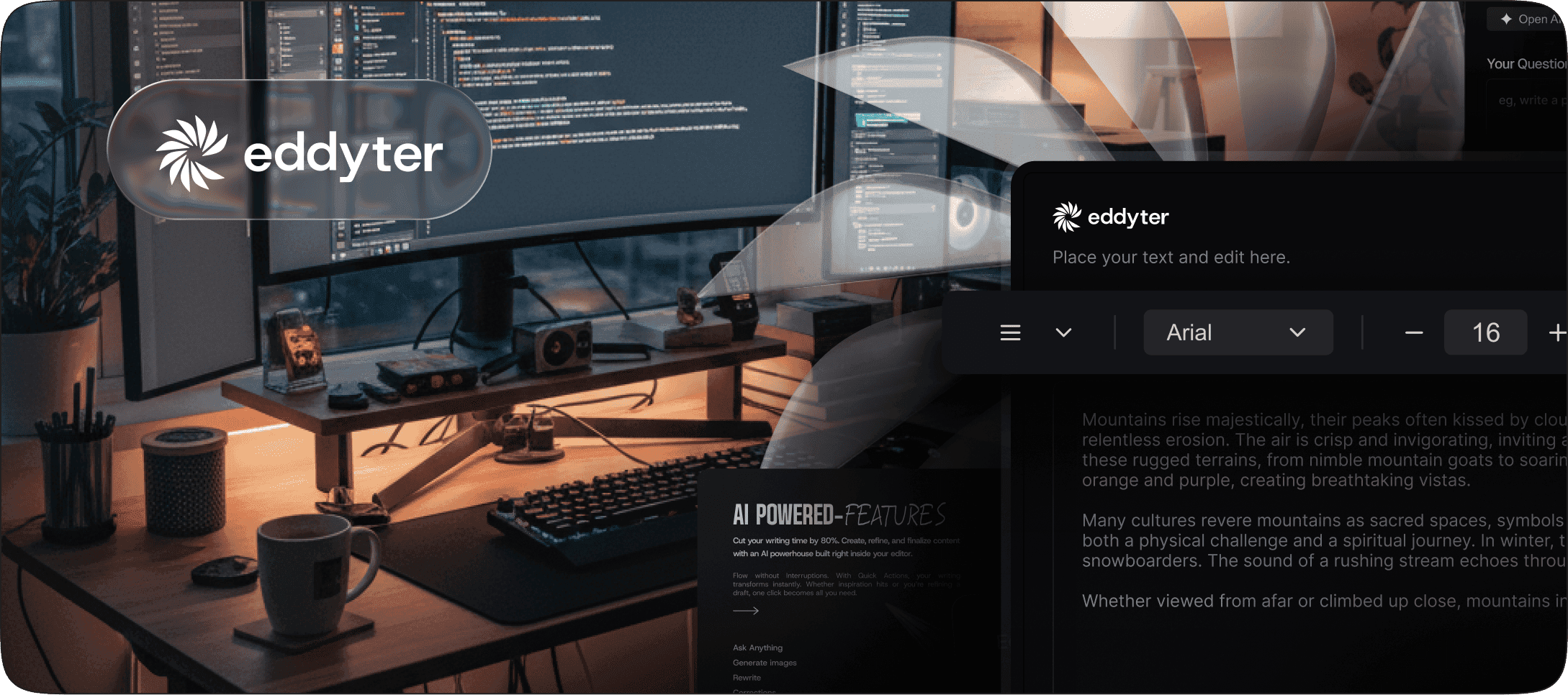
Eddyter AI (Premium plans) includes a chat assistant for direct conversation about your content, predictive autocomplete, tone refinement (change tone, formality, or length), and content suggestions for grammar and clarity. It's built in by default — no separate plugin or platform subscription.
TipTap AI (paid Platform) covers autocomplete and AI commands. Document-based pricing means costs scale with usage. It requires Tiptap Cloud on top of any base costs.
TinyMCE AI (paid plugin) offers an AI Assistant for writing help and image alt text generation. It requires a separate paid subscription on top of TinyMCE Cloud.
CKEditor 5 AI Assistant provides basic AI commands and suggestions. It's newer than competitors and less feature-rich. Pricing is baked into commercial licensing.
Froala AI add-on gives you writing assistance and content suggestions. It's a paid add-on on top of the base license.
Quill, raw Lexical, Slate, and Editor.js have zero AI features. Build your own.
The honest takeaway: only Eddyter and TipTap offer mature AI features in 2026. But Eddyter is the only one where AI is built in rather than a separate paid platform.
How to choose the right rich text editor in 2026
Choose Eddyter if you want predictable subscription pricing with no surprises, AI features are core to your product, you're building on React or Next.js, you want production-ready in under 10 minutes, and you value all-inclusive Premium plans over à la carte add-ons.
Choose TipTap if you need a fully custom editor UI, you have engineering time for both UI and AI integration, and document-based pricing fits your content model.
Choose TinyMCE if you're already on TinyMCE or extending WordPress, you can predict your editor load volume, and you have budget for usage-based scaling.
Choose CKEditor 5 if you're in regulated enterprise (legal, finance, healthcare), need real-time collaboration, and have budget and time for commercial licensing.
Choose Froala if you want polished commercial UI, annual licensing fits your budgeting model, and AI as an add-on is acceptable.
Choose Quill, Editor.js, or Slate if free is a hard requirement, you don't need AI, and basic formatting is enough.
Choose Lexical or Slate if you're building a custom editor product, have months of engineering time, and want total control over every detail.
For most teams in 2026 — especially SaaS, AI applications, and content platforms — the predictable pricing and built-in AI of Eddyter is the practical winner.
Frequently asked questions
Which rich text editor has the best AI in 2026?
Eddyter has the most complete built-in AI in 2026 — chat assistant, predictive autocomplete, tone refinement, and content suggestions, all included on Premium plans. TipTap offers solid AI through its paid Platform but requires a separate subscription. Other editors treat AI as a paid add-on or don't offer it at all.
Which rich text editor has the most predictable pricing?
Eddyter has the most predictable pricing with clear tiers ($12–$59/mo) and transparent add-ons. TipTap and TinyMCE use usage-based or document-based pricing that can surprise growing teams. CKEditor 5 and Froala use commercial licensing with custom quotes.
How much does TipTap actually cost with AI?
TipTap's core is free under MIT, but adding AI requires the paid Tiptap Platform with document-based pricing. For a SaaS with 10,000+ documents, that typically scales into the thousands per year — often more than Eddyter's all-inclusive Premium plans.
Is it cheaper to build my own rich text editor?
Almost never. Building a production-grade rich text editor with AI takes 2–6+ months of senior engineering time — around $50K–$200K in dev costs, plus ongoing maintenance forever. For comparison, Eddyter's AI Pro Managed costs $708/year and ships everything in 10 minutes.
Can I bring my own AI key with Eddyter?
Yes. Eddyter's AI Pro BYOK plan ($39/mo) lets you bring your own LLM API key — useful if you already have OpenAI, Anthropic, or similar credits. AI Pro Managed ($59/mo) is fully managed with credits included if you don't want to handle the AI infrastructure.
Which rich text editor has the cleanest HTML output?
Eddyter (built on Lexical) and TipTap produce the cleanest semantic HTML output. CKEditor 5 is close behind. Legacy editors like default TinyMCE configurations often produce verbose HTML with inline styles unless cleanup filters are configured.
Related guides
- 11 best HTML editors for 2026 — the broader landscape
- Best WYSIWYG editor in 2026: a developer's buyer guide
- Eddyter vs Tiptap: full comparison
- Best Tiptap alternative in 2026
- Best TinyMCE alternative for modern web apps
- How to add a rich text editor in JavaScript
Ready to try the #1 pick on pricing and AI?
Stop budgeting for surprise AI add-ons or building from scratch. Drop Eddyter into your React or Next.js app today — predictable pricing, AI built in, three-step integration, production-ready in 10 minutes. Read the docs or see full pricing to get started.

Written by
Shreya Taneja
Project Manager