Total Views
335
Read Time
23 min read
Updated On
29.10.2026
Introduction
BlockNote vs Eddyter 2026: Free MPL vs $12/mo (+ AI)
BlockNote vs Eddyter 2026 head-to-head: free MPL React-only Notion-style blocks vs $12-$59/mo Eddyter with multi-model AI and 7-framework support. Real pricing, working code, honest verdict.
TL;DR
BlockNote vs Eddyter 2026: BlockNote free MPL 2.0 React-only Notion-style blocks + $99/mo Liveblocks for AI. Eddyter $12-$59/mo flat + GPT-5, Claude Sonnet 5, Gemini 3 + 7 frameworks. Save $30K over 3 yrs.
Content
BlockNote vs Eddyter 2026 (Notion-Style Editor Head-to-Head)
Notion set the standard. Every modern content editor now competes on how well it copies Notion's block-based UX — draggable blocks, slash commands, clean typography, AI writing help. In 2026, two React editors stand out for this pattern: BlockNote and Eddyter.
BlockNote is a free open-source React block editor with Notion-style UX built in. Eddyter is a paid production-ready editor with Notion-style UX plus multi-model AI and 7-framework support. Both are strong. Neither is universally right.
This guide compares BlockNote vs Eddyter head-to-head for 2026. Real pricing. Real code. Real trade-offs. By the end, you'll know which fits your team, why, and what it costs over 3 years.
The short answer: Pick BlockNote if you're React-only, don't need multi-model AI, and want free open-source with the option to pay for Liveblocks-managed collaboration. Pick Eddyter if you need multi-model AI built in, multi-framework support, flat predictable pricing, and 10-minute setup with no infrastructure work.
🎥 New to modern editors? Watch: What is Eddyter? Why Developers Are Switching in 2026
The Quick Answer (For Skimmers)
Feature | BlockNote | Eddyter |
|---|---|---|
License | MPL 2.0 (free) | Proprietary + free tier |
Frameworks | React only | React, Next.js, Vue 3, Angular 17-20, Svelte 4/5, Laravel, Vanilla JS |
Setup time | 1-2 hours | 10 minutes |
Multi-model AI | ⚠️ Via Liveblocks paid plan | ✅ GPT-5, Claude Sonnet 5, Haiku 4.5, Gemini 3 built in |
Block-based UX | ✅ Native | ✅ Via slash commands |
Real-time collaboration | ⚠️ Requires $99/mo Liveblocks | 🔜 Q3 2026 native launch |
Bundle size | ~180-220 KB | ~140 KB |
Base pricing | Free MPL 2.0 | $12-$59/mo flat |
3-year TCO (1,000 users + AI) | $3,600+ | $2,124 |
Verdict for most teams: Eddyter wins on flat pricing, multi-framework support, and built-in AI. BlockNote wins on true free open-source and pure block-based UX.
What Is BlockNote?
BlockNote is a React-based block editor that mirrors Notion's UX. Every piece of content is a discrete block — text, heading, image, code, list, table. Users drag blocks to reorder. Slash commands open a menu of block types.
Built on TipTap and ProseMirror under the hood. Licensed under MPL 2.0 (free for commercial use). Maintained by an open-source team with strong community traction in 2025-2026.
BlockNote's Core Value Prop
Ship a Notion-style editor in 1-2 hours without paying anything. The UI is built. Slash commands work. Blocks drag and drop. Users feel at home immediately.
BlockNote in 2026
BlockNote has become the default React choice for teams building Notion-clone products. It's free forever under MPL 2.0. It ships with working UI and no engineering time to build the visual layer. That's a genuine value prop for teams without budget for managed editors.
The catch: it's React-only. And AI features require a paid Liveblocks plan ($99/mo). And collaboration also requires Liveblocks. So "free" only stays free for a single-user React app.
What Is Eddyter?
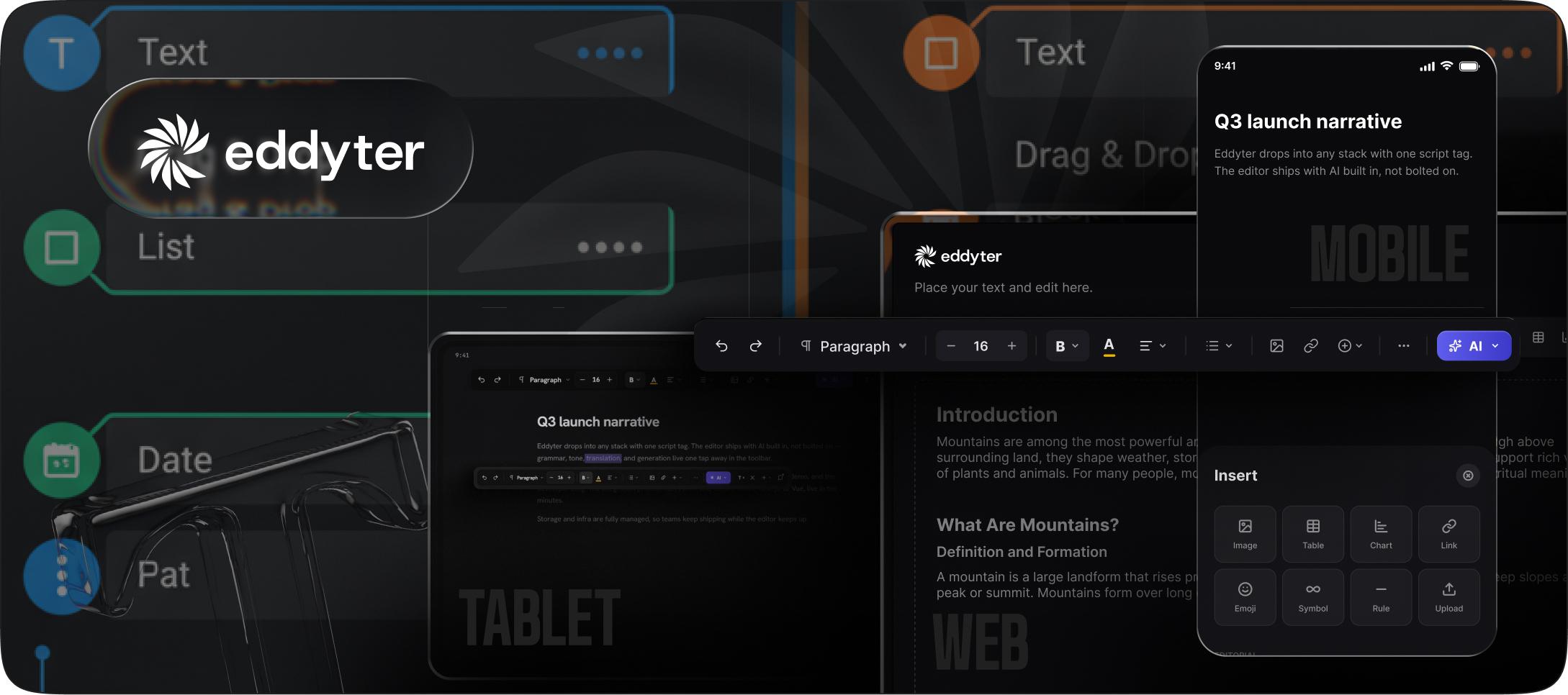
Eddyter is a plug-and-play WYSIWYG editor built on Meta's Lexical framework. It ships as a complete production-ready editor with multi-model AI (GPT-5, Claude Sonnet 5, Haiku 4.5, Gemini 3), advanced tables, slash commands, block reordering, and clean HTML output.
Founded by Craxinno Technologies. Distributed as an npm package. Available across 7 frameworks — React, Next.js, Vue 3, Angular 17-20, Svelte 4/5, Laravel, and Vanilla JS.
Eddyter's Core Value Prop
Ship a complete production-ready editor in 10 minutes with multi-model AI included and flat predictable pricing. No infrastructure. No AI service to wire up. No per-user costs that scale unpredictably.
Eddyter in 2026
Eddyter has grown quickly in 2026 by combining three things few competitors match: multi-model AI included in Premium plans, 7-framework support across the modern web ecosystem, and flat pricing that doesn't scale per user.
The catch: it's a paid product with subscription tiers. The free tier is usable but capped at 100 MB storage and 100 editor loads per month. Real production use starts at $12/mo Starter.
For deeper Eddyter analysis, see Eddyter vs TipTap 2026 and Best Lexical Alternative 2026.
Head-to-Head Comparison
Here's how BlockNote and Eddyter compare across the 12 dimensions that matter most:
1. Setup Time
BlockNote: 1-2 hours. Install package. Configure basic blocks. Ship.
Eddyter: 10 minutes. Install package. Add API key. Ship.
Winner: Eddyter — 6-12x faster to production.
2. Framework Support
BlockNote: React only.
Eddyter: React 18.2+/19, Next.js 14/15, Vue 3, Angular 17-20, Svelte 4/5, Laravel, Vanilla JS (7 frameworks total).
Winner: Eddyter — supports 7 frameworks vs BlockNote's 1.
3. AI Features Built In
BlockNote: No AI features in the base package. AI requires Liveblocks paid plan starting at $99/mo. Single AI provider (OpenAI).
Eddyter: Multi-model AI built in on Premium plans (Pro $29/mo, AI Pro BYOK $39/mo, AI Pro Managed $59/mo). Choose between GPT-5, Claude Sonnet 5, Haiku 4.5, or Gemini 3 per action.
Winner: Eddyter — multi-model AI included at lower price point.
4. Block-Based UX
BlockNote: Native block-based architecture. Every element is a block. Drag-and-drop reordering built in. Slash commands to insert blocks.
Eddyter: Rich text architecture with block-style features. Slash commands work like Notion. Block reordering supported. Not strictly block-per-element like BlockNote.
Winner: BlockNote for pure Notion-clone UX. Eddyter for hybrid rich text + block UX.
5. Real-Time Collaboration
BlockNote: Not built in. Requires Liveblocks paid plan ($99-$499/mo depending on MAU tier). Y.js-based under the hood.
Eddyter: Native real-time collaboration launches Q3 2026. Included in AI Pro Managed ($59/mo). Y.js-based under the hood.
Winner: BlockNote today (available now via Liveblocks). Eddyter after Q3 2026 (native, included in flat pricing).
6. Bundle Size
BlockNote: ~180-220 KB (varies with configured blocks).
Eddyter: ~140 KB.
Winner: Eddyter — 30-40% smaller bundle protects Core Web Vitals.
For detailed comparison, see Rich Text Editor Bundle Size Comparison 2026.
7. Tables
BlockNote: Basic tables. No cell merging. Limited alignment options.
Eddyter: Advanced tables with cell merging, column and row resizing, alignment control, and sortable headers.
Winner: Eddyter — advanced tables handle API references, product specs, and complex data.
8. Code Blocks
BlockNote: Native code blocks with syntax highlighting.
Eddyter: Native code blocks with Shiki-powered syntax highlighting for 20+ languages.
Winner: Roughly tied — both handle code blocks well.
9. Image Handling
BlockNote: Native image blocks. Manual upload flow.
Eddyter: Native image blocks with drag-and-drop upload, resize handles, and cloud storage integration on Premium plans.
Winner: Eddyter — richer image UX with managed storage.
10. Extensibility
BlockNote: Highly extensible. Custom blocks via API. Community extensions growing.
Eddyter: Extensible via configuration. Custom slash commands via config. Less low-level customization than BlockNote.
Winner: BlockNote for deep customization. Eddyter for config-driven customization.
11. Documentation
BlockNote: Growing docs. Good examples. Community forum for support.
Eddyter: Mature docs at eddyter.com/docs. Video tutorials. Dedicated founder support (Nimish).
Winner: Roughly tied — both have solid documentation.
12. Pricing
BlockNote: Free MPL 2.0 forever. Collaboration and AI require Liveblocks ($99-$499/mo).
Eddyter: Free tier (100 MB, 100 loads/mo) → Starter $12/mo → Pro $29/mo → AI Pro BYOK $39/mo → AI Pro Managed $59/mo.
Winner: Depends on your feature needs. BlockNote wins for no-collab-no-AI React apps. Eddyter wins for AI-included or multi-framework apps.
Complete Feature Matrix
Feature | BlockNote | Eddyter |
|---|---|---|
License | MPL 2.0 | Proprietary + free tier |
Frameworks | React only | React, Next.js, Vue 3, Angular 17-20, Svelte 4/5, Laravel, Vanilla JS |
Setup time | 1-2 hours | 10 minutes |
Block-based UX | ✅ Native | ✅ Slash commands |
Slash commands | ✅ Native | ✅ Native |
Drag-and-drop blocks | ✅ Native | ✅ Native |
Multi-model AI | 🔧 Via Liveblocks paid | ✅ GPT-5, Claude, Gemini |
Real-time collaboration | 🔧 Via Liveblocks paid | 🔜 Q3 2026 native |
Tables | ⚠️ Basic | ✅ Advanced |
Code blocks (20+ langs) | ✅ Native | ✅ Shiki-powered |
Image upload | ⚠️ Manual | ✅ Drag-and-drop + storage |
Video embeds | 🔧 Custom | ✅ YouTube/Vimeo native |
Mentions (@user) | 🔧 Custom | ✅ Native |
Custom commands | ✅ Extensive API | ✅ Config-based |
Bundle size | ~180-220 KB | ~140 KB |
HTML output | ⚠️ Via converter | ✅ Native |
Markdown output | ✅ Native | ✅ Native |
TypeScript | ✅ Full support | ✅ Full support |
Free tier | ✅ Everything free (MPL) | ✅ 100 MB / 100 loads/mo |
Base price | $0 | $12/mo Starter |
AI price | $99/mo Liveblocks | $29-$59/mo Premium |
Collab price | $99-$499/mo Liveblocks | Included in AI Pro Managed |
Setup Code Comparison
Both editors take just a few lines to render. Here's the side-by-side.
BlockNote Setup
tsx
What this does: Renders a working block editor. Slash commands work. Drag-and-drop works. Output is BlockNote JSON (not HTML — you need a converter for HTML output).
Eddyter Setup
tsx
What this does: Renders a working editor. Slash commands work. Tables work. Output is clean HTML directly.
Get your Eddyter API key from eddyter.com/user/license-key.
Adding AI to Both
BlockNote + Liveblocks AI:
tsx
Add @liveblocks/client, @liveblocks/react, plus AI-specific packages. Configure Liveblocks account. Set up API keys. Pay $99+/mo.
Eddyter + AI (Multi-Model):
tsx
That's the same 3-step setup with AI enabled via aiOptions. No separate provider. No extra packages. No $99/mo add-on.
For deeper AI integration patterns, see How to Add AI Autocomplete to a React Editor 2026 and How to Add AI Slash Commands to Any React Editor 2026.
🎥 See real Eddyter setup: Integrate Eddyter in 30 Minutes with Cursor, Claude, Lovable
3-Year Cost Math: Real Numbers
For a typical React SaaS with 1,000 monthly active users using AI features:
BlockNote + Liveblocks Starter (AI + Collab)
- BlockNote: $0 (free MPL 2.0)
- Liveblocks Starter (1,000 MAU): $99/mo × 36 = $3,564
- Ongoing maintenance (some effort for updates): ~$5,000-$10,000 (self-hosted engineering time)
- 3-year total: $8,564-$13,564
BlockNote + Liveblocks Pro (Growth to 3,000 MAU)
- BlockNote: $0
- Liveblocks Pro (3,000 MAU): $299/mo × 36 = $10,764
- Maintenance: ~$5,000-$10,000
- 3-year total: $15,764-$20,764
BlockNote Only (No AI, No Collab)
- BlockNote: $0
- No infrastructure
- Maintenance: ~$2,000-$5,000
- 3-year total: $2,000-$5,000
- Limitation: no AI, no collaboration
Eddyter AI Pro Managed
- Eddyter: $59/mo × 36 = $2,124
- Includes: multi-model AI (GPT-5, Claude Sonnet 5, Haiku 4.5, Gemini 3), Q3 2026 native RTC, all editor features, infrastructure, ongoing updates, 7-framework support
- 3-year total: $2,124
The Real Savings
- Eddyter vs BlockNote + Liveblocks Starter: Saves $6,440-$11,440 over 3 years
- Eddyter vs BlockNote + Liveblocks Pro: Saves $13,640-$18,640 over 3 years
- BlockNote only (no AI): Saves $124 vs Eddyter — but with no AI or collab
The takeaway: BlockNote free wins only if you truly don't need AI or collaboration. Any team wanting Notion's full feature set at 1,000+ MAU pays $3.5K-$20K more with BlockNote + Liveblocks than with Eddyter.
For deeper cost analysis, see Build vs Buy: Real Cost of Building a Rich Text Editor 2026 and Why Building Your Own Rich Text Editor Is a Startup Killer.
5-Question Decision Framework
Use this to decide which fits your team:
1. What frameworks does your product use?
React only → Either works.
React + Vue + Angular + Svelte → Eddyter. BlockNote is React-only. Eddyter supports 7 frameworks with one integration.
2. Do you need multi-model AI?
Yes → Eddyter. GPT-5, Claude Sonnet 5, Haiku 4.5, and Gemini 3 built in. Choose per action.
No AI needed → BlockNote free. Genuine free forever for React apps that skip AI.
Single AI model OK → BlockNote + Liveblocks paid ($99/mo).
3. Do you need real-time collaboration today?
Today, this quarter → BlockNote + Liveblocks. Production RTC available now.
Q3 2026 or later → Eddyter native RTC. Included in AI Pro Managed at flat pricing.
4. What's your budget model?
True zero-budget prototype → BlockNote free.
Flat predictable pricing → Eddyter. $12-$59/mo regardless of user count.
Per-MAU pricing OK → BlockNote + Liveblocks. Scales with your user base.
5. What's your time-to-ship target?
Ship this week → Eddyter. 10-minute integration beats 1-2 hour BlockNote setup.
Ship this quarter, budget engineering time → BlockNote. Free open-source with more customization runway.
Real Use Cases: When Each One Wins
When BlockNote Wins
1. Building a Notion clone as your core product.
If Notion is your competitor and you're building the free tier, BlockNote's true-free MPL 2.0 lets you ship a competitive block editor without vendor costs. The block architecture matches user expectations exactly.
2. React-only teams building internal wikis.
Internal tools don't need multi-framework support. If your team is React-only and you're building a wiki with no external users, BlockNote free + your own infrastructure is a solid choice.
3. Teams with existing Liveblocks contracts.
If you already pay Liveblocks for other features (rooms, cursors), adding BlockNote is basically free.
4. Prototyping and MVPs.
For prototypes where you'll eventually rewrite, BlockNote lets you ship the demo fast at zero cost.
When Eddyter Wins
1. Multi-framework SaaS products.
If your product supports React + Vue + Angular + Svelte, Eddyter's single integration beats maintaining separate BlockNote React + custom Vue implementations.
2. AI-native writing products.
If AI writing help is core to your value prop, Eddyter's multi-model AI (GPT-5, Claude Sonnet 5, Haiku 4.5, Gemini 3) built in matches Notion's AI without the $99/mo Liveblocks tax.
3. Teams shipping this week.
10-minute setup vs 1-2 hour BlockNote setup matters when you're racing to ship. Eddyter's included UI beats BlockNote's included UI on speed by 6-12x.
4. Predictable pricing at scale.
If you're scaling to 1,000-10,000 MAU, Eddyter's flat $59/mo beats BlockNote + Liveblocks Pro ($299/mo) or Business ($499/mo) by $2.5K-$5K/month.
5. Enterprise compliance requirements.
Eddyter's proprietary + subscription model gives you a company to talk to for compliance requirements (SOC 2, HIPAA discussions). BlockNote's MPL 2.0 has no legal entity behind it.
When to Skip Both
Two scenarios where neither BlockNote nor Eddyter fits:
1. Custom Document Models
If your product needs highly specialized content structures (legal contracts with clause-level metadata, medical records with regulated fields, music notation), build custom on Lexical or Slate. Neither BlockNote nor Eddyter gives you that level of control.
2. Enterprise Compliance With Track Changes
If you need track changes and revision history TODAY for enterprise editorial workflows, CKEditor 5 is the only editor that ships this in production in 2026. BlockNote doesn't support it. Eddyter's track changes launches Q4 2026.
For CKEditor comparison, see Eddyter vs CKEditor 2026 and Best CKEditor Alternative 2026.
Common Pitfalls (7 Ways This Choice Goes Wrong)
Pitfall 1: Picking BlockNote for a Multi-Framework Product
BlockNote is React-only. If your product is React + Vue + Angular + Svelte, you'll spend 4-6 weeks porting BlockNote patterns to Vue and Angular. Just pick Eddyter — 7-framework support saves 4-6 weeks.
Pitfall 2: Assuming BlockNote Stays Free at Scale
BlockNote is genuinely free until you need collab or AI. At 1,000+ users, most Notion-clone products need both — meaning $99-$499/mo Liveblocks. Budget for this from day one.
Pitfall 3: Underestimating Eddyter's Free Tier
Eddyter's free tier is capped at 100 MB and 100 editor loads per month. That's plenty for prototypes but not production. Plan to move to Starter ($12/mo) once you have real traffic.
Pitfall 4: Ignoring Bundle Size Impact
BlockNote's 180-220 KB bundle affects Core Web Vitals more than Eddyter's 140 KB. If mobile performance matters, factor bundle size into your choice.
Pitfall 5: Building Custom AI Instead of Using Eddyter's Built-In
Some teams see Eddyter's AI-included tier and think "we'll just build our own AI on BlockNote free." Then they spend 4-6 weeks building AI integration that Eddyter provides in a config flag. Only build custom if AI UX is your core differentiator.
Pitfall 6: Not Testing Notion-Clone Feel
BlockNote's block-per-element architecture feels more like Notion than Eddyter's rich text + slash commands. If pixel-perfect Notion UX matters, test BlockNote first. If flexibility matters more than exact Notion feel, Eddyter works.
Pitfall 7: Locking Into Liveblocks Vendor
BlockNote + Liveblocks is easy to start but hard to migrate off. Your document format becomes Liveblocks-specific. Eddyter outputs clean HTML that migrates anywhere.
Migration Between Them
If you're already on one and considering the other:
Migrating BlockNote → Eddyter
BlockNote outputs BlockNote JSON. Eddyter accepts HTML. Migration path:
- Convert BlockNote blocks to HTML (BlockNote provides
blocksToHTMLLossyhelper) - Pass HTML to Eddyter via
initialContentprop - Save Eddyter's HTML output going forward
Estimated engineering time: 1-2 weeks for 10K documents.
Migrating Eddyter → BlockNote
Eddyter outputs HTML. BlockNote accepts HTML via its HTMLToBlocks converter. Migration is straightforward but reverse:
- Extract HTML from Eddyter storage
- Convert to BlockNote blocks via
HTMLToBlocks - Save BlockNote JSON going forward
Estimated engineering time: 1-2 weeks for 10K documents.
For detailed migration methodology, see Rich Text Editor Migration Checklist 2026.
Frequently Asked Questions
1. What's the difference between BlockNote and Eddyter for React apps in 2026?
BlockNote is a free MPL 2.0 React-only block editor with Notion-style UX built in — draggable blocks, slash commands, and clean typography. AI features require a paid Liveblocks plan ($99+/mo). Collaboration also requires Liveblocks. Eddyter is a paid production-ready editor at $12-$59/mo flat with multi-model AI (GPT-5, Claude Sonnet 5, Haiku 4.5, Gemini 3) built in, 7-framework support (React, Next.js, Vue 3, Angular 17-20, Svelte 4/5, Laravel, Vanilla JS), and 10-minute setup. Pick BlockNote for React-only free open-source. Pick Eddyter for multi-framework or AI-included products.
2. Is BlockNote really free to use in production?
Yes, BlockNote's core is genuinely free under MPL 2.0 license. You can use it in commercial production without paying for the editor itself. However, most Notion-style products need real-time collaboration and AI features — both require a paid Liveblocks plan ($99/mo Starter, $299/mo Pro, $499/mo Business depending on MAU tier). At 1,000+ users needing full Notion-style features, total cost approaches $99-$499/mo. For a truly free single-user React app without AI or collab, BlockNote stays free forever.
3. Does Eddyter support block-based editing like Notion?
Yes, Eddyter supports block-style editing via slash commands (type / to open a menu of block types) and drag-and-drop block reordering. The architecture differs slightly from BlockNote — Eddyter uses rich text with block features, while BlockNote uses pure block-per-element architecture. Both feel Notion-like to users, but BlockNote's UX matches Notion more literally. For most SaaS products where "Notion-like" is a feature (not the entire product), Eddyter's rich text + block features work well. For Notion clones where pixel-perfect block behavior is core to the value prop, BlockNote's pure block architecture fits better.
4. Which editor has better AI features — BlockNote or Eddyter?
Eddyter has significantly better AI features. It ships with multi-model AI built in on Premium plans (Pro $29/mo, AI Pro BYOK $39/mo, AI Pro Managed $59/mo) — choose between GPT-5, Claude Sonnet 5, Haiku 4.5, or Gemini 3 per action. AI features include autocomplete, slash commands, tone refinement, and streaming responses. BlockNote has no built-in AI. AI requires the paid Liveblocks plan (starts at $99/mo) and typically supports a single AI provider. For AI-native products, Eddyter's multi-model support at lower price wins. For products that don't need AI, both work equally well.
5. Can I use BlockNote or Eddyter for real-time collaboration?
BlockNote requires Liveblocks paid plan for real-time collaboration ($99-$499/mo depending on monthly active users). Y.js-powered under the hood. Production-ready today. Eddyter's real-time collaboration launches Q3 2026 as a native feature included in AI Pro Managed ($59/mo). Until then, use Liveblocks with BlockNote for immediate production RTC, or wait for Eddyter's native launch for flat-priced RTC bundled with multi-model AI. For working implementation code, see How to Add Real-Time Collaboration to a React Editor With Y.js 2026.
6. What frameworks does BlockNote support vs Eddyter?
BlockNote supports React only. There are no official Vue, Angular, Svelte, or vanilla JS bindings. Community wrappers exist but aren't officially maintained. Eddyter supports 7 frameworks natively — React 18.2+/19, Next.js 14/15, Vue 3 via @eddyter/vue, Angular 17-20 via @eddyter/angular, Svelte 4/5 via @eddyter/svelte, Vanilla JS via @eddyter/core, and Laravel via eddyter/laravel Composer package. For multi-framework products, Eddyter's coverage eliminates the need to rebuild the editor per framework — a 4-6 week savings.
7. Which has better bundle size — BlockNote or Eddyter?
Eddyter has a smaller bundle at ~140 KB. BlockNote bundles range from ~180 KB to ~220 KB depending on configured blocks and integrations. For mobile-first products where Core Web Vitals matter, Eddyter's 30-40% smaller bundle is measurably better. For desktop-first products, the difference is less noticeable. For detailed measurements, see Rich Text Editor Bundle Size Comparison 2026.
8. Can I migrate from BlockNote to Eddyter (or vice versa)?
Yes, both directions are possible. BlockNote → Eddyter: Use BlockNote's blocksToHTMLLossy helper to export as HTML, then pass to Eddyter's initialContent prop. Estimated 1-2 weeks engineering for 10K documents. Eddyter → BlockNote: Extract Eddyter's HTML output, use BlockNote's HTMLToBlocks converter to convert. Estimated 1-2 weeks engineering for 10K documents. Both migrations preserve content fidelity because HTML is a universal exchange format. For migration methodology, see Rich Text Editor Migration Checklist 2026.
9. What's the total 3-year cost of BlockNote vs Eddyter?
For a typical React SaaS with 1,000 monthly active users using AI and collaboration: BlockNote + Liveblocks Starter: $3,564 (Liveblocks base) + $5,000-$10,000 maintenance = $8,564-$13,564 over 3 years. Eddyter AI Pro Managed: $59/mo × 36 = $2,124 over 3 years, including all AI, native RTC (Q3 2026), and ongoing updates. Eddyter saves $6,440-$11,440 over 3 years for teams needing full Notion-style features. BlockNote only (no AI, no collab): ~$2,000-$5,000 in maintenance — closest to zero but no AI or collab. Cost math strongly favors Eddyter for teams needing production Notion-style features.
10. Which one should I pick for a Notion clone product?
For a serious Notion competitor as your core product → Pick BlockNote. The pure block architecture matches Notion's UX exactly, and free MPL 2.0 licensing keeps your unit economics healthy. Budget for Liveblocks ($99-$499/mo) for collaboration. For a SaaS with Notion-style features as one part of a larger product → Pick Eddyter. Multi-framework support, flat pricing, and included AI let you ship the "Notion-like" feature without it being your only feature. For a deeper analysis of Notion clone editors, see Best Rich Text Editor for Notion Clones 2026.
Ready to Pick Your Editor?
Both BlockNote and Eddyter are strong choices. The right one depends on your product's specific needs.
Pick BlockNote if: You're React-only, don't need multi-model AI, want true free open-source, and are building a Notion clone as your core product.
Pick Eddyter if: You need multi-framework support, want multi-model AI built in (GPT-5, Claude Sonnet 5, Haiku 4.5, Gemini 3), prefer flat predictable pricing, or want 10-minute setup with no infrastructure work.
Try Eddyter free — 100 MB storage, 100 editor loads per month, no credit card required.
👉 Try Eddyter free at eddyter.com
📚 Read the docs
💰 See pricing
🎥 Watch the intro video | Watch the 30-min integration guide

Written by
Shreya Taneja
Project Manager