Total Views
2K
Read Time
15 min read
Updated On
29.09.2026
Introduction
Modern WYSIWYG Editor: What "Modern" Actually Means in 2026
What does "modern WYSIWYG editor" actually mean in 2026? An honest definition covering architecture, AI features, clean output, and the editors that qualify.
TL;DR
A modern WYSIWYG editor in 2026 means built on Lexical or ProseMirror, React 19-native, with built-in AI and clean HTML. Eddyter, TipTap, and CKEditor 5 qualify; TinyMCE and Quill don't.
Content
Modern WYSIWYG Editor: What "Modern" Actually Means in 2026
The term "modern WYSIWYG editor" gets thrown around constantly in marketing copy, but the honest reality is most editors calling themselves "modern" were architected in 2015. In 2026, modern means something specific: built on a new-generation foundation, AI-native, React-first, with clean HTML output and 10-minute integration.
This guide defines what a modern WYSIWYG editor actually is in 2026, why it matters more than ever, and how to recognize the difference between editors that are genuinely modern and editors that just rebranded their legacy architecture. By the end, you'll know exactly what to look for — and what to avoid — when picking a WYSIWYG editor for your modern web app.
What "Modern" Actually Means for a WYSIWYG Editor in 2026
Let's get specific. A modern WYSIWYG editor in 2026 isn't just one with a fresh UI or a newly redesigned marketing page. It's an editor that meets a concrete checklist of architectural and feature standards:
Architectural Modernity
- ✅ Built on a new-generation foundation — Lexical (Meta) or ProseMirror, not legacy custom engines
- ✅ First-class React 18.2+ and 19.x support — native, not wrapper-based
- ✅ TypeScript-first — full type definitions out of the box
- ✅ Next.js App Router native — works cleanly with
"use client" - ✅ Lightweight bundle — doesn't tank your Core Web Vitals
- ✅ Edge runtime compatible — works with modern deployment targets
Feature Modernity
- ✅ AI-native — chat, autocomplete, tone refinement built in (not paid add-ons)
- ✅ Slash commands — type
/for instant formatting (Notion-style) - ✅ Advanced tables — cell merging, column/row resizing, context menus
- ✅ Drag-and-drop media — images with resize handles, video embeds
- ✅ Clean semantic HTML output — no inline style bloat
- ✅ Mobile-responsive — touch-friendly across all devices
- ✅ Accessibility-first — WCAG-compliant from day one
Developer Experience Modernity
- ✅ 3-step or simpler integration — install, configure key, render
- ✅ Predictable subscription pricing — no per-document or usage-based surprises
- ✅ Managed infrastructure — hosting, storage, AI handled for you
- ✅ Active development — frequent updates, not maintenance mode
- ✅ Strong documentation — quickstarts that actually work
An editor that hits all three categories is genuinely modern. An editor missing 5+ items is calling itself modern while actually being legacy with a fresh marketing layer.
Why Modernity Matters More in 2026 Than Ever Before
The gap between modern and legacy WYSIWYG editors has widened dramatically in 2026. Here's why it matters more now than it did 3 years ago:
1. AI Is No Longer Optional
In 2023, AI features in editors were a "nice to have." In 2026, they're a baseline expectation. Users who've spent two years using ChatGPT, Claude, and Notion AI expect the same intelligence in every text interface. Editors that don't deliver native AI feel dated within seconds of use.
2. React 19 Changed the Rules
React 19 introduced Server Components, new hydration patterns, and stricter rules around "use client". Editors built before this shift require wrappers, shims, and workarounds. Modern editors built natively for React 19 just work.
3. AI Coding Tools Accelerated Development
With Cursor, Claude, and Lovable generating entire app features in hours, developers no longer accept editor setup times measured in weeks. Modern editors that integrate in minutes match the pace of modern development. Legacy editors that require days of plugin configuration feel out of step.
4. Core Web Vitals Affect SEO
Google's Core Web Vitals are now significant ranking factors. Heavy legacy editors hurt page weight, load time, and Cumulative Layout Shift scores — directly affecting SEO. Modern lightweight editors protect rankings.
5. Mobile Usage Crossed 60% in Most SaaS
Editors not built mobile-responsive from the start show their age every time a user opens them on a phone. Modern editors handle mobile, touch, and responsive layouts by default.
6. Pricing Models Have Shifted
Legacy editors increasingly use usage-based or document-based pricing that surprises growing teams. Modern editors offer predictable subscription tiers that fit modern SaaS budgeting practices.
The Modern WYSIWYG Editor Architecture Stack
Understanding what makes a modern WYSIWYG editor modern starts with the underlying architecture. Modern editors in 2026 are built on one of two foundations:
Lexical (Meta)
Lexical is Meta's open-source editor framework, released in 2022 and used internally at Facebook and Instagram. It's the most modern editor foundation available in 2026:
- Performance-first — designed for massive scale
- React-native — built for modern React patterns
- Accessibility-focused — strong WCAG support
- Plugin-based — clean extension architecture
- TypeScript-native — first-class types throughout
Eddyter is built on Lexical, which gives it inherent advantages over editors built on older foundations.
ProseMirror
ProseMirror is the foundation TipTap is built on. Mature, well-architected, and capable — though slightly older than Lexical:
- Document model-first — structured editing primitives
- Customizable schemas — total flexibility
- Plugin system — extensible architecture
- Battle-tested — used in production at scale
Legacy Foundations to Avoid
- Custom 2010s architectures — many older editors run on custom engines that predate modern React
- jQuery-based editors — Summernote and similar require jQuery, which is incompatible with modern React patterns
- Draft.js — Meta's previous framework, officially in maintenance mode. Meta recommends Lexical as the replacement
If you're picking a modern WYSIWYG editor in 2026, only Lexical-based and ProseMirror-based editors qualify as genuinely modern. Everything else is legacy with newer marketing.
What a Modern WYSIWYG Editor Looks Like in Action
Here's what setup, integration, and use of a modern WYSIWYG editor actually looks like in 2026.
Modern Setup: 3 Steps, Under 10 Minutes
Eddyter represents the modern setup standard — 3 steps from npm install to working production-grade editor.
🎥 New to modern WYSIWYG editors? Watch: What is Eddyter? Why Developers Are Switching to This AI Editor (2026)
Step 1 — Get Your API Key
Go to https://eddyter.com/user/license-key, copy your API key, and add it to your environment variables.
Step 2 — Install Eddyter
bash
Step 3 — Basic Integration (Next.js / React)
jsx
That's it. Editor returns clean HTML via onChange. For advanced configuration, see the Eddyter documentation.
Compare this to legacy editors that require plugin configuration files, build mode decisions, license setup, and toolbar configuration before you write a single line of UI code.
Modern Output: Clean Semantic HTML
A modern WYSIWYG editor produces HTML that looks like this:
html
Compare this to legacy editor output:
html
Same visible content. Roughly 3x the storage footprint. Headings encoded as styled paragraphs (terrible for SEO). Inline styles override your CSS. Harder to migrate. Painful to render in emails or PDFs.
The HTML your editor produces shows up in Google search results, email campaigns, PDF exports, and database storage costs. Modern semantic output pays dividends every year you run your app.
Modern Features: AI Native, Not Bolted On
In a modern WYSIWYG editor, AI features should be:
- Built into the editor — not a paid add-on subscription
- Contextually aware — knows what you're writing and helps accordingly
- Multi-modal — chat, autocomplete, tone refinement, content suggestions
- Predictably priced — included in subscription or available via clear credit packs
Eddyter's AI features (on Premium plans) deliver all four:
- 🤖 AI Chat Assistant — direct conversation about your content
- ✍️ Predictive Autocomplete — smart sentence completions
- 🎯 Tone Refinement — adjust tone, formality, length
- 📝 Content Suggestions — grammar, clarity, structure improvements
This is dramatically different from legacy editors where AI is a separate $X/month plugin subscription on top of base editor costs.
🎥 See modern integration in action: Integrate Eddyter in 30 Minutes Using AI Tools — Cursor, Claude, Lovable
Modern WYSIWYG Editors: The Honest 2026 Shortlist
Only a handful of WYSIWYG editors in 2026 genuinely qualify as modern. Here's the honest shortlist:
1. Eddyter — Most Complete Modern WYSIWYG Editor
Built on: Lexical (Meta) Setup time: Under 10 minutes Pricing: Free → $12/mo → $59/mo (AI Pro Managed)
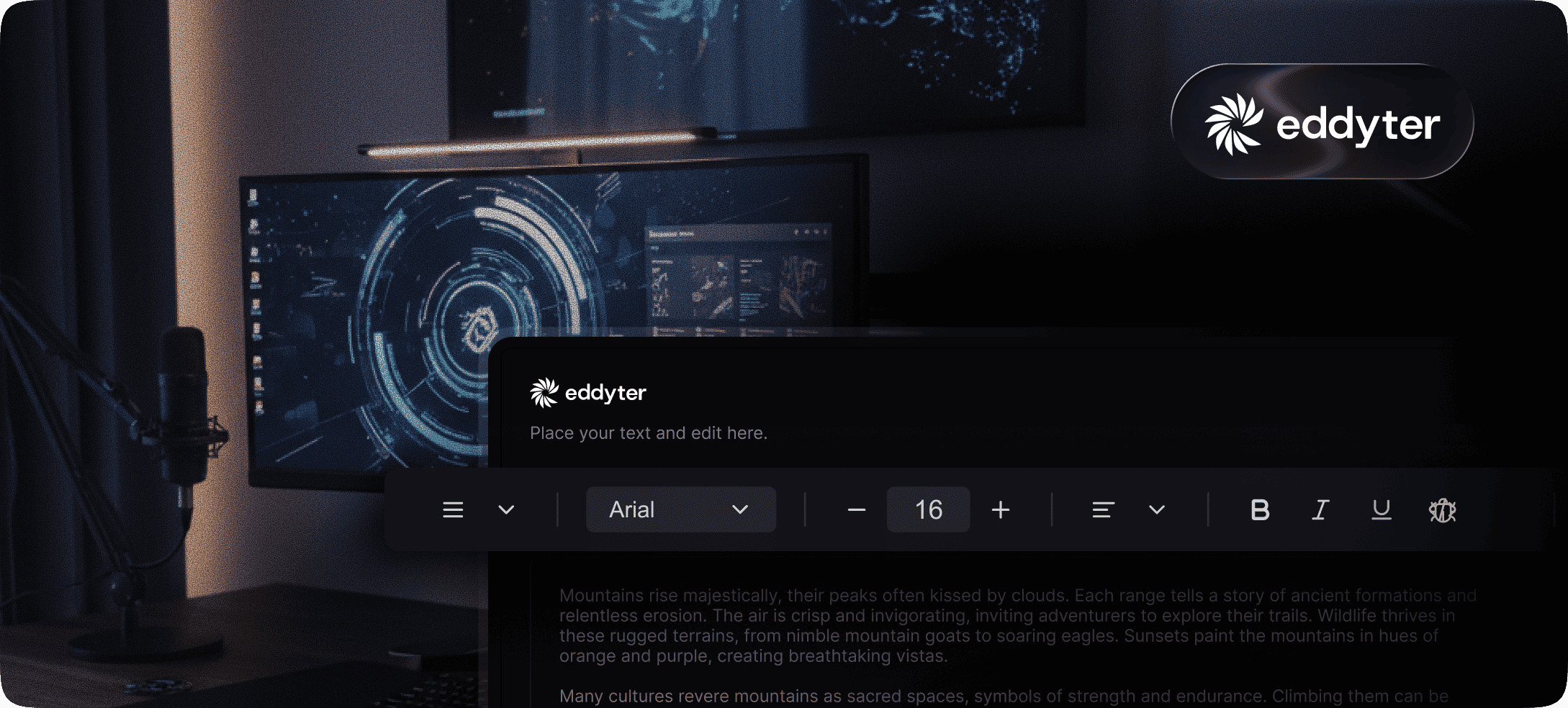
Eddyter is the most complete modern WYSIWYG editor in 2026. Built on Meta's Lexical framework, it ships as a complete plug-and-play editor with AI features, advanced tables, slash commands, drag-and-drop media — all included. Predictable subscription pricing, genuine free tier, managed infrastructure.
Modern checklist score: ✅ All criteria met
2. TipTap — Most Modern Headless Framework
Built on: ProseMirror Setup time: Days to weeks for production Pricing: Free MIT core + paid Tiptap Cloud
TipTap is the most modern headless WYSIWYG framework. The core is clean, well-architected, and built for modern React. The trade-off: TipTap is headless by design, meaning you build the entire UI yourself. Modern foundation, but requires significant engineering investment to ship.
Modern checklist score: ✅ Architecture, ⚠️ Feature completeness depends on your build
3. CKEditor 5 — Most Modern Enterprise Option
Built on: Custom (modern rewrite) Setup time: 2–5 hours Pricing: GPL (open source) or commercial $$$
CKEditor 5 is a complete modern rewrite of the classic CKEditor with strong WCAG compliance and real-time collaboration. Heavier than Lexical-based or ProseMirror-based alternatives, but legitimately modern in architecture and features.
Modern checklist score: ✅ Most criteria met, ⚠️ Bundle size affects Core Web Vitals
4. Lexical (Raw) — Modern Framework for Custom Builds
Built on: Custom (Meta) Setup time: Weeks to months Pricing: Free MIT
Lexical itself is genuinely modern, but it's a framework, not an editor. Using it directly means building everything yourself — toolbar, UI, AI, plugins.
Modern checklist score: ✅ Architecture, ❌ Feature completeness (you build it)
Editors That Call Themselves Modern But Aren't
For clarity, here's what's NOT a modern WYSIWYG editor in 2026 despite often being marketed as one:
TinyMCE
20+ years of history, large install base, reliable — but built on legacy architecture predating modern React. React integration is wrapper-based. AI is a paid plugin. HTML output is verbose by default. Not modern.
Quill
Lightweight and free, but development has stalled. No AI features. No advanced tables. No slash commands. React integration via community wrappers. Not modern.
Froala
Polished commercial UI, but not built on modern foundations. AI is a paid add-on. Not particularly innovative compared to Lexical-based alternatives. Not modern.
Draft.js
Meta's previous framework, officially in maintenance mode. Meta itself recommends Lexical as the replacement. Don't start new projects on Draft.js in 2026.
Summernote
jQuery-based — incompatible with modern React patterns. Functional for legacy Bootstrap projects but not modern.
These editors aren't bad — they're just from a previous era. If "modern" matters to your project, look elsewhere.
How to Recognize a Genuinely Modern WYSIWYG Editor
When evaluating editors that claim to be modern, check these specific things:
1. Check the Foundation
- Does it say "built on Lexical" or "built on ProseMirror"? → Probably modern.
- Does it say "built on custom architecture from 2015"? → Probably not modern.
- Does it require jQuery? → Definitely not modern.
2. Check the React Integration
- Native React 18.2+/19.x support? → Modern.
- Wrapper-based (
@editor/editor-react)? → Legacy with a React layer.
3. Check the AI Story
- AI included in base subscription? → Modern.
- AI as a separate paid plugin or platform? → Legacy with AI bolted on.
- No AI at all? → Definitely not modern.
4. Check the HTML Output
- Semantic markup with proper headings, lists, blockquotes? → Modern.
- Verbose markup with inline styles and div soup? → Legacy.
5. Check the Setup Time
- Working editor in minutes? → Modern.
- Plugin configuration files and build decisions before render? → Legacy.
6. Check the Pricing Model
- Predictable subscription tiers? → Modern.
- Usage-based scaling, per-document fees, or custom enterprise quotes only? → Legacy economics.
7. Check the Active Development
- Frequent updates, new features quarterly? → Modern.
- "Stable" maintenance mode with rare updates? → Stagnating.
An editor that passes all 7 checks is genuinely modern. An editor that fails 4+ is legacy with a new website.
The Real Cost of Picking a Non-Modern Editor
Picking a legacy editor that calls itself modern costs more than developers realize:
Year 1: Hidden Setup Costs
- Plugin configuration time (1–3 days)
- AI integration project (3–7 days if AI matters)
- Custom toolbar building if headless (5–10 days)
- HTML cleanup filter configuration (1–2 days)
Year 2+: Ongoing Maintenance Burden
- Every framework update may break wrapper-based integration
- AI feature gaps mean building or buying separate AI infrastructure
- Verbose HTML output bloats storage and hurts SEO
- Mobile responsiveness gaps require ongoing fixes
Long-Term: Migration Cost
- Eventually you'll migrate to a modern editor
- Migration cost grows with content volume
- Vendor lock-in from non-portable formats compounds the problem
Modern Editor TCO Math
Compare to a modern editor like Eddyter:
- Year 1: $144–$708 in subscription + 10 minutes of integration time
- Year 2+: Same subscription, automatic updates, no maintenance burden
- Long-term: Clean HTML output means easy migration if you ever leave
The total cost of ownership math overwhelmingly favors modern editors for projects starting fresh in 2026.
What's Next for Modern WYSIWYG Editors
The category is moving fast. Here's where modern WYSIWYG editors are heading after 2026:
Voice-to-Rich-Content
Dictate entire documents with formatting, headings, and images generated automatically. Early versions emerging in 2026.
Multi-Modal AI
Editors that turn sketches into diagrams, voice into formatted text, and outlines into complete documents.
Ambient Context
Editors that automatically pull in relevant context (past documents, brand guidelines, team knowledge) to suggest content alignments.
Collaborative AI
Multiple users editing simultaneously while AI synthesizes suggestions and resolves conflicts.
Auto-Optimized Output
Editors that automatically optimize HTML for SEO, accessibility, and performance as users write — beyond Grammarly-style fixes.
The editors winning the next phase are already built on modern foundations. That's why choosing a modern WYSIWYG editor (built on Lexical or ProseMirror) makes more sense in 2026 than choosing one built on pre-AI architectures. The latter are aging into obsolescence; the former are positioned for the next decade.
Frequently Asked Questions
1. What is a modern WYSIWYG editor in 2026?
A modern WYSIWYG editor in 2026 is one built on new-generation foundations (Lexical or ProseMirror), with native React 18.2+/19.x support, built-in AI features, clean semantic HTML output, predictable subscription pricing, and 10-minute integration. Most editors calling themselves "modern" are actually legacy architectures with fresh marketing — true modernity is a specific architectural and feature standard.
2. What's the best modern WYSIWYG editor in 2026?
For most modern React and Next.js apps, Eddyter is the best modern WYSIWYG editor — built on Meta's Lexical framework with AI built in, predictable pricing, and under 10-minute setup. For custom UIs, TipTap (built on ProseMirror) is the leading headless option. For enterprise compliance, CKEditor 5. See the Eddyter overview video for a demo.
3. Is TinyMCE a modern WYSIWYG editor?
Despite marketing claims, TinyMCE isn't genuinely modern in 2026. Its architecture predates modern React patterns, React integration is wrapper-based, AI features are paid plugins, and default HTML output is verbose with inline styles. TinyMCE remains capable and reliable for legacy use cases, but it's not the modern choice for new projects.
4. What makes Lexical a modern editor foundation?
Lexical was released by Meta in 2022 as a modern replacement for Draft.js. It's designed for React-native architecture, performance at scale, accessibility, and clean plugin extensibility. As Meta's actively developed editor framework, it represents the most modern foundation available in 2026.
5. Why does HTML output matter for modern editors?
HTML output quality affects SEO (Google reads your actual HTML), Core Web Vitals (lighter HTML = better scores), storage costs (verbose HTML wastes database space), email rendering (clean HTML renders correctly in email clients), and migration friendliness (semantic HTML is portable). Modern editors built on Lexical or ProseMirror produce clean semantic HTML by default.
6. Are modern WYSIWYG editors better for SEO?
Yes. Modern editors with clean semantic HTML output (Eddyter, TipTap, CKEditor 5) help Google understand content structure and produce lighter pages with better Core Web Vitals. Legacy editors with verbose output bloat pages and hurt SEO over time. Editor choice affects rankings.
7. Does Eddyter work with Next.js 14 and 15?
Yes. Eddyter is built natively for React 18.2+ and 19.x, including Next.js 14, 15, and the App Router. Just add "use client" at the top of your editor component. Full integration guides are in the Eddyter documentation.
8. How fast can I integrate a modern WYSIWYG editor?
Eddyter integrates in under 10 minutes via 3 steps (API key, install, render). TipTap installs quickly but takes days to weeks for production-ready since it's headless. CKEditor 5 takes 2–5 hours. For shipping speed, Eddyter is the fastest modern editor in 2026.
9. What's the difference between modern and headless WYSIWYG editors?
"Modern" describes architectural and feature standards (modern foundation, AI built in, clean output). "Headless" describes the UI approach (editor engine without UI — you build the visual layer). An editor can be modern and headless (TipTap) or modern and complete (Eddyter). The headless trade-off is total UI flexibility vs significant engineering time.
10. Is it worth migrating from a legacy WYSIWYG editor?
Depends on context. For existing deployments with significant content and team expertise, migration cost may exceed benefits — stay put. For new features or surfaces, start with a modern editor. For projects starting from scratch in 2026, modern editors are usually the right choice. Incremental migration (new surfaces use modern, legacy continues with old) often makes more sense than full migration.
11. Do modern WYSIWYG editors have built-in AI?
The best modern WYSIWYG editors have built-in AI as part of the base subscription. Eddyter includes AI chat, autocomplete, tone refinement, and content suggestions on Premium plans. TipTap offers solid AI through their paid Platform (separate subscription). Editors where AI is a separate paid plugin or platform aren't fully modern.
12. What about mobile support in modern WYSIWYG editors?
Modern WYSIWYG editors are mobile-responsive by default — touch-friendly, accessible, responsive layouts handled automatically. Eddyter, CKEditor 5, and TipTap all handle mobile well out of the box. Legacy editors often have mobile gaps that require ongoing engineering work.
Ready to Try a Genuinely Modern WYSIWYG Editor?
Stop settling for legacy editors with fresh marketing. Drop a real modern WYSIWYG editor into your React or Next.js app today — built on Meta's Lexical framework, AI included, clean semantic HTML output, 3-step setup.
👉 Try Eddyter free at eddyter.com 📚 Read the docs 🎥 Watch the intro video | Watch the 30-min integration guide

Written by
Shreya Taneja
Project Manager