Total Views
3K
Read Time
16 min read
Updated On
18.09.2026
Introduction
7 Best Rich Text Editors for Web Developers in 2026 (Cut Setup Time by 80%)
7 rich text editors ranked for web developers 2026 — Eddyter, TipTap, Lexical, CKEditor, TinyMCE, Quill, Slate. Real setup-time math showing 15-32 days saved with complete editors vs headless frameworks. React 19 native, TypeScript-first, AI included.
TL;DR
7 rich text editors ranked for devs 2026: Eddyter under 10 min + AI (GPT-5, Claude, Gemini), TipTap headless days-weeks, Lexical MIT framework 4-6 wks. Save 15-32 days engineering vs building UI.
Content
7 Best Rich Text Editors for Web Developers in 2026 (Cut Setup Time by 80%)
Quick answer: For most React and Next.js developers in 2026, Eddyter delivers the best developer experience — a complete, TypeScript-first editor with AI (GPT-5, Claude Sonnet 5, Haiku 4.5, Gemini 3), slash commands, and advanced tables that installs in under 10 minutes across 7 frameworks. If you need total UI control, TipTap is the strongest headless framework; if you're building a custom editor from scratch, Lexical is the best foundation; and for enterprise compliance, CKEditor 5 leads. The biggest time savings — 15 to 32 engineering days — come from picking a complete editor over a framework you have to build on top of.
There's a gap between marketing ("install in minutes!") and reality (a weekend lost to peer dependencies and broken paste handlers). Most rich text editors take far longer to ship than developers expect, and the choice you make today determines how much editor maintenance you'll carry for years. This guide ranks the 7 editors web developers are actually shipping in 2026 — focused on developer experience, setup speed, API quality, and the things that matter when you're the engineer who has to integrate, debug, and maintain it.
What Web Developers Actually Need From a Rich Text Editor
Developer requirements differ from generic "best editor" lists. Here's what matters when you're writing the integration code:
- Genuine fast setup — minutes from
npm installto a working editor, not "install fast, build for weeks" - Clean React API — first-class native, not jQuery legacy or wrapper-based
- Modern features built in — AI, slash commands, and advanced tables out of the box
- Clean structured output — semantic HTML, ready for SEO and migrations
- Strong TypeScript support — first-class types for modern stacks
- Good documentation — quickstarts that actually work
- Active maintenance — frequent updates, not stalled or in maintenance mode
- Predictable behavior — no surprise edge cases in production
An editor that nails these genuinely cuts setup time by ~80% versus alternatives. An editor that misses three or more becomes the technical debt you'll regret in six months.
Jump to the setup time math to see the concrete 15-32 day breakdown.
1. Eddyter — Best Developer Experience in 2026
Setup: Under 10 minutes · Built on: Lexical (Meta) · API style: Clean React-native, TypeScript-first · Best for: React, Next.js, Vue, Angular, Svelte, Laravel, Vanilla JS
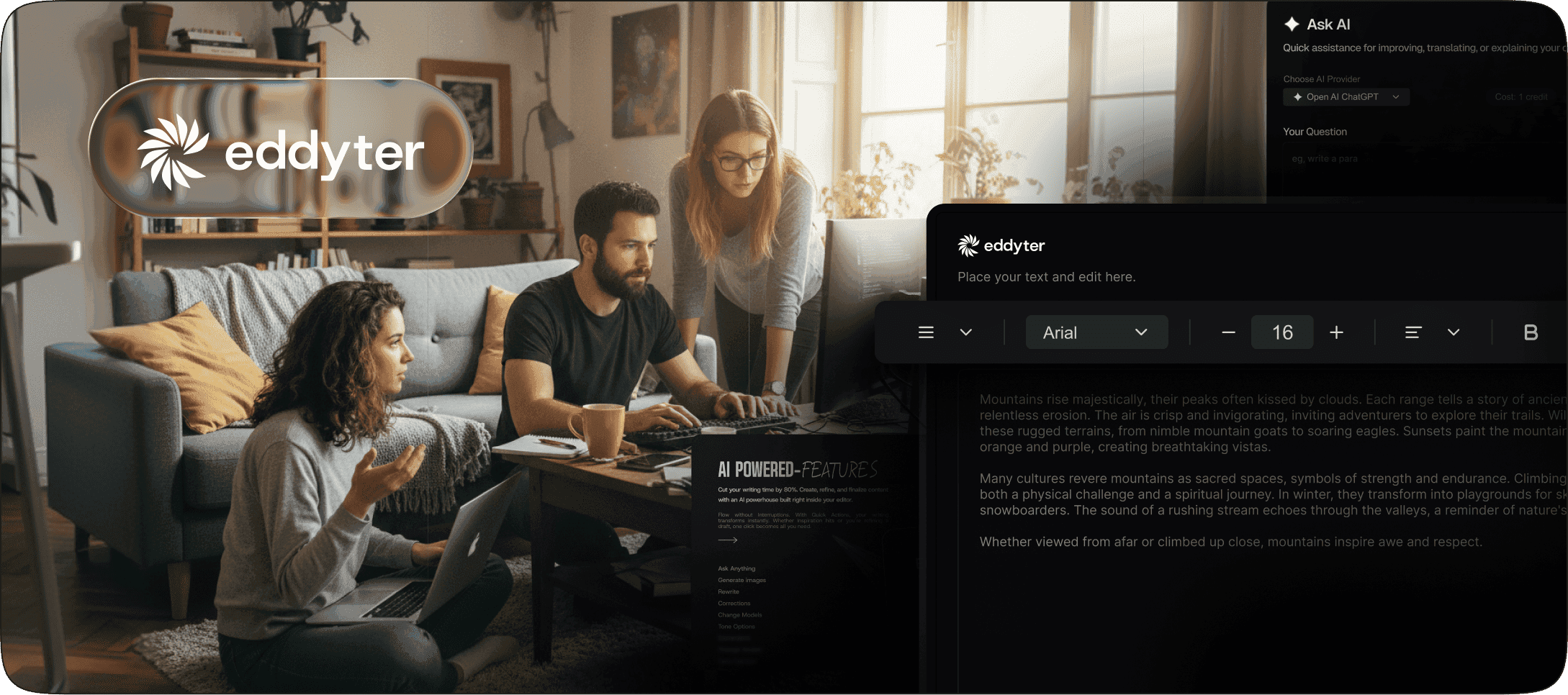
Eddyter delivers the best developer experience of any rich text editor in 2026. It's the only editor on this list designed specifically for modern web developers — built on Lexical, native to React 18.2+/19.x, TypeScript-first, and shipped as a complete editor instead of a framework you build on top of. The integration is three steps:
Step 1 — Get your API key at eddyter.com/user/license-key and add it to your environment variables:
bash
Step 2 — Install Eddyter:
bash
Step 3 — Basic integration (Next.js / React):
jsx
The editor returns clean HTML via onChange. For advanced configuration, see the Eddyter documentation.
Why developers love it:
- Three-step setup with no plugin registry or extension imports
- Native React 18.2+/19.x with no wrappers or compatibility shims
- TypeScript-first with full type definitions built in
- AI built in on Premium — GPT-5, Claude Sonnet 5, Haiku 4.5, Gemini 3 multi-model support
- Native slash commands
- Advanced tables with cell merging and resizing
- Drag-and-drop images and YouTube/Vimeo embeds
- Clean HTML output that's easy to debug and migrate
- AI-coding-tool friendly — Cursor, Claude Code, and Lovable scaffold integration in seconds
- Active development with frequent releases
- 7-framework support — same API key covers React, Next.js, Vue 3, Angular 17-20, Svelte 4/5, Laravel, Vanilla JS
- Next.js App Router support with just
"use client"
Limitations: API-key subscription for production use (free tier available for prototypes).
Verdict: the fastest path from idea to working editor in modern web stacks — a genuine ~80% setup-time cut versus headless alternatives.
For deeper analysis, see Eddyter vs TipTap 2026, Eddyter vs CKEditor 2026, and Best Rich Text Editor for React 2026.
2. TipTap — Best Headless Developer Experience
Setup: Days to weeks · Built on: ProseMirror · API style: Modular, extension-based · Best for: Custom editor UIs, Notion-like products
TipTap has the best developer experience among headless editor frameworks. The @tiptap/react package is well-designed, the extension system is clean, and the documentation is solid. The catch: "headless" means you build the visual layer yourself, which adds days to weeks of engineering time.
Developer strengths:
- Clean React API via
@tiptap/react - 100+ community extensions
- Total UI flexibility
- Strong open-source community
- Multi-framework support (React, Vue, Svelte, Vanilla JS)
Developer pain points:
- No UI included — toolbar, menus, and slash commands are all yours to build
- Steep ProseMirror learning curve
- AI behind paid TipTap AI Toolkit (~$500+/mo)
- Extension version coordination across
@tiptap/*packages - Production setup measured in weeks
Best for: developers building custom editor UIs with engineering time to invest. For most apps, see Best TipTap Alternatives 2026 or the full Eddyter vs TipTap comparison.
3. Lexical — Best Framework for Building Custom Editors
Setup: Weeks to months · Built on: Custom (Meta) · API style: Native React, plugin-based · Best for: Teams building custom editor products from scratch
Lexical is Meta's editor framework — the same foundation Eddyter is built on. Using it directly gives complete control, and it's genuinely well-architected: clean APIs, strong TypeScript support, excellent React integration. The catch: it's a framework, not an editor. You build everything.
Developer strengths:
- Built and maintained by Meta
- Battle-tested at Facebook Messenger and WhatsApp Web scale
- Excellent React-first architecture
- Strong TypeScript support
- Free MIT license
- Modern plugin system
- Smallest bundle among comparable editors (~90 KB)
Developer pain points:
- It's a framework for building editors, not an editor
- No UI, toolbar, or AI included
- Steep learning curve for custom plugins
- 4-6 weeks minimum engineering investment to reach production
- Ongoing maintenance burden is yours forever
Best for: teams building custom editor products as a core differentiator. For most apps, an editor built on Lexical (like Eddyter) is the smarter developer choice. See Best Lexical Alternative 2026.
4. CKEditor 5 — Best Modern Plug-and-Play Alternative
Setup: 2–5 hours · Built on: Custom (modern rewrite) · API style: Configuration-heavy but well-documented · Best for: Enterprise React apps with compliance needs
CKEditor 5 has solid developer documentation and a well-designed React integration via the official @ckeditor/ckeditor5-react package. It's heavier than modern alternatives, but it's a complete editor with strong compliance features built in.
Developer strengths:
- Actively maintained official React wrapper
- Multiple pre-built editor modes (classic, inline, balloon, document)
- Strong WCAG accessibility
- Built-in real-time collaboration
- SOC 2 Type II certified today
- Solid TypeScript types
Developer pain points:
- Configuration-heavy setup
- Upfront build-type decisions (classic vs balloon vs document)
- Heavy bundle (~500 KB gzipped) affects load times
- Commercial licensing complexity ($144-$864/mo Cloud, custom Enterprise)
- AI features require additional paid plan
Best for: enterprise React developers who need compliance and collaboration and have licensing budget. For a lighter option, compare the CKEditor Alternative and Eddyter vs CKEditor 2026.
5. TinyMCE — Most Battle-Tested Legacy Editor
Setup: 1–3 hours basic, days for modern parity · Built on: Custom (legacy) · API style: Wrapper-based for React, native for vanilla JS · Best for: Existing TinyMCE codebases, WordPress-adjacent projects
TinyMCE has been around since 2004 and remains the most-deployed rich text editor by total install base — reliable, well-documented, with a massive plugin ecosystem. The catch: the architecture predates modern React patterns, React integration is wrapper-based, and pricing has grown more aggressive.
Developer strengths:
- 22+ years of production reliability
- Multi-framework support
- Massive plugin ecosystem
- Best-in-class copy-paste handling from Microsoft Word
- Enterprise support
Developer pain points:
- Wrapper-based (not native) React integration
- Architecture predates modern React patterns
- Plugin configuration adds setup time
- Verbose default HTML with inline styles
- AI behind separate paid plugin ($120+/mo AI Assistant)
- Heavy bundle (~500 KB gzipped)
- Editor-load pricing ($40 per 1,000 additional loads) scales unpredictably
Best for: developers maintaining existing TinyMCE installations or working in WordPress-adjacent ecosystems. For migration paths, see TinyMCE Alternative and Eddyter vs TinyMCE 2026.
6. Quill — Best Free Lightweight Option
Setup: ~15 minutes · Built on: Custom · API style: Simple, minimal · Best for: Simple prototypes, basic formatting needs
Quill remains the most popular free rich text editor for web developers in 2026 — lightweight, simple to drop in, easy to learn. The catch: development has stalled, modern features are missing, and React integration is via a community wrapper rather than first-class.
Developer strengths:
- Genuinely free forever (BSD)
- Lightweight bundle (~45 KB)
- Simple and easy-to-learn API
- Quick prototyping
Developer pain points:
- Largely stalled development
- React integration via community
react-quillwrapper - Known compatibility issues with React 19 in some wrappers
- No AI features and no roadmap
- No advanced tables or slash commands
- Known paste-handling bugs
Best for: developers prototyping or building simple tools where basic formatting is enough. To upgrade, see Quill Alternative.
7. Slate — Best for Custom React Document Models
Setup: Weeks · Built on: Custom · API style: React-native, deeply customizable · Best for: Developers building completely custom editors
Slate is a React framework for building completely customizable rich text editors. Like Lexical, it's a toolkit — install it and you're starting from a blank canvas. Powerful for custom document models, but it requires significant engineering investment.
Developer strengths:
- Fully customizable document model
- React-native architecture from the start
- Plugin-based extension system
- Active community
- Great support for unique editor requirements
Developer pain points:
- It's a framework, not an editor
- Steep learning curve
- Historical breaking changes between major versions
- No UI, toolbar, or AI
- 4-6 weeks minimum engineering investment
Best for: developers with deep editor expertise building custom document models that don't fit existing patterns. See Eddyter vs Slate 2026 and TipTap vs Slate 2026.
The Complete Developer-Focused Comparison
Editor | Setup Time | UI Included | TypeScript | React-Native | Active Dev | Best For Developers |
|---|---|---|---|---|---|---|
Eddyter | Under 10 min | Full | First-class | Native | Frequent | Modern React/Next.js |
TipTap | Days–weeks | Headless | Good | Via @tiptap/react | Frequent | Custom UIs |
Lexical | Weeks–months | Framework | Excellent | Native | Active | Custom editor products |
CKEditor 5 | 2–5 hours | Full | Good | Official wrapper | Active | Enterprise compliance |
TinyMCE | 1–3 hours | Full | Wrapper-based | Wrapper | Active | Legacy / WordPress |
Quill | ~15 min | Basic | Community | Community wrapper | Stalled | Simple prototypes |
Slate | Weeks | Framework | Good | Native | Slow | Custom document models |
<a id="setup-time-math"></a>
How to Cut Setup Time by 80%: The Real Math
Most editor setup time comes from work developers don't initially see in the docs. Here's what actually consumes days when you build on a headless framework:
- Toolbar UI — 2–4 days for a polished, accessible toolbar
- Bubble menus — 1–3 days for floating selection menus
- Slash commands — 1–3 days for the popup, search, and command system
- Image upload UI — 1–2 days for drag-drop, resize, and alt text
- Table UI — 3–5 days for cell merging, resizing, and context menus
- AI integration — 3–7 days for chat UI, prompt handling, and error states
- Mobile responsiveness — 2–4 days of breakpoint and touch work
- Accessibility — 2–4 days for ARIA, keyboard nav, and screen-reader testing
- Cross-browser fixes — ongoing
That's roughly 15–32 days of senior engineering time for what a complete editor offers in 10 minutes. At senior dev rates ($150-$200/hour blended), that's $18,000-$51,200 of hidden engineering cost on a "free" headless framework.
With Eddyter, the toolbar is built in and configurable via toolbarOptions, bubble menus and slash commands are automatic, image and table UI ship built in, AI is built in on Premium, mobile is responsive by default, accessibility is WCAG-compliant out of the box, and cross-browser quirks are handled. The real "80% cut" isn't faster typing — it's skipping entire engineering projects.
For build-vs-buy analysis, see Build vs Buy: Real Cost of Building a Rich Text Editor in 2026 and Why Building Your Own Rich Text Editor Is a Startup Killer.
Developer-Experience Decision Framework
Choose Eddyter if you want production-ready in under 10 minutes on React 18.2+/19.x or Next.js 14/15, value clean TypeScript-first APIs, need AI features (GPT-5, Claude, Gemini) included, want active development, and would rather ship features than build editor UI.
Choose TipTap if you need total UI control, have time to build the visual layer, are comfortable with ProseMirror, and need multi-framework support beyond what Eddyter covers.
Choose Lexical if you're building a custom editor product as your core differentiator, have months of engineering time, and want Meta-grade architecture without a subscription.
Choose CKEditor 5 if you're in regulated enterprise (legal, finance, healthcare), need SOC 2 Type II compliance today, need real-time collaboration, and have licensing budget ($144-$864/mo Cloud).
Choose TinyMCE if you're maintaining existing TinyMCE codebases or extending WordPress, and Microsoft Word paste handling matters more than modern architecture.
Choose Quill if you need free, basic formatting for a prototype, and modern features (AI, advanced tables, real-time) aren't required.
Choose Slate if you have unique document-model requirements and deep editor expertise on the team.
For most modern web developers in 2026, the honest answer is Eddyter — the only editor combining fast setup, a modern foundation, built-in AI, clean TypeScript-first APIs, and active development in one package. For deeper cluster reading, see Best Rich Text Editor for React 2026, Best Rich Text Editor for Next.js App Router 2026, and the broader 9 Best Rich Text Editors of 2026.
Frequently Asked Questions
1. What is the best rich text editor for web developers in 2026?
For most React and Next.js web developers in 2026, Eddyter is the best rich text editor — it ships as a complete editor with AI (GPT-5, Claude Sonnet 5, Haiku 4.5, Gemini 3), slash commands, advanced tables, and clean TypeScript-first APIs. Setup is under 10 minutes via 3 steps. For custom editor UIs, TipTap is the leading headless framework. See the Eddyter overview video.
2. Which rich text editor has the cleanest React API?
Eddyter, Lexical, and Slate have the cleanest native React APIs. TipTap's @tiptap/react package is also strong. TinyMCE and Quill use community or wrapper-based React integration, which feels less native. CKEditor 5's official React wrapper is solid but more configuration-heavy.
3. How long does it really take to set up a rich text editor?
Eddyter installs in under 10 minutes via 3 steps. TinyMCE and CKEditor 5 take 1–5 hours for basic setup, plus more for modern features. Headless frameworks (TipTap, Lexical, Slate) install fast but take 2–8 weeks of engineering to ship production-ready since you build the entire UI. The "cut setup time by 80%" claim is the 15-32 day difference between complete editors and headless frameworks.
4. Does Eddyter work with React 19?
Yes — Eddyter is built natively for React 18.2+ and React 19.x with no wrappers or compatibility shims. It also works with Next.js 14, 15, and the App Router. Just add "use client" at the top of your editor component. Full guides are in the Eddyter documentation.
5. Is TipTap really faster to set up than Eddyter?
No. TipTap's npm package installs quickly, but since TipTap is headless (no UI included), you spend days to weeks building the toolbar, slash commands, AI integration, and visual layer. Eddyter ships everything built in — total time-to-production is dramatically faster. See How to Add a Rich Text Editor to Next.js in 10 Minutes for a working comparison.
6. Which rich text editor has the best TypeScript support?
Lexical, Eddyter, Slate, TipTap, and CKEditor 5 all have first-class TypeScript support. TinyMCE supports TypeScript via wrappers but the experience is less native. Quill's TypeScript support is community-maintained and uneven.
7. Can AI coding tools speed up rich text editor integration?
Yes — significantly, but with limits. AI tools like Cursor, Claude, and Lovable can scaffold integration code in seconds for any editor, but they can't shortcut fundamental complexity. A headless framework like TipTap still requires building UI; AI just generates it faster. For Eddyter, AI tools generate complete working integrations in seconds. See How to Add a Rich Text Editor with Lovable, Bolt, and Cursor (2026).
8. Is Quill still worth using in 2026?
For genuinely simple use cases (basic formatting, prototypes), Quill works. For modern web apps with AI requirements, advanced tables, or React 19 compatibility, Quill's stalled development becomes a liability. Modern alternatives like Eddyter offer more features with similar setup speed.
9. What's the most maintainable rich text editor for a long-term project?
Editors with active development, modern foundations, and managed infrastructure are most maintainable long-term. Eddyter (managed infrastructure, frequent updates), CKEditor 5 (active enterprise development), and TipTap (strong open-source community) are the most future-proof choices. Editors built on Lexical or ProseMirror are best-positioned for the next decade.
10. Should I use a rich text editor or a markdown editor for my web app?
Use a rich text editor (WYSIWYG) for non-technical users and content creators. Use a markdown editor for developer-focused tools. Many modern editors (including Eddyter) support both modes for flexibility. See Best Markdown Editor Components for React in 2026 for markdown-specific options.
11. How do I save rich text editor content to a database?
Capture the HTML string from the onChange callback and POST it to your backend API. Modern editors like Eddyter return clean, structured HTML on every edit. Always sanitize HTML before rendering to prevent XSS attacks (use libraries like DOMPurify).
12. Are rich text editors mobile-friendly for web apps?
Modern complete editors (Eddyter, TinyMCE, CKEditor 5, Froala) are mobile-friendly by default. Headless frameworks (TipTap, Lexical, Slate) require you to build mobile support yourself. Older editors (Summernote, Draft.js) often have mobile issues. Always test on actual devices before shipping.
13. Which AI models does Eddyter support for developers?
Eddyter supports multiple frontier AI models on Premium plans: OpenAI GPT-5, Anthropic Claude Sonnet 5, Anthropic Claude Haiku 4.5, and Google Gemini 3. On AI Pro BYOK ($39/mo), you bring your own API keys. On AI Pro Managed ($59/mo), Eddyter provides 1,000 AI credits included. Ideal for AI-first developer products.
Related Comparisons and Guides
- 9 Best Rich Text Editors of 2026
- Best Rich Text Editor for React 2026
- Best Rich Text Editor for Next.js App Router 2026
- Eddyter vs TipTap 2026: Full Comparison
- Best TipTap Alternatives 2026
- Best CKEditor Alternative 2026
- TinyMCE Alternative 2026
- Quill Alternative 2026
- Best Rich Text Editors for AI Apps 2026: Rendering LLM Output
Ready to Cut Your Editor Setup Time by 80%?
Stop spending weeks building toolbars, slash commands, and AI integrations. Drop Eddyter into your React, Next.js, Vue, Angular, Svelte, or Laravel app today — three steps, under 10 minutes, production-ready from minute one, AI included (GPT-5, Claude, Gemini).
👉 Try Eddyter free at eddyter.com
📚 Read the docs
💰 See full pricing
🎥 Watch the intro video | Watch the 30-min integration guide

Written by
Shreya Taneja
Project Manager