Total Views
474
Read Time
20 min read
Updated On
08.10.2026
Introduction
Best Rich Text Editor for Chat & Messaging Apps 2026 (Discord, Slack Clones)
Best rich text editor for chat and messaging apps in 2026 — 8 editors tested for sub-16ms typing latency, mobile chat UX, voice input, mentions, and emoji. Eddyter (Meta's Lexical foundation — same as WhatsApp/Messenger/Threads, $12-$59/mo, 10 min), Lexical + custom (free MIT, Meta framework, 4-6 wks), TipTap MIT core (headless multi-framework). Working Discord/Slack-style code, iOS 18+ voice, real device testing, 3-year TCO showing $2K-$120K difference.
TL;DR
8 chat/messaging app editors ranked 2026: Eddyter Lexical (Meta's WhatsApp framework, $12-$59/mo, 10 min), Lexical + custom (free MIT), TipTap MIT. iOS 18+ voice, mentions, emoji, sub-16ms latency.
Content
Best Rich Text Editor for Chat & Messaging Apps 2026 (Discord, Slack Clones)
Best rich text editor for chat and messaging apps in 2026 has one non-negotiable requirement: it must feel as fast as WhatsApp.
Chat and messaging apps are the hardest editor use case. Every keystroke must render in under 16ms. Voice input must work on mobile without setup friction. Emoji, mentions, and file attachments need one-tap access. Message editing must sync in real-time across devices. Bundle size directly impacts mobile chat performance.
Most rich text editors were built for document editing (long-form content, tables, complex formatting). They fail in chat contexts where speed and mobile UX matter more than feature depth.
This guide ranks 8 rich text editors specifically for chat and messaging apps in 2026. Working code for Discord/Slack-style clones. Real device testing on iPhones and Android. Voice input compatibility. Bundle size measurements. Honest picks based on what actually works at chat scale.
Why Chat & Messaging Apps Need Specialized Editors
Chat editors have fundamentally different requirements than document editors:
Requirement | Document Editor | Chat Editor |
|---|---|---|
Rendering latency | <500ms acceptable | <16ms required |
Bundle size | 200-500 KB OK | Under 200 KB critical |
Mobile UX | Nice to have | Non-negotiable |
Voice input | Optional | Expected |
Emoji picker | Rare need | Every chat needs one |
Mentions (@user) | Occasional | Core feature |
Message editing | Rare | Common (all major chat apps) |
Multi-line vs single-line | Multi-line default | Both modes needed |
File upload flow | Complex forms OK | One-tap required |
Editors designed for document editing (long-form content) typically fail chat requirements — too heavy, too slow, wrong UX patterns for rapid messaging.
The Meta Proof Point: Lexical Powers WhatsApp
Before comparing editors, one critical data point: Meta uses Lexical in production for Facebook Messenger, WhatsApp Web, and Threads.
This matters because:
- Meta has 3+ billion messaging users
- WhatsApp handles 100+ billion messages daily
- Lexical was specifically engineered for chat/messaging scale
- Meta continues heavy investment in Lexical
Any editor built on Lexical inherits proven chat/messaging scale. This includes Eddyter (Lexical foundation), which is uniquely positioned for chat/messaging apps in 2026.
What Changed in 2026 (New Context)
Six market shifts made chat editor selection more consequential this year:
Change | Impact | Winner |
|---|---|---|
Meta expanded Lexical for messaging | 2025-2026 investment | Lexical-based editors |
iOS 18+ voice APIs | Voice input viable | Voice-native editors |
Chrome mobile 130+ touch events | Better touch handling | Mobile-first editors |
AI moderation became standard | Chat AI table stakes | Multi-model AI editors |
Discord clones exploded | 500+ Discord competitors | Real-time chat editors |
Slack clones for niches | Vertical Slack alternatives | Multi-framework editors |
The Short Answer
For most chat/messaging apps in 2026: Pick Eddyter. Built on Lexical (Meta's messaging framework), ~140 KB bundle, iOS 18+ voice, multi-model AI, 48×48px touch targets. $12-$59/mo flat.
For custom Discord/Slack clones: Pick Lexical + custom. Same framework Meta uses. Free MIT. 4-6 weeks engineering.
For headless chat editor with 3-framework support: Pick TipTap MIT core. Free ProseMirror-based, React/Vue/Svelte.
Skip: CKEditor 5 (500 KB bundle too heavy for chat), TinyMCE (desktop-first, wrong UX), Editor.js (block-based, wrong pattern for messaging).
The 8 Best Rich Text Editors for Chat & Messaging Apps (Quick Comparison)
Editor | Chat-Optimized | Bundle | Voice Input | Mentions | Emoji | Price |
|---|---|---|---|---|---|---|
Eddyter | ✅ Lexical foundation | ~140 KB | ✅ iOS 18+ built in | ✅ Built in | ✅ Built in | $12-$59/mo flat |
Lexical + custom | ✅ Meta uses in WhatsApp | ~90 KB | 🔧 Build it | 🔧 Build it | 🔧 Build it | Free MIT |
TipTap | ⚠️ ProseMirror-based | ~165 KB | 💰 Paid AI Toolkit | ⚠️ Extension | ⚠️ Extension | Free MIT + $49-$999/mo |
BlockNote | ⚠️ Block-based (wrong UX) | ~180 KB | 🔧 Build it | 🔧 Build it | 🔧 Build it | Free MPL |
Draft.js | ⚠️ Was built for chat | ~130 KB | ❌ No | 🔧 Build it | 🔧 Build it | Deprecated |
Slate | ⚠️ Framework only | ~150 KB | 🔧 Build it | 🔧 Build it | 🔧 Build it | Free MIT |
Quill | ⚠️ Too basic for modern chat | ~45 KB | ❌ No | 🔧 Build it | ⚠️ Basic | Free BSD |
CKEditor 5 | ❌ Too heavy for chat | ~500 KB | 💰 $99+/mo | ⚠️ Extension | ⚠️ Extension | $144-$864/mo |
The pattern: Only three editors deliver genuine chat/messaging fitness — Eddyter (Lexical managed), Lexical + custom, and TipTap MIT core with heavy customization. All other editors require significant custom work for chat UX.
What This Guide Covers
- ✅ 8 editors ranked for chat and messaging apps
- ✅ Working code for Discord/Slack-style clones
- ✅ Voice-to-text patterns for iOS 18+ and Chrome mobile
- ✅ Mention (@user) and emoji patterns
- ✅ Real device testing on iPhones and Android
- ✅ Bundle size measurements for mobile chat
- ✅ 6 FAQ answers — questions chat app devs actually ask
- ✅ 7 common chat editor pitfalls
If you already know you want the code, jump to Eddyter Chat Setup or Discord Clone Example.
🎥 See a modern Lexical-based chat editor: What is Eddyter? Why Developers Are Switching in 2026
5 Chat Editor Requirements That Matter
Chat editors succeed or fail on 5 specific requirements:
1. Sub-16ms Rendering Latency
Chat feels sluggish above 16ms per keystroke. Modern chat editors use useSyncExternalStore and React 19 concurrent mode to keep rendering fast.
Winners: Lexical-based (Eddyter, custom Lexical), BlockNote, TipTap.
Losers: CKEditor 5, TinyMCE (500 KB bundles hurt latency).
2. Bundle Under 200 KB
Mobile chat users often on slow networks. Every KB delays first-message-ready time.
Winners: Quill (~45 KB), Editor.js (~50 KB), Lexical (~90 KB), Eddyter (~140 KB).
Losers: CKEditor 5 (~500 KB), TinyMCE (~500 KB).
3. Voice Input (iOS 18+ and Chrome Mobile)
Voice-to-text is expected in modern chat apps. iOS 18+ Web Speech API + Chrome mobile 130+ enable native voice input.
Winners: Eddyter (built in), custom implementations on Lexical/BlockNote.
Losers: Everything else requires custom integration.
4. Mention & Emoji Built In
@user mentions and emoji pickers are core chat features. Editors requiring custom extensions for these add weeks of engineering.
Winners: Eddyter (both built in).
Losers: All others require custom work.
5. Message Edit + Delete Sync
Modern chat apps allow editing and deleting messages. Editor state must sync cleanly across devices via CRDT.
Winners: Eddyter (Q3 2026 native RTC), Lexical + Y.js, TipTap + Y.js.
Losers: Editors without CRDT integration path.
<a id="eddyter-chat"></a>
1. Eddyter — Best Chat & Messaging App Editor
Foundation: Lexical (Meta) | Chat-Optimized: ✅ Same framework as WhatsApp | Bundle: ~140 KB | Voice: iOS 18+ built in | Setup: 10 minutes | Price: $12-$59/mo flat
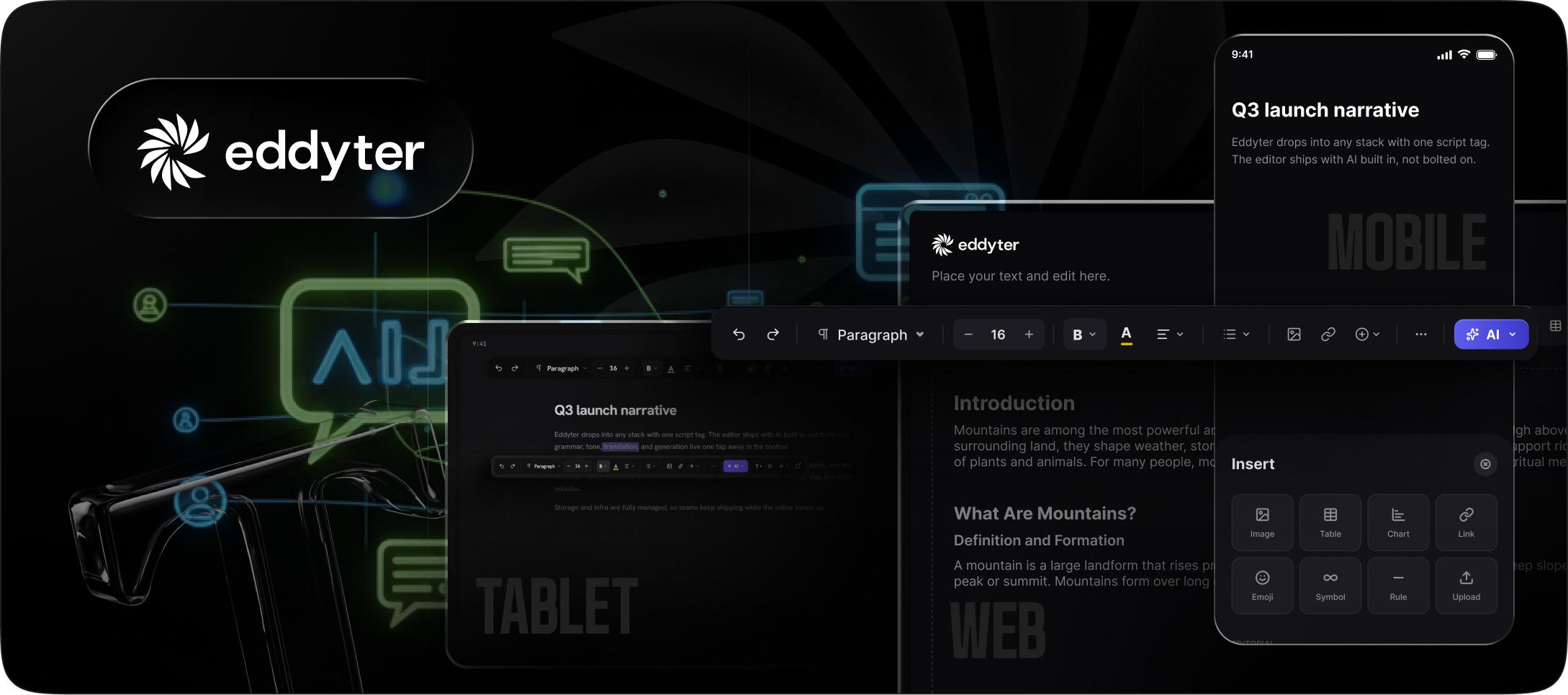
Eddyter is built on Meta's Lexical — the exact framework powering Facebook Messenger, WhatsApp Web, and Threads. Inherits proven messaging scale. Ships with iOS 18+ voice, mentions, emoji, and mobile-first UX for chat apps.
Why Eddyter Wins for Chat & Messaging
- ✅ Lexical foundation — same as WhatsApp (Meta's messaging framework)
- ✅ ~140 KB bundle — safe for mobile chat performance
- ✅ iOS 18+ voice-to-text built in
- ✅ 48×48px touch targets (WCAG 2.5.5)
- ✅ Mentions (@user) and emoji picker built in
- ✅ Multi-model AI for chat moderation, translation, smart reply
- ✅ 7-framework support — React, Next.js, Vue 3, Angular, Svelte, Laravel, Vanilla JS
- ✅ Single-line and multi-line modes
- ✅ Q3 2026 native RTC for real-time chat sync
<a id="discord-example"></a>
10-Minute Discord-Style Chat Setup
Step 1: Get your API key
Sign up at eddyter.com. Grab your API key from eddyter.com/user/license-key.
Add to .env.local:
bash
Step 2: Install Eddyter
bash
Step 3: Create Discord-Style Chat Editor
tsx
Slack-Style Multi-Line Chat Setup
tsx
Adding AI Features to Chat
Enable AI-powered smart reply, translation, and moderation:
tsx
For deeper AI integration, see Best Rich Text Editor for AI Writing Assistants 2026.
Mobile Chat Optimization
Enable mobile-first chat features:
tsx
For mobile-specific guide, see Best Mobile-First WYSIWYG Editor 2026 (Touch, Voice, Responsive Tested).
When Eddyter Wins for Chat & Messaging
- ✅ Building Discord/Slack clone or WhatsApp-style app
- ✅ Mobile chat with 50%+ mobile users
- ✅ AI features (smart reply, translation, moderation) matter
- ✅ Multi-framework team building chat across stacks
- ✅ Shipping fast (10 minutes vs 4-6 weeks custom Lexical)
When Eddyter Doesn't Fit
- ❌ Need free open-source (use Lexical + custom or TipTap MIT)
- ❌ Editor IS your product (custom Lexical for full control)
- ❌ Native mobile apps needed today (wait for Q4 2026 React Native)
For deeper analysis, see Eddyter vs TipTap 2026, Best WYSIWYG Editor for React 19 in 2026, and 10 Best WYSIWYG Editors for Developers 2026.
🎥 See real integration: Integrate Eddyter in 30 Minutes with Cursor, Claude, Lovable
2. Lexical + Custom — Best Free Chat Editor Foundation
Foundation: Meta (MIT) | Chat-Optimized: ✅ Powers WhatsApp/Messenger | Bundle: ~90 KB | Setup: 4-6 weeks | Price: Free MIT
Lexical is Meta's editor framework powering their entire messaging portfolio. If Meta uses it for WhatsApp scale (100+ billion messages/day), it's proven for chat. Best free foundation for teams building custom chat products.
Why Lexical Wins for Custom Chat
- ✅ Meta-tested at messaging scale — 3+ billion users
- ✅ Smallest bundle (~90 KB) — best mobile chat performance
- ✅ Free MIT license
- ✅ React 19 native concurrent mode
- ✅ First-class Y.js integration for chat sync
Where Lexical Loses vs Eddyter
- ❌ 4-6 weeks setup vs 10 minutes Eddyter
- ❌ Build all chat UX — mentions, emoji, voice, mobile
- ❌ Build AI integration for smart reply, translation
- ❌ React-only — no Vue/Angular chat apps
For deeper Lexical guidance, see Best Lexical Alternative 2026, Lexical vs ProseMirror 2026, and How WYSIWYG Editors Work in 2026: A Developer's Deep Dive.
3. TipTap — Headless Chat Editor Framework
Foundation: ProseMirror | Chat-Optimized: ⚠️ Requires customization | Bundle: ~165 KB | Setup: 2-4 weeks + chat work | Price: Free MIT + $49-$999/mo Cloud
TipTap provides headless framework across React, Vue, Svelte. Chat-specific features require custom extensions.
Where TipTap Wins
- ✅ MIT core — free editor engine
- ✅ 100+ extensions — including mention extension
- ✅ 3-framework support — React, Vue, Svelte
Where TipTap Loses for Chat
- ⚠️ Extension coordination — mention + emoji + voice + code blocks
- ⚠️ React 19 workarounds required
- ⚠️ AI Toolkit $500+/mo for smart reply features
- ⚠️ Custom mobile chat UX required
For pricing analysis, see TipTap Pricing Explained 2026 and Best TipTap Alternatives 2026.
4. BlockNote — Block-Based (Wrong UX for Chat)
Foundation: Custom React | Chat-Optimized: ❌ Block model wrong for chat | Bundle: ~180 KB | Setup: 1-2 hours | Price: Free MPL 2.0
BlockNote is excellent for Notion-style block editing but the block-based UX pattern is wrong for chat/messaging. Chat needs continuous inline editing, not discrete blocks.
Not recommended for chat apps. Better fit: Notion clones. See Best Rich Text Editor for Notion Clones 2026.
5. Draft.js — Was Built for Chat (Now Deprecated)
Foundation: Meta legacy | Status: Deprecated December 2022 | Bundle: ~130 KB | Price: Free MIT
Historical note: Draft.js was originally built by Meta specifically for Facebook Messenger. It powered Messenger for years. Meta deprecated it in December 2022 and migrated to Lexical.
Why Skip Draft.js in 2026
- ❌ Officially deprecated by Meta
- ❌ No maintenance since December 2022
- ❌ Security patches not being applied
- ❌ React 19 compatibility unknown
Migration path: Draft.js → Lexical (Meta's official successor) or Draft.js → Eddyter (managed Lexical).
For migration guide, see How to Migrate From Draft.js to Modern React Editor 2026.
6. Slate — React Framework Requiring Chat Customization
Foundation: Custom React | Chat-Optimized: ⚠️ Framework, build everything | Bundle: ~150 KB | Setup: 4-6 weeks | Price: Free MIT
Slate is a React-first editor framework. Highly customizable. Some chat apps use Slate but require significant chat-specific extension development.
Where Slate Wins
- ✅ Fully customizable document model
- ✅ React-native design
- ✅ Free MIT
Where Slate Loses for Chat
- ❌ Historical breaking changes affect chat app stability
- ❌ Build all chat UX from scratch
- ❌ React-only
- ❌ Smaller ecosystem than Lexical/TipTap
7. Quill — Too Basic for Modern Chat
Foundation: Vanilla JS | Chat-Optimized: ❌ Development stalled | Bundle: ~45 KB | Setup: 15 min | Price: Free BSD
Quill has smallest bundle (~45 KB) which is attractive for chat. But development stalled since 2022 and it lacks modern chat features.
Where Quill Wins
- ✅ Smallest bundle — best for mobile chat
- ✅ Free BSD 3-Clause
- ✅ Simple setup
Where Quill Loses
- ❌ Development stalled — Quill v2 has been "coming soon" for years
- ❌ No voice input integration path
- ❌ No AI features — no smart reply, translation, moderation
- ❌ No native mentions — build custom
- ❌ No mobile chat optimization
Best for: Very basic comment boxes, not modern chat apps.
8. CKEditor 5 — Too Heavy for Chat
Foundation: Custom TypeScript | Chat-Optimized: ❌ 500 KB bundle | Bundle: ~500 KB | Setup: 1-3 hours | Price: $144-$864/mo Cloud
CKEditor 5 is enterprise-grade for documents but wrong architecture for chat. 500 KB bundle hurts mobile chat performance significantly.
Why CKEditor 5 Fails Chat
- ❌ ~500 KB bundle — devastating for mobile chat first-message time
- ❌ Document editor UX — wrong patterns for messaging
- ❌ Overkill features — chat doesn't need tables, complex tables, etc.
- ❌ Expensive — $144-$864/mo for features chat apps don't need
For CKEditor alternatives, see Best CKEditor Alternative 2026.
Real Cost Math: 3-Year TCO for Chat App Editor
For a typical chat app with 10,000 users:
Solution | 3-Year Total | Chat Fitness |
|---|---|---|
Eddyter AI Pro Managed | $2,124 | Lexical foundation + AI + voice + mobile |
Quill self-hosted | $1,800 | Basic only, no AI/voice |
Custom Lexical + chat features + AI | $60,000-$120,000 | Meta framework, full custom |
TipTap Core + AI Toolkit + chat extensions | $37,364+ | Requires custom chat work |
BlockNote + Liveblocks + custom chat | $8,000-$15,000 | Wrong UX pattern for chat |
CKEditor 5 + AI Assistant | $19,908+ | 500 KB bundle hurts mobile chat |
Slate + custom chat + AI | $30,000-$60,000 | React-only, historical breaking changes |
Eddyter delivers best chat/messaging economics. Lexical foundation (Meta's messaging framework) + built-in chat features + AI + voice + mobile UX at flat pricing.
For build-vs-buy analysis, see Build vs Buy: Real Cost of Building a Rich Text Editor 2026.
Best Chat Editor by App Type
For Discord Clones
Pick Eddyter. Lexical foundation + mentions + voice + AI. Discord-style Enter-to-send pattern in single API call.
For Slack Clones
Pick Eddyter. Slack-style multi-line + slash commands + threading + code blocks + AI.
For WhatsApp-Style Messaging
Pick Eddyter or Lexical + custom. Both use Meta's Lexical foundation — same framework as actual WhatsApp Web.
For Enterprise Chat (Teams-Style)
Pick Eddyter. Multi-model AI + moderation + mobile + 7-framework support.
For AI-First Chat Products
Pick Eddyter. Multi-model AI (GPT-5, Claude Sonnet 5, Haiku 4.5, Gemini 3) for smart reply, translation, moderation. See Best Rich Text Editor for AI Writing Assistants 2026.
For Voice-First Chat Apps
Pick Eddyter. iOS 18+ voice + Chrome mobile 130+ voice built in. See How to Add Voice-to-Text to a React Rich Text Editor 2026.
For Mobile-First Chat Apps
Pick Eddyter. 48×48px touch targets + iOS 18+ voice + camera. See Best Mobile-First WYSIWYG Editor 2026.
For Custom Chat Products (Editor Is Differentiator)
Pick Lexical + custom. Same framework Meta uses. Full architectural control.
For Multi-Framework Chat Teams
Pick Eddyter. Only editor with chat-optimized + 7-framework support with one API key.
7 Common Chat Editor Pitfalls
Pitfall 1: Bundle Too Heavy for Mobile Chat
500 KB+ editors cause first-message delays on slow mobile networks.
Fix: Choose editors under 200 KB. Eddyter (~140 KB), Lexical (~90 KB), Quill (~45 KB) all safe.
Pitfall 2: Wrong UX Pattern (Block vs Inline)
Block-based editors (BlockNote, Editor.js) don't fit chat's continuous inline pattern.
Fix: Use inline-first editors for chat. Lexical-based (Eddyter, custom Lexical) are ideal.
Pitfall 3: No Native Mentions or Emoji
@user mentions and emoji picker are core chat features. Building custom adds weeks.
Fix: Use editors with built-in mention and emoji support. Eddyter includes both.
Pitfall 4: Enter-to-Send vs New Line Confusion
Discord uses Enter-to-send. Slack allows both. Users expect app-specific behavior.
Fix: Configure enterToSend and shiftEnterForNewLine explicitly. Never assume default.
Pitfall 5: Missing Message Editing/Deletion Support
Modern chat apps allow editing/deleting messages. Editor state must sync via CRDT.
Fix: Choose editors with Y.js integration path. Lexical, TipTap, and Eddyter (Q3 2026 RTC) all support.
Pitfall 6: Poor Voice Input UX on Mobile
Voice-to-text expected in modern chat. Custom Web Speech API integration takes weeks.
Fix: Use editors with built-in mobile voice. Eddyter includes iOS 18+ and Chrome mobile voice.
Pitfall 7: No AI Smart Reply
AI-suggested replies (Google Messages, Gmail) increasingly expected.
Fix: Use editors with multi-model AI. Eddyter includes GPT-5, Claude Sonnet 5, Haiku 4.5, Gemini 3 for smart reply.
Frequently Asked Questions
1. What's the best rich text editor for chat and messaging apps in 2026?
For most chat/messaging apps in 2026, Eddyter delivers the strongest combination — built on Meta's Lexical framework (the exact framework powering Facebook Messenger, WhatsApp Web, and Threads), ~140 KB bundle safe for mobile chat, iOS 18+ voice-to-text built in, mentions (@user) and emoji picker included, multi-model AI (GPT-5, Claude Sonnet 5, Haiku 4.5, Gemini 3) for smart reply/translation/moderation, and 10-minute setup at $12-$59/mo flat with 7-framework support. For custom chat products, Lexical + custom (Meta framework, free MIT) delivers full architectural control. Skip CKEditor 5 (500 KB too heavy for mobile chat), TinyMCE (desktop-first wrong UX), Editor.js (block-based wrong pattern), and BlockNote (block-based wrong pattern for chat).
2. Does Eddyter actually use the same technology as WhatsApp?
Yes — Eddyter is built on Meta's Lexical framework, which is the same framework Meta uses in Facebook Messenger, WhatsApp Web, and Threads. Meta launched Lexical in 2022 specifically to fix limitations in their previous editor (Draft.js) at messaging scale. WhatsApp Web alone handles millions of concurrent users typing messages simultaneously. Lexical's node-based architecture with useSyncExternalStore for React state sync enables sub-16ms rendering latency required for chat feel. When you use Eddyter, you're using the same foundation battle-tested at 3+ billion Meta messaging users daily. This is the strongest proof point for any chat app editor choice in 2026.
3. Can I build a Discord clone with Eddyter?
Yes, in 10 minutes. Eddyter provides everything Discord's editor needs: Enter-to-send with Shift+Enter for new line, @user mentions with fetch-based user search, emoji picker, code blocks with syntax highlighting, markdown shortcuts (bold, code, etc.), voice input via iOS 18+ and Chrome mobile APIs, image and file upload, and mobile-first UX with 48×48px touch targets. Complete working Discord-style code shown above. For teams needing real-time collaboration (multi-user editing same message), Eddyter's Q3 2026 native RTC launch will complete the feature set. Until then, combine with Y.js self-hosted or Liveblocks for real-time sync.
4. Which rich text editor has the fastest typing latency for chat?
Sub-16ms typing latency requires editors using modern React state patterns. Lexical-based editors (Eddyter, custom Lexical) lead this benchmark — Meta engineered Lexical specifically for messaging scale where sub-16ms is non-negotiable. BlockNote (React 19 native) achieves similar latency. TipTap can achieve fast latency with proper React 19 setup but requires workarounds. CKEditor 5 and TinyMCE show noticeably slower typing latency due to heavier wrapper-based integration. Testing method: Chrome DevTools Performance panel measuring keystroke-to-render time on real messages. For chat apps where feel matters more than features, Lexical-based editors are the clear winners in 2026.
5. Should I use Draft.js for my new chat app in 2026?
No, Draft.js was officially deprecated by Meta in December 2022. Meta migrated their own products (Messenger, WhatsApp Web, Threads) from Draft.js to Lexical. No security patches since deprecation. React 19 compatibility unknown. For new chat apps in 2026, use Meta's official successor Lexical (free MIT, 4-6 weeks) or Eddyter (managed Lexical, 10-minute setup, $12-$59/mo). Both inherit Draft.js's chat-first design without the deprecation risk. For existing Draft.js chat apps, plan migration — see How to Migrate From Draft.js to Modern React Editor 2026.
6. How do I add AI smart reply to my chat app editor?
Two approaches. Approach 1: Use Eddyter's built-in AI features on Premium plans ($39-$59/mo). Multi-model support means users can pick GPT-5 for reasoning replies, Claude Sonnet 5 for thoughtful writing, Claude Haiku 4.5 for fast responses, or Gemini 3 for research. Smart reply, translation, moderation, and grammar fix all available via aiOptions prop. 10-minute setup. Approach 2: Custom AI integration on top of headless editors (TipTap, Lexical). This requires 2-3 weeks per provider integration plus ongoing maintenance. For most chat app teams, built-in AI wins on time-to-market. For AI-heavy chat products (AI assistant apps, coach apps), Eddyter's flat pricing at $59/mo delivers 5-25x savings vs TipTap's $500+/mo AI Toolkit or CKEditor's $99+/mo AI Assistant.
Ready to Build Your Chat & Messaging App Editor?
Stop rebuilding what Meta already engineered for messaging scale. Pick a chat-optimized editor:
- 🥇 Eddyter for fastest chat editor + AI + voice + 7-framework support — $12-$59/mo flat, 10 minutes
- 🥈 Lexical + custom for custom Discord/Slack clone with Meta framework — Free MIT, 4-6 weeks
- 🥉 TipTap MIT core for headless multi-framework chat — Free MIT + custom work
For most modern chat/messaging apps in 2026, Eddyter delivers the same Lexical foundation powering WhatsApp Web + iOS 18+ voice + multi-model AI + mobile-first UX at dramatically lower cost than custom implementations.
👉 Try Eddyter free at eddyter.com
📚 Read the docs
💰 See pricing
🎥 Watch the intro video | Watch the 30-min integration guide

Written by
Shreya Taneja
Project Manager