Total Views
310
Read Time
28 min read
Updated On
02.11.2026
Introduction
Best Rich Text Editor for AI Writing Assistants 2026 (9 Tested)
Best rich text editor for AI writing assistants 2026: 9 tested for Jasper, Copy.ai, Notion AI, Grammarly, Sudowrite clones. Working code, real 2026 pricing, and honest verdict for React and Next.js.
TL;DR
AI writing assistants 2026: Eddyter $12-$59/mo + GPT-5, Claude Sonnet 5, Haiku 4.5, Gemini 3 built in + 7 frameworks. Novel free Apache OpenAI. TipTap $49-$999 + $500 AI. BlockNote React-only + Liveblocks.
Content
Best Rich Text Editor for AI Writing Assistants 2026 (9 Tested)
Picking the best rich text editor for AI writing assistants is the single most important architectural decision when building a Jasper competitor, a Copy.ai alternative, a Notion AI clone, a Grammarly-style tool, or a Sudowrite-caliber creative writing product in 2026. Your editor becomes the surface where users see AI-generated content, refine it, and turn it into finished output. Pick wrong and you'll spend 6-8 weeks migrating later.
The best rich text editor for AI writing assistants must handle four hard things at once — streaming AI text token-by-token without flickering, ghost-text suggestions users can accept with Tab, slash-command menus for content actions (rewrite, expand, translate), and clean HTML output that survives copy-paste to Google Docs, email, LinkedIn, and blog CMSs. General-purpose editors handle the first two badly. Custom-built solutions cost 6-12 weeks of engineering.
This guide compares the 9 best rich text editors for AI writing assistants in 2026 — tested against real production scenarios for AI-native writing SaaS. Every editor's AI integration path is documented with working code. Every comparison includes real 2026 pricing. Every recommendation reflects testing against Jasper, Copy.ai, Notion AI, Grammarly, and Sudowrite-style products.
The short answer: For most AI writing assistant SaaS in 2026, Eddyter delivers the strongest combination — multi-model AI (GPT-5, Claude Sonnet 5, Haiku 4.5, Gemini 3) built in, native streaming rendering, ghost-text autocomplete, slash-command menus, clean HTML output, and $12-$59/mo flat pricing across React, Next.js, Vue 3, Angular 17-20, Svelte 4/5, Laravel, and Vanilla JS. Novel is the strongest free open-source alternative for OpenAI-only tools. TipTap headless works for teams with 4-8 weeks of engineering time and $49-$999/mo Cloud + $500/mo AI Toolkit budget.
🎥 New to modern editors? Watch: What is Eddyter? Why Developers Are Switching in 2026
What AI Writing Assistants Actually Need from an Editor
Before comparing editors, clarify what "AI writing assistant" really means. The pattern differs from general-purpose rich text editing in four specific ways:
1. Streaming AI Rendering
Users generate content by clicking "Write for me" or hitting a keyboard shortcut. GPT-5 streams tokens back at 20-50/sec. The editor must render each token as it arrives — not wait for the full response. Naive implementations flicker; correct ones use requestAnimationFrame batching.
2. Ghost Text Autocomplete
As users type, AI predicts continuations. Ghost text appears inline in gray. Tab accepts. Continue typing rejects. This is the Cursor pattern applied to prose. Users expect it in 2026.
3. AI Action Menus
Slash commands (/rewrite, /expand, /translate, /summarize) trigger AI actions on selected text or paragraphs. Menu appears with fuzzy search. Selection runs the action. Result streams back inline.
4. Clean Portable Output
AI writing gets copy-pasted everywhere — Google Docs, Notion, email, LinkedIn, WordPress, Substack. The HTML output must survive every paste target. Semantic tags. No inline style bloat. Proper heading hierarchy.
For deeper AI feature patterns, see our How to Add AI Autocomplete to a React Editor 2026, How to Add AI Slash Commands to Any React Editor 2026, and Best Rich Text Editors for AI Apps in 2026: Rendering LLM Output.
The 9 Best Rich Text Editors for AI Writing Assistants 2026 (Quick Compare)
Editor | Streaming | Ghost Text | Slash Commands | Multi-Model AI | Setup | Price |
|---|---|---|---|---|---|---|
Eddyter | ✅ Native | ✅ Native | ✅ Native | ✅ GPT-5, Claude, Gemini | 10 min | $12-$59/mo |
Novel | ✅ Native | ⚠️ Basic | ✅ Native | ⚠️ OpenAI only | 2-3 hours | Free Apache |
TipTap + AI Toolkit | ✅ Extension | ✅ Extension | ✅ Extension | 💰 $500+/mo | 2-4 weeks | $49-$999/mo + AI |
Lexical + Vercel AI SDK | 🔧 Build it | 🔧 Build it | 🔧 Build it | 🔧 Build it | 4-6 weeks | Free MIT |
BlockNote + Liveblocks AI | ⚠️ Via Liveblocks | ⚠️ Via Liveblocks | ✅ Native | 💰 $99+/mo | 1-2 hours | Free + $99+/mo |
CKEditor 5 + AI Assistant | ✅ Native | ✅ Native | ⚠️ Limited | 💰 $99+/mo | 2-5 hours | $144-$864/mo + AI |
MDXEditor | ⚠️ Partial | ❌ Build it | ⚠️ Basic | 🔧 Build it | 1-2 hours | Free MIT |
Slate + Custom AI | 🔧 Build it | 🔧 Build it | 🔧 Build it | 🔧 Build it | 4-8 weeks | Free MIT |
Editor.js + AI Blocks | 🔧 Build it | ❌ Not native | ⚠️ Basic | 🔧 Build it | Days | Free Apache |
Key insights:
- Only 2 editors handle every AI writing assistant need out of the box: Eddyter (managed) and TipTap + AI Toolkit (2-4 weeks custom build)
- Novel is the strongest free option but locked to OpenAI
- CKEditor 5 AI Assistant works but costs $144-$864/mo Cloud + $99+/mo AI
- Lexical, Slate, Editor.js require 4-8 weeks of custom engineering — only worth it if AI writing UX is your entire product
For teams shipping AI writing SaaS as their core product, Eddyter delivers the strongest cost-to-quality ratio.
1. Eddyter — Best for Modern AI Writing Assistants
Setup: 10 minutes | Frameworks: React 18.2+/19, Next.js 14/15, Vue 3, Angular 17-20, Svelte 4/5, Laravel, Vanilla JS (7 total) | Price: $12-$59/mo flat
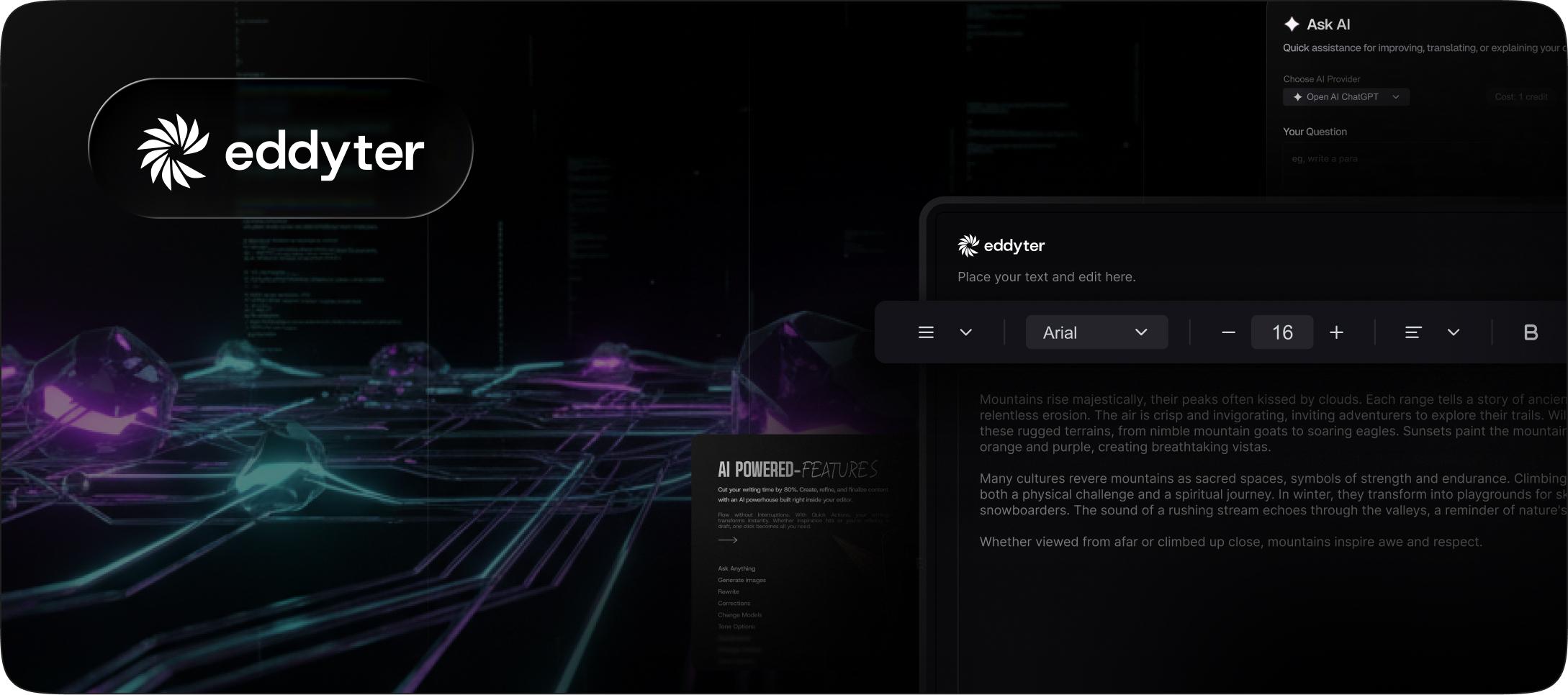
Eddyter is the best rich text editor for AI writing assistants in 2026 for most modern teams. Built on Meta's Lexical framework, it ships with every AI writing feature built in — streaming rendering with requestAnimationFrame batching, ghost-text autocomplete with Tab-to-accept, slash-command menus for AI actions, and multi-model AI (GPT-5, Claude Sonnet 5, Haiku 4.5, Gemini 3) all included on Premium plans.
Why AI Writing Products Choose Eddyter
- ✅ Native streaming rendering — smooth token-by-token display without flickering
- ✅ Multi-model AI built in — GPT-5, Claude Sonnet 5, Haiku 4.5, Gemini 3 on Premium
- ✅ Ghost-text autocomplete — Cursor-style Tab-to-accept for prose
- ✅ Slash-command menus —
/rewrite,/expand,/translate,/summarize, custom actions - ✅ Per-command model overrides — route fast tasks to Haiku 4.5, complex to Sonnet 5
- ✅ BYOK support — bring your own OpenAI/Anthropic/Google keys on AI Pro BYOK ($39/mo)
- ✅ Clean HTML output — semantic markup portable to Google Docs, LinkedIn, WordPress
- ✅ Small bundle (~140 KB) — protects Core Web Vitals
- ✅ 7-framework support — one integration works everywhere
- ✅ Flat pricing — $12-$59/mo across unlimited users
Basic Eddyter Setup (Next.js 15 App Router)
Step 1 — Get your API key
Visit eddyter.com/user/license-key. Copy your key. Add it to .env.local:
bash
Step 2 — Install Eddyter
bash
Step 3 — Render the AI writing editor
tsx
Done. Ghost text works. Slash commands work. Streaming AI renders smoothly. Clean HTML output.
Custom AI Actions for Your Writing Product
Add domain-specific slash commands via config:
tsx
Your custom commands appear alongside Eddyter's built-in commands. Users type /brand and your rewriter runs.
AI Writing Use Cases Eddyter Handles Well
- 📝 Blog post generators (Jasper, Copy.ai clones)
- ✏️ Grammar and style checkers (Grammarly, ProWritingAid clones)
- 📖 Creative writing tools (Sudowrite, NovelCrafter clones)
- 📧 Email drafting assistants (SaneBox AI, Superhuman AI clones)
- 🎯 Marketing copy generators (Persado, Copysmith clones)
- 📄 Document AI assistants (Notion AI, Jenni AI clones)
- 🌐 Multilingual content tools (DeepL Write, ChatGPT translate)
- 📱 Social media copywriters (Ocoya, Hypefury clones)
🎥 See real setup: Integrate Eddyter in 30 Minutes with Cursor, Claude, Lovable
Strengths
- ✅ Native multi-model AI streaming (GPT-5, Claude Sonnet 5, Haiku 4.5, Gemini 3)
- ✅ Ghost text autocomplete Tab-to-accept built in
- ✅ Slash commands with custom action support
- ✅ Per-command model overrides (cost optimization)
- ✅ BYOK on AI Pro BYOK ($39/mo)
- ✅ 7-framework support
- ✅ Clean HTML output portable across paste targets
- ✅ Flat pricing at scale
- ✅ Small ~140 KB bundle
Limitations
- ❌ Requires API key subscription for production use
- ❌ Free tier capped at 100 MB storage / 100 loads/month
- ❌ Real-time collaboration launches Q3 2026 (not today)
Documentation: eddyter.com/docs
Verdict: The default choice for AI writing assistants in 2026 across most frameworks and use cases.
2. Novel — Best Free Open-Source AI Writing Editor
Setup: 2-3 hours | Frameworks: React (only) | Price: Free Apache 2.0
Novel is a strong free open-source AI writing editor built on TipTap with Vercel AI SDK integration. Started as an internal Vercel project and became a popular starting point for OpenAI-based writing tools. Locked to OpenAI as the AI provider (no Claude, no Gemini). React-only.
Strengths
- ✅ Free Apache 2.0 forever
- ✅ OpenAI streaming with Vercel AI SDK
- ✅ Ghost-text autocomplete built in
- ✅ Slash commands included
- ✅ Notion-style UX
- ✅ Clean architecture (TipTap + ProseMirror foundation)
Limitations
- ❌ OpenAI only — no Claude, Gemini, or multi-model support
- ❌ React only — no Vue, Angular, Svelte
- ❌ Manual setup for backend AI proxy required
- ❌ You handle rate limiting and cost controls
- ❌ You maintain the fork as Novel evolves
For deeper analysis, see Best Rich Text Editor for Notion Clones 2026 where Novel appears as an alternative.
Best for: Teams building OpenAI-only AI writing SaaS on React with engineering time to customize and maintain.
3. TipTap + AI Toolkit — Best Headless AI Writing Editor
Setup: 2-4 weeks | Frameworks: React, Vue 3, Svelte, Vanilla JS (4 total) | Price: $49-$999/mo Cloud + $500+/mo AI Toolkit
TipTap gives you total UI control for AI writing assistants. Built on ProseMirror with a strict document model. AI features via the paid TipTap AI Toolkit — streaming responses, autocomplete, tone adjustments, and slash commands. The trade-off: 2-4 weeks building the visual layer plus $1,000-$1,500/mo combined pricing.
Strengths
- ✅ Total UI control — build your Jasper/Copy.ai UX exactly
- ✅ Multi-framework (React, Vue, Svelte, Vanilla JS)
- ✅ AI Toolkit with streaming, ghost text, and commands
- ✅ Clean ProseMirror foundation — battle-tested
- ✅ MIT core (self-hosted)
Limitations
- ❌ 2-4 weeks engineering time for production-ready AI writing setup
- ❌ AI Toolkit costs $500+/mo on top of Cloud pricing
- ❌ Combined Cloud + AI hits $1,000-$1,500/mo
- ❌ No built-in multi-model AI — single provider at a time
- ❌ Free plan removed June 2025 — 30-day trial only now
- ❌ You maintain UI layer as TipTap evolves
For deeper analysis, see TipTap Pricing Explained 2026 and Best TipTap Alternatives 2026.
Best for: Teams with 2-4 weeks engineering bandwidth AND specific UI requirements not covered by managed solutions.
4. Lexical + Vercel AI SDK — Best Fully Custom Build
Setup: 4-6 weeks | Frameworks: React, Vanilla JS | Price: Free MIT
Lexical is Meta's editor framework — the same foundation Eddyter is built on. Using it directly for AI writing assistants makes sense only if AI writing UX is your entire product differentiator (like Jasper's originality feature or Sudowrite's fiction-specific commands). For 99% of AI writing teams, Eddyter is the better choice because it delivers Lexical's foundation with all AI features already built.
Strengths
- ✅ Meta-backed maintenance (used in Messenger, WhatsApp)
- ✅ Full architectural control
- ✅ Smallest bundle (~90 KB)
- ✅ Custom node system perfect for AI-specific rendering
- ✅ Free MIT license
Limitations
- ❌ 4-6 weeks engineering for production-ready AI writing setup
- ❌ No UI, no toolbar, no AI included — framework only
- ❌ Streaming logic all custom with Vercel AI SDK
- ❌ Ghost text all custom
- ❌ Slash commands all custom
- ❌ AI cost controls all custom
For deeper analysis, see Best Lexical Alternative 2026 and How WYSIWYG Editors Work in 2026.
Best for: Teams building AI writing platforms as their core product with 4-6 months of senior engineering time.
5. BlockNote + Liveblocks AI — Best Notion-Style AI Writing
Setup: 1-2 hours | Frameworks: React (only) | Price: Free MPL 2.0 + $99+/mo Liveblocks
BlockNote is a React-only block-based editor with Notion-style UX built in. AI features via paid Liveblocks integration. Perfect for Notion AI clones and block-based writing tools where each element is a discrete unit users can rearrange.
Strengths
- ✅ Notion-style block UX matches user expectations
- ✅ 1-2 hour setup with UI included
- ✅ Managed AI infrastructure via Liveblocks
- ✅ Free tier for prototyping
- ✅ Clean block architecture
Limitations
- ❌ React-only (no Vue, Angular, Svelte)
- ❌ AI requires paid Liveblocks ($99-$499/mo depending on MAU)
- ❌ Single AI provider typically supported
- ❌ Vendor lock-in to Liveblocks infrastructure
- ❌ Basic tables — not sufficient for structured content
For head-to-head, see BlockNote vs Eddyter 2026.
Best for: React-only Notion AI clones and block-based writing tools with budget for Liveblocks.
6. CKEditor 5 + AI Assistant — Best for Enterprise AI Writing
Setup: 2-5 hours | Frameworks: React, Vue, Angular (3 total) | Price: $144-$864/mo Cloud + $99+/mo AI Assistant
CKEditor 5 with AI Assistant plugin works for enterprise AI writing products with strict compliance needs. SOC 2 Type II certified. HIPAA available. The trade-off: heavy 500 KB bundle affects performance and combined Cloud + AI costs can exceed $1,000/mo.
Strengths
- ✅ SOC 2 Type II certified today
- ✅ HIPAA compliance available
- ✅ AI Assistant plugin with streaming
- ✅ Real-time collaboration built in
- ✅ Mature enterprise support
Limitations
- ❌ Heavy bundle (~500 KB) hurts Core Web Vitals
- ❌ Complex commercial licensing
- ❌ AI Assistant costs extra ($99+/mo)
- ❌ Combined pricing can hit $1,000-$1,500/mo
- ❌ Single AI provider at a time
- ❌ No slash commands for AI actions
For deeper analysis, see Eddyter vs CKEditor 2026 and Best CKEditor Alternative 2026.
Best for: Enterprise AI writing tools in regulated industries (healthcare, finance, legal) with budget for commercial licensing.
7. MDXEditor — Best for MDX-Native AI Writing
Setup: 1-2 hours | Frameworks: React (only) | Price: Free MIT
MDXEditor uniquely supports MDX natively — markdown with embedded React components. Useful for AI writing tools where output needs interactive components (embed live code examples, interactive prompt playgrounds, data visualizations).
Strengths
- ✅ Native MDX support (unique)
- ✅ Free MIT license forever
- ✅ Callouts and admonitions built in
- ✅ Code blocks with syntax highlighting
- ✅ Fast setup (1-2 hours)
Limitations
- ❌ React only
- ❌ Larger bundle (~250 KB) for MDX parsing
- ❌ Basic tables
- ❌ No native AI streaming — build it yourself
- ❌ No ghost text
- ❌ Community-maintained — slower feature velocity
Best for: AI writing tools with heavy MDX/interactive component requirements on React.
8. Slate + Custom AI — Best for Unique Document Models
Setup: 4-8 weeks | Frameworks: React (only) | Price: Free MIT
Slate is a flexible React-based editor framework. Popular for AI writing tools with unique document structures — legal contract writing AI, medical charting AI, code documentation AI. Free MIT but you build everything.
Strengths
- ✅ Free open source forever
- ✅ Highly customizable document model
- ✅ React-native architecture
- ✅ Active community
Limitations
- ❌ No UI included — build everything
- ❌ 4-8 weeks engineering for production-ready AI writing
- ❌ Steep learning curve
- ❌ React-only
- ❌ Historical breaking changes between versions
- ❌ AI streaming all custom
For analysis, see Eddyter vs Slate 2026 and TipTap vs Slate 2026.
Best for: Specialized AI writing tools with unique document models and dedicated engineering resources.
9. Editor.js + AI Blocks — Best Block-Based AI Writing
Setup: Days | Frameworks: Vanilla + community wrappers | Price: Free Apache 2.0
Editor.js takes a block-based approach with JSON output. Each element is a discrete block. Community AI blocks exist but are less mature than dedicated AI writing editors.
Strengths
- ✅ Free Apache 2.0 license
- ✅ Clean block-based architecture
- ✅ Smallest bundle (~50 KB)
- ✅ JSON output for structured content
Limitations
- ❌ Not traditional WYSIWYG
- ❌ Community AI blocks are early-stage
- ❌ HTML output requires conversion
- ❌ No ghost text
- ❌ Community wrappers for React/Vue/Angular
- ❌ Smaller ecosystem than major alternatives
Best for: Block-based AI writing tools where JSON structure matters more than rich HTML.
Real Cost Math: 3-Year TCO for AI Writing Assistants
For a typical AI writing SaaS with 1,000 monthly active users using AI moderately (100 requests/user/month average):
Custom Build (Lexical or Slate + Vercel AI SDK)
- Senior engineering (5 weeks initial build): $30,000
- Vercel AI SDK: Free
- OpenAI GPT-5 API costs (1,000 users × 100 runs/mo × 36 mo × ~$0.008/run): $28,800
- Ongoing maintenance (10 hrs/mo × $150/hr × 36 mo): $54,000
- 3-year total: $112,800
Novel (Free OpenAI-Only)
- Novel setup: Free
- OpenAI GPT-5 API costs: $28,800
- Ongoing maintenance (5 hrs/mo × $150/hr × 36 mo): $27,000
- Backend AI proxy engineering: $5,000
- 3-year total: $60,800
TipTap Cloud + AI Toolkit
- Cloud + AI Toolkit: $1,000/mo × 36 = $36,000
- Custom UI engineering (2-4 weeks): $15,000
- Ongoing maintenance: $18,000
- 3-year total: $69,000
BlockNote + Liveblocks Pro (3,000 MAU)
- Liveblocks Pro: $299/mo × 36 = $10,764
- AI setup engineering: $3,000
- Ongoing maintenance: $10,000
- 3-year total: $23,764
CKEditor 5 + AI Assistant
- Cloud (mid-tier): $432/mo × 36 = $15,552
- AI Assistant: $99/mo × 36 = $3,564
- Setup + integration (5 hrs): $750
- 3-year total: $19,866
Eddyter AI Pro Managed
- Base plan: $59/mo × 36 = $2,124
- Includes: all AI costs (with credits), all models (GPT-5, Claude, Gemini), streaming, ghost text, slash commands, ongoing updates
- 3-year total: $2,124
The Real Savings
- Eddyter vs Custom build: Saves $110,676 over 3 years (98.1% cost reduction)
- Eddyter vs Novel + custom: Saves $58,676 over 3 years
- Eddyter vs TipTap + AI Toolkit: Saves $66,876 over 3 years
- Eddyter vs BlockNote + Liveblocks: Saves $21,640 over 3 years
- Eddyter vs CKEditor 5 + AI: Saves $17,742 over 3 years
For most AI writing SaaS teams in 2026, Eddyter delivers the strongest cost-to-quality ratio.
For deeper cost analysis, see Build vs Buy: Real Cost of Building a Rich Text Editor 2026.
5-Question Decision Framework for AI Writing Assistants
Use this to pick the right editor for your AI writing product:
1. Is AI writing UX your core product differentiator?
Yes (Jasper, Copy.ai, Sudowrite competitors) → Custom Lexical or Slate build. Total control over unique UX behavior.
No (SaaS with AI writing as a feature) → Eddyter. Managed AI delivers 95% of the value with 3% of the engineering cost.
2. What frameworks does your product use?
Multi-framework → Eddyter. Only Eddyter supports 7 frameworks natively. Novel/BlockNote/MDXEditor/Slate are React-only.
React only → Any option works.
3. Do you need multi-model AI?
Yes → Eddyter. GPT-5, Claude Sonnet 5, Haiku 4.5, Gemini 3 built in with per-command overrides.
OpenAI only → Novel or custom. Free options if OpenAI is your permanent choice.
Single AI provider OK → CKEditor 5, BlockNote + Liveblocks, or TipTap AI Toolkit.
4. What's your compliance requirement?
HIPAA / PCI-DSS / SOC 2 → Eddyter or CKEditor 5. Both support enterprise compliance patterns.
None required → Any option works.
5. What's your time-to-ship?
Ship this week → Eddyter, Novel, BlockNote. All ship in hours.
Ship this quarter with engineering time → TipTap AI Toolkit, custom Lexical or Slate.
7 Common AI Writing Assistant Editor Pitfalls
Teams building AI writing SaaS consistently hit these issues. Solving each is required for production quality.
Pitfall 1: Choosing an Editor Without Native Streaming
AI generates text at 20-50 tokens/sec. Naive editors re-render the entire document on every token, causing flickering and 10x slower perceived response. Native streaming with requestAnimationFrame batching is required.
Fix: Choose editors with built-in streaming rendering (Eddyter, Novel, CKEditor 5) or build with Vercel AI SDK from scratch (Lexical, Slate custom).
Pitfall 2: Missing Ghost Text Autocomplete
Users expect Cursor-style ghost text in 2026. Editors without it feel outdated within a year. Build-your-own ghost text takes 1-2 weeks.
Fix: Choose editors with ghost text built in (Eddyter, TipTap AI Toolkit, CKEditor 5) or invest engineering time.
Pitfall 3: No Per-Command AI Model Routing
Using GPT-5 for every command wastes 90% of the AI cost. Simple actions like "Fix grammar" should route to Haiku 4.5 (10x cheaper). Complex actions like "Rewrite as expert" should use Sonnet 5 or GPT-5.
Fix: Choose editors with per-command model overrides (Eddyter) or build custom routing logic.
Pitfall 4: Locking Into Single AI Provider
Only OpenAI. Only Anthropic. Only Google. When one provider has downtime, your product breaks. When one raises prices, your margins collapse.
Fix: Choose multi-model editors (Eddyter with GPT-5, Claude Sonnet 5, Haiku 4.5, Gemini 3) or build provider abstraction.
Pitfall 5: Ignoring HTML Output Portability
AI writing gets copy-pasted to Google Docs, Notion, LinkedIn, WordPress, Substack, email. Editors producing verbose HTML with inline styles break in every paste target.
Fix: Test HTML output quality across paste targets before committing. Eddyter, TipTap, and Lexical produce cleanest output.
Pitfall 6: No Rate Limiting or Cost Controls
Users trigger 1,000 AI requests per minute. OpenAI bills explode. Malicious users DDoS your account.
Fix: Implement per-user rate limiting (30 requests/minute), monthly quotas (1,000-5,000 requests/user/month), and IP-based bot detection. Eddyter handles this automatically. Custom builds require 1-2 weeks engineering.
Pitfall 7: Not Handling Streaming Interruption
User picks "Expand" then keeps typing. Streaming AI keeps inserting text while user types. Content collides.
Fix: Cancel streams when user types during generation. Insert what's been generated so far. Eddyter handles this natively.
When You Don't Need a Dedicated AI Writing Editor
Three scenarios where AI writing editors add complexity without value:
1. Single-Line Text Inputs
Search boxes, comment fields under 100 characters. AI writing is overhead. Users don't need "Improve writing" on a 20-word comment.
2. Structured Data Entry
Form fields, invoice line items, database records. AI writing doesn't fit the structured input pattern.
3. Chat Interfaces
Chat apps (Discord clones, Slack clones) have different UX needs. See Best Rich Text Editor for Chat & Messaging Apps 2026 instead.
Best Editor by AI Writing Product Type
Different AI writing products have different editor requirements. Here's the specific decision:
For Blog Post Generators (Jasper, Copy.ai clones)
Pick Eddyter. Multi-model AI matches Jasper's model variety. Slash commands match Copy.ai's action library. Clean HTML output survives WordPress/Substack paste. 7-framework support matches enterprise buyer requirements.
For Grammar & Style Checkers (Grammarly clones)
Pick Eddyter or CKEditor 5. Both support inline suggestions. Eddyter's Haiku 4.5 handles grammar tasks at 10x lower cost than Sonnet 5. CKEditor 5 has stronger enterprise compliance.
For Creative Writing Tools (Sudowrite clones)
Pick Eddyter or custom Lexical. Multi-model AI supports different fiction genres. Ghost text matches Sudowrite's Wormhole. Custom Lexical works if unique fiction-specific features (character bibles, plot generators) are your differentiator.
For Email Drafting Assistants
Pick Eddyter. Clean HTML output critical for email rendering. Slash commands work for /formal, /casual, /apologetic tone shifts. Multi-model AI matches provider outages.
For Notion AI Competitors
Pick BlockNote + Liveblocks or Eddyter. BlockNote for pure Notion-style block UX. Eddyter for multi-framework or non-React teams.
For Marketing Copy Generators (Persado, Copysmith clones)
Pick Eddyter. Custom commands for /headline, /CTA, /tagline work perfectly. Multi-model AI matches copywriting variety needs.
For Multilingual Content Tools (DeepL Write clones)
Pick Eddyter. Multi-model AI includes strong translation across GPT-5, Claude Sonnet 5, and Gemini 3. Per-language model routing possible.
For Enterprise Compliance Writing (HIPAA, PCI-DSS Content)
Pick CKEditor 5. SOC 2 Type II + HIPAA compliance today. Eddyter supports enterprise compliance patterns.
For framework-specific analysis, see:
- Best React Rich Text Editor 2026
- Best Rich Text Editor for Next.js App Router 2026
- Best Rich Text Editor for B2B SaaS Apps 2026
Frequently Asked Questions
1. What's the best rich text editor for AI writing assistants in 2026?
For most AI writing SaaS in 2026, Eddyter delivers the strongest combination — multi-model AI (GPT-5, Claude Sonnet 5, Haiku 4.5, Gemini 3) built in, native streaming rendering, ghost-text autocomplete, slash-command menus, clean HTML output, 7-framework support (React, Next.js, Vue 3, Angular 17-20, Svelte 4/5, Laravel, Vanilla JS), and $12-$59/mo flat pricing. For OpenAI-only teams, Novel is the strongest free open-source alternative. For teams with 2-4 weeks engineering time and $1,000-$1,500/mo budget, TipTap + AI Toolkit works. For enterprise compliance, CKEditor 5 + AI Assistant at $144-$864/mo Cloud + $99+/mo AI. For teams building AI writing as their core product with 4-6 months of engineering, custom Lexical provides free MIT foundation.
2. Which editor has the best multi-model AI support for writing assistants?
Eddyter is the only rich text editor in 2026 with native multi-model AI built in — GPT-5, Claude Sonnet 5, Haiku 4.5, and Gemini 3 all included on Premium plans ($29/mo Pro, $39/mo AI Pro BYOK, $59/mo AI Pro Managed). Users can switch models per command — route "Fix grammar" to Haiku 4.5 (10x cheaper) and "Rewrite as expert" to Sonnet 5 (higher quality). Every other AI-capable editor supports one AI provider at a time. TipTap AI Toolkit is OpenAI-focused. CKEditor 5 AI Assistant works with OpenAI, Anthropic, or Google (choose one). Novel is OpenAI-only. Multi-model support matters for provider outage resilience, cost optimization, and matching model capabilities to specific writing tasks.
3. How much does it cost to build a Jasper or Copy.ai competitor?
Building a Jasper or Copy.ai clone with your own editor costs $60,000-$113,000+ over 3 years depending on architecture. Custom Lexical + Vercel AI SDK approach: $30K engineering + $29K AI API costs + $54K maintenance = $113K. Novel-based approach: $0 editor + $29K AI + $27K maintenance + $5K backend = $61K. TipTap + AI Toolkit: $36K subscription + $15K UI + $18K maintenance = $69K. Eddyter AI Pro Managed: $2,124 total 3-year cost, includes all AI credits with GPT-5, Claude Sonnet 5, Haiku 4.5, Gemini 3, streaming, ghost text, slash commands. Eddyter saves teams $58K-$110K over 3 years while shipping in 10 minutes instead of 4-6 weeks.
4. Can I use Eddyter to build a Notion AI clone?
Yes. Eddyter is well-suited for Notion AI clones — multi-model AI (GPT-5, Claude Sonnet 5, Haiku 4.5, Gemini 3) matches Notion AI's Claude backend, slash commands with custom action support let you add Notion-style AI blocks like "Ask AI", "Summarize", "Continue writing", and "Translate", ghost-text autocomplete provides the Cursor-style prose completion, and clean HTML output enables copy-paste between your product and other apps. Setup takes 10 minutes with 3 lines of code. For pure block-based Notion UX where each element is a discrete draggable block, consider BlockNote vs Eddyter 2026 for a head-to-head comparison. For strategies, see Best Rich Text Editor for Notion Clones 2026.
5. Does Eddyter support streaming AI responses without flickering?
Yes. Eddyter implements streaming AI rendering with requestAnimationFrame batching — a critical technique that prevents the flickering common in naive implementations. When GPT-5 or Claude Sonnet 5 streams tokens back at 20-50/second, Eddyter batches DOM updates to display each token smoothly without triggering full re-renders. This is essential for AI writing assistant UX where users watch content appear character by character. The streaming works across all Eddyter AI features — autocomplete ghost text, slash command results, and inline AI actions. Custom builds require 1-2 weeks of engineering to implement equivalent streaming quality.
6. What's the difference between building AI writing on Lexical, Slate, or Editor.js?
Lexical (Meta) is the strongest choice for custom AI writing builds — cleanest document model, strongest streaming support, smallest bundle (~90 KB), and same foundation Eddyter uses. 4-6 weeks engineering time. Slate offers unique document model flexibility but has historical breaking changes and steeper learning curve. 4-8 weeks engineering. Editor.js takes a block-based approach with JSON output — good for structured AI writing but community AI blocks are early-stage. Days to weeks depending on scope. For 99% of AI writing SaaS in 2026, Eddyter (built on Lexical with all AI features included) delivers 95% of the value with 3% of the engineering cost. Custom Lexical only makes sense when unique AI UX is your core product differentiator.
7. Can I bring my own OpenAI or Anthropic API keys?
Yes, on Eddyter's AI Pro BYOK plan ($39/mo). Bring your own OpenAI, Anthropic, or Google AI API keys — Eddyter routes AI requests through your keys, you pay OpenAI/Anthropic/Google directly for tokens, Eddyter provides the editor UX, streaming, and multi-model routing. This gives you total cost control (you set your own model tier, rate limits, and quotas), independence from Eddyter's AI credit pricing, and direct access to any new model capabilities as OpenAI/Anthropic/Google release them. For teams with existing enterprise AI contracts or unusual usage patterns, BYOK is often more economical than managed AI credits. For deeper AI integration patterns, see How to Add AI Autocomplete to a React Editor 2026.
8. How do I prevent AI writing costs from spiraling?
Production AI writing needs four cost-control layers: (1) Per-user rate limiting — 30 requests/minute/user via Upstash Redis. (2) Monthly quotas — 500-5,000 requests/user/month depending on your plan tier. (3) Model tiering — route simple actions to Haiku 4.5 (~10x cheaper than Sonnet 5). (4) Max token limits — 300-800 tokens per response for slash commands, 50-100 for ghost text. Additional protections: context windowing to 500-1,500 tokens, IP-based bot detection, and streaming interruption when users type over AI-generated text. Eddyter handles all layers automatically. Custom builds require 1-2 weeks of engineering for cost-control infrastructure alone. For deeper patterns, see How to Add AI Slash Commands to Any React Editor 2026.
9. Which editor works best for Grammarly-style inline suggestions?
For Grammarly-style inline grammar and style suggestions in 2026, Eddyter and CKEditor 5 are the strongest choices. Eddyter supports inline AI suggestions via ghost text (grammar improvements appear as ghost text users can accept with Tab) and slash commands (users select text and pick /fix-grammar for corrections). Multi-model AI lets you route fast grammar tasks to Claude Haiku 4.5 (10x cheaper) while using Sonnet 5 for complex style suggestions. CKEditor 5 with AI Assistant plugin supports similar inline suggestion patterns with SOC 2/HIPAA compliance for enterprise Grammarly clones. For custom builds, Lexical + Vercel AI SDK requires 4-6 weeks to build equivalent inline suggestion UX.
10. What about real-time collaboration for AI writing assistants?
Real-time collaboration is critical for team-based AI writing tools (Copy.ai for Teams, Jasper for Teams, Notion AI). CKEditor 5 ships real-time collab today at $144-$864/mo Cloud. BlockNote + Liveblocks provides collab at $99-$499/mo. Eddyter's native real-time collaboration launches Q3 2026, included in AI Pro Managed at $59/mo flat. Until then, multi-user workflows in Eddyter work via your application's version control (last-write-wins). For working Y.js implementation code with any React editor, see How to Add Real-Time Collaboration to a React Editor With Y.js 2026. For teams that need collab today, CKEditor 5 or BlockNote + Liveblocks are the strongest choices.
Ready to Ship an AI Writing Assistant?
Stop engineering streaming AI rendering, ghost text, slash commands, multi-model routing, and rate limiting from scratch. Deploy Eddyter into your React, Next.js, Vue, Angular, Svelte, Laravel, or Vanilla JS app today — multi-model AI (GPT-5, Claude Sonnet 5, Haiku 4.5, Gemini 3) built in, native streaming rendering, ghost-text autocomplete, and $12-$59/mo flat pricing across unlimited users.
👉 Try Eddyter free at eddyter.com
📚 Read the docs
💰 See pricing
🎥 Watch the intro video | Watch the 30-min integration guide

Written by
Shreya Taneja
Project Manager