Total Views
540
Read Time
24 min read
Updated On
08.10.2026
Introduction
How to Add Link Preview to Your React Editor (2026 Tutorial)
Add link previews to your React editor in 10 minutes with Eddyter or 2-3 days custom. 2026 tutorial covers 3 approaches with working code. React 19 + Next.js 15 ready.
TL;DR
Add link previews to your React editor in 2026: 3 approaches. Eddyter (10-min setup, $12-$59/mo). API service (2 hrs, $10-$50/mo). Custom build (2-3 days, free). Working code for all three.
Content
How to Add Link Preview to Your React Editor (2026 Tutorial)
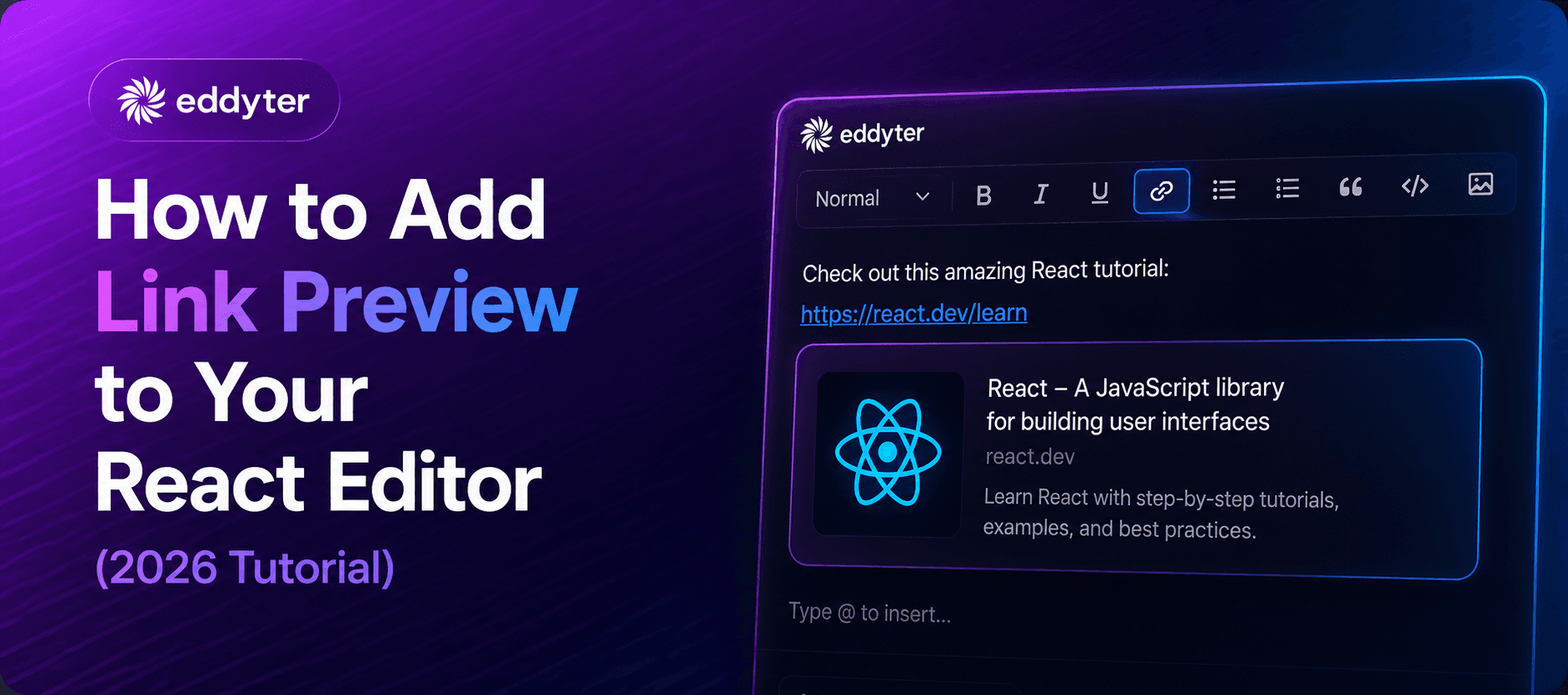
Link previews turn plain URLs into rich cards with title, description, and thumbnail — the kind you see in Slack, Discord, Notion, and modern content platforms. Adding them to your React rich text editor in 2026 sounds simple, but there's a catch: building your own link preview system means writing an Open Graph scraper, handling CORS issues, managing caching, styling responsive cards, and dealing with dead links. Most React developers spend 2-3 days on this and end up with something fragile.
This 2026 tutorial shows you three ways to add link previews to your React editor — from the 10-minute drop-in solution to the full custom build. Every code example is copy-paste ready and uses modern React 19 patterns. By the end, you'll know exactly which approach fits your project and how to ship link previews that actually work in production.
The short answer: The fastest way to add link previews to a React editor in 2026 is Eddyter (10-minute setup, link previews built in, works with React 18.2+/19 and Next.js 14/15). The middle path uses a Link Preview API service (react-link-preview + linkpreview.net, ~2 hours setup, $10-$50/mo). The custom build uses Open Graph scraping + your own backend (2-3 days, free but fragile). This tutorial covers all three with working code.
🎥 See link previews in action: What is Eddyter? Rich Text Features Walkthrough
What Are Link Previews (And Why Your Editor Needs Them)
Link previews (also called "rich link cards" or "URL unfurling") automatically transform a plain URL like https://github.com/facebook/react into a rich card showing:
- Page title
- Description
- Thumbnail image
- Site name and favicon
You've seen them everywhere in 2026:
- Slack, Discord, Microsoft Teams — team messaging unfurls URLs automatically
- Notion, Coda, Craft — knowledge tools embed link previews inline
- Twitter/X, LinkedIn, Facebook — social platforms show link cards
- Substack, Ghost, Medium — blogging platforms preview referenced links
Why Link Previews Matter for Your React Editor
1. Better Reading Experience
Rich cards give readers instant context. Instead of clicking to see what's at a URL, they see the title, description, and image without leaving the page.
2. Higher Engagement
Content with link previews gets more clicks. Research shows rich cards drive 30-50% higher click-through rates than plain URLs.
3. Modern Content Expectations
Users in 2026 expect link previews. Editors without them feel outdated compared to Notion, Slack, or modern documentation platforms.
4. Content Portability
Link previews render consistently across CMS platforms — WordPress, Ghost, Sanity, or custom builds — because they're stored as structured HTML.
The Three Ways to Add Link Previews to Your React Editor
Here are the three main approaches for adding link previews to a React editor in 2026:
Approach | Setup Time | Cost | Best For | Difficulty |
|---|---|---|---|---|
Approach 1: Complete Editor with Link Previews Built In | 10 minutes | $12-$59/mo | Modern React SaaS | ⭐ Easy |
Approach 2: Link Preview API Service | 2 hours | $10-$50/mo | Custom UI teams | ⭐⭐ Medium |
Approach 3: Custom Open Graph Scraper | 2-3 days | Free (dev time) | Full control needs | ⭐⭐⭐ Hard |
For broader React editor context, see our Best Rich Text Editor for React 2026 and Best Rich Text Editor for Next.js App Router 2026 analyses.
Approach 1: Complete Editor with Link Previews Built In (10 Minutes)
The fastest way to add link previews to a React editor in 2026 is using an editor that already has them built in. Eddyter includes link previews as a standard feature — paste any URL, and the editor automatically fetches and displays a rich card.
Why This Approach Wins for Most Teams
- ✅ 10-minute setup — Working link previews in production immediately
- ✅ Handles all edge cases — Dead links, missing Open Graph tags, CORS, caching
- ✅ Auto-generated cards — No manual configuration per URL
- ✅ Responsive design — Works on mobile and desktop out of the box
- ✅ Works everywhere — React 18.2+/19, Next.js 14/15 (both Pages Router and App Router)
Step 1: Install Eddyter
bash
Step 2: Get Your API Key
Sign up at eddyter.com and copy your API key from eddyter.com/user/license-key. Add it to your .env.local:
bash
Step 3: Add the Editor Component
Create your editor component with link previews already included:
jsx
Step 4: Test It
Run your app, paste any URL into the editor (like https://github.com/facebook/react), and watch it automatically become a rich link preview card. That's it — done in 10 minutes.
What Just Happened?
Eddyter's link preview system:
- Detects when a URL is pasted or typed
- Fetches Open Graph metadata from the URL
- Renders a rich card with title, description, and thumbnail
- Caches results so the same URL doesn't get re-fetched
- Handles errors gracefully when Open Graph data is missing
- Optimizes for mobile and desktop viewing
For more setup help, see the Eddyter docs.
🎥 See real setup: Integrate Eddyter in 30 Minutes with Cursor, Claude, Lovable
Next.js App Router Compatibility
Eddyter works cleanly with Next.js 14/15 App Router. The "use client" directive is all you need at the top of your component. No dynamic() imports required in most cases.
For teams building on Next.js specifically, see our Best Rich Text Editor for Next.js App Router 2026 guide.
Approach 2: Link Preview API Service (2 Hours)
If you're building your own custom React editor and want link previews without writing the full backend, use a Link Preview API service. This gives you flexibility with less complexity.
When to Choose This Approach
- ✅ You already have a custom React editor
- ✅ You want to control the link preview card design
- ✅ You need something faster than the full custom build
- ✅ You're okay with a $10-$50/mo API service
Step 1: Install React Link Preview Package
bash
Step 2: Sign Up for a Link Preview API
Popular options in 2026:
- linkpreview.net — $10/mo starter, 60 requests/minute
- microlink.io — Free tier + $49/mo pro
- iframely.com — $10/mo starter, 5,000 requests/month
- opengraph.io — $10/mo, 5,000 requests/month
For this tutorial, we'll use linkpreview.net. Sign up and grab your API key.
Step 3: Add the Link Preview Component
jsx
Step 4: Style the Cards (Optional)
Add custom Tailwind styling to match your app:
jsx
Trade-Offs of This Approach
Pros:
- More control over card design
- Works with any existing React editor
- Reasonable cost ($10-$50/mo)
Cons:
- Need to manage API rate limits
- Handling caching yourself
- Dead link management is manual
- 2 hours setup vs 10 minutes with Approach 1
For teams evaluating whether to build custom vs use a complete editor, see our Why Building Your Own Editor Is a Startup Killer analysis.
Approach 3: Custom Open Graph Scraper (2-3 Days)
Building your own link preview system gives you total control but requires significant engineering time. This approach is for teams with unique requirements or existing custom backends.
When to Choose This Approach
- ✅ You need full control over data storage
- ✅ You have specific security/privacy requirements
- ✅ You're already building a custom backend
- ✅ You want to avoid recurring API costs at scale
Step 1: Set Up Your Backend Endpoint
Create a Next.js API route (or Express endpoint) for fetching link metadata:
typescript
Step 2: Install Dependencies
bash
Step 3: Create the Link Preview Component
jsx
Step 4: Integrate With Your Editor
jsx
Step 5: Add Caching (Production-Ready)
For production, add caching to avoid repeated fetches:
typescript
Real-World Challenges You'll Face
Building your own link preview system means handling these edge cases:
1. CORS Issues — Server-side fetching required (not client-side)
2. Dead Links — Some URLs return 404 or timeout
3. Rate Limiting — Target sites may throttle your bot
4. Missing Open Graph Tags — Many sites don't have og: metadata
5. Redirects — Handle 301/302 redirects to final URL
6. Different Content Types — YouTube, Twitter, GitHub have special embed formats
7. Image Optimization — Cache and resize preview images
8. Security — Validate URLs to prevent SSRF attacks
9. GDPR Compliance — Store metadata carefully with EU users
10. Caching Strategy — Balance freshness vs performance
Each edge case adds engineering time. This is why 2-3 days becomes 1-2 weeks for a truly production-ready system.
For teams weighing custom builds vs complete editors, see our Best Rich Text Editor for Developers 2026 analysis.
Which Approach Should You Choose?
Use this decision framework to pick the right approach for your project.
Choose Approach 1 (Eddyter) If...
- ✅ You're building a modern React SaaS
- ✅ Time-to-shipping matters more than infrastructure control
- ✅ You want link previews + tables + AI + mobile UX included
- ✅ You'd rather focus engineering time on your product's differentiation
- ✅ Predictable pricing ($12-$59/mo flat) beats surprise API costs
Choose Approach 2 (API Service) If...
- ✅ You already have a custom React editor built
- ✅ You want custom card design control
- ✅ You're building a niche editor product
- ✅ $10-$50/mo API cost is acceptable
- ✅ You can handle some backend infrastructure
Choose Approach 3 (Custom Build) If...
- ✅ You have strict data privacy requirements
- ✅ You're already building a custom backend
- ✅ Recurring API costs at scale are unacceptable
- ✅ You have 2-3 days of engineering bandwidth (probably more)
- ✅ You need unique preview features (custom embeds, private URL handling)
For teams building on other frameworks, see:
- Best Rich Text Editor for Next.js App Router 2026
- Best Rich Text Editor for Angular 2026
- Best Rich Text Editor for Vue 2026
Common Link Preview Issues (And How to Fix Them)
Issue 1: "CORS Error When Fetching URL"
Cause: Trying to fetch Open Graph data from the browser directly.
Fix: Fetching must happen server-side. Use a Next.js API route or backend endpoint. Approach 1 (Eddyter) handles this automatically.
Issue 2: "Preview Card Shows Broken Image"
Cause: The Open Graph image URL is invalid or blocked.
Fix: Add error handling and fallback images:
jsx
Issue 3: "Same URL Fetched Repeatedly"
Cause: No caching implemented.
Fix: Add Redis or in-memory cache with 24-hour TTL. Approach 1 (Eddyter) caches automatically.
Issue 4: "YouTube Links Don't Show Video Thumbnails"
Cause: YouTube requires specific embed handling.
Fix: Detect YouTube URLs and use YouTube's oEmbed API:
jsx
Issue 5: "Preview Renders Slowly"
Cause: No loading state + no caching.
Fix: Show skeleton loaders while fetching, cache aggressively, and use React Suspense boundaries.
Issue 6: "Card Doesn't Match My Brand"
Cause: Default styling doesn't match your design.
Fix: Approach 2 and 3 give full styling control. Approach 1 (Eddyter) offers theming customization at Pro tier.
Comparing Link Preview Solutions in 2026
Here's how the three approaches compare across key criteria:
Criterion | Approach 1: Eddyter | Approach 2: API Service | Approach 3: Custom Build |
|---|---|---|---|
Setup Time | 10 minutes | 2 hours | 2-3 days |
Monthly Cost | $12-$59/mo | $10-$50/mo | Free (backend infra costs) |
Handles Edge Cases | ✅ Yes | ⚠️ Some | ❌ You build it |
CORS Handling | ✅ Auto | ⚠️ Depends on service | ❌ You build it |
Caching | ✅ Built in | ⚠️ Your responsibility | ❌ You build it |
Mobile Responsive | ✅ Auto | ⚠️ Configure yourself | ❌ You build it |
Dead Link Handling | ✅ Auto fallback | ⚠️ Some | ❌ You build it |
YouTube/Twitter Embeds | ✅ Auto | ⚠️ Depends on service | ❌ You build it |
Ongoing Maintenance | ✅ None | ⚠️ Monitor API changes | ❌ Full responsibility |
Best For | Fast-shipping React SaaS | Custom editor + link previews | Total control needs |
For most React teams in 2026, Approach 1 (Eddyter) delivers the best balance of speed, cost, and completeness. You get link previews plus a complete modern editor plus AI features for $12-$59/mo — less than most API-only services when you factor in the backend infrastructure they still require.
For competitor analyses, see Eddyter vs TipTap 2026 and Eddyter vs TinyMCE 2026.
Advanced Link Preview Features
Beyond basic Open Graph cards, modern React editors in 2026 support advanced link preview features.
1. Custom Embed Types
Different URL types should render differently:
- YouTube URLs → Video player embed
- Twitter/X URLs → Tweet embed with full formatting
- GitHub URLs → Repository preview with stars, language, description
- Loom URLs → Loom video player
- Figma URLs → Figma design embed
- Instagram/TikTok → Native embed players
Eddyter (Approach 1) handles these automatically. For custom builds, detect URL patterns and use each platform's oEmbed API.
2. Preview Refresh
Links go stale over time (dead links, changed titles). Modern editors auto-refresh previews on a schedule:
typescript
3. Preview Editing
Sometimes the auto-generated preview needs manual overrides (better title, custom description). Modern editors let users edit link previews inline:
jsx
4. Private URL Handling
Enterprise B2B use cases often need to handle authenticated URLs. Options:
- Skip preview for known private domains
- Show placeholder card for private URLs
- Fetch previews server-side with authenticated headers
For enterprise B2B considerations, see our Best Rich Text Editor for B2B SaaS Apps 2026 analysis.
Why Eddyter Wins for React Link Previews in 2026
Three reasons Eddyter is the best React link preview solution:
1. 10 Minutes vs 2-3 Days
Approach 3 (custom build) takes 2-3 days of engineering time — realistically closer to 1-2 weeks when you handle all edge cases (CORS, caching, dead links, YouTube embeds, GDPR). At $100/hour senior developer rates, that's $2,000-$8,000 in engineering time. Eddyter delivers the same functionality in 10 minutes.
2. Link Previews Are One of 20+ Features Included
Eddyter includes link previews AS ONE FEATURE among many others: rich text formatting, tables, images, AI writing help, mobile UX, WordPress publishing, real-time collaboration (coming Q3 2026), and more. Building each feature separately costs 2-3 days each. Eddyter includes them all at $12-$59/mo. Compared to per-feature API services, this is dramatically cheaper.
3. Multi-Framework Beyond React
Eddyter natively supports 6 frameworks with one API key — React 18.2+/19, Next.js 14/15, Vue 3, Angular 17-20, Svelte 4/5, and Laravel (Blade, Livewire, Inertia.js). Whether your team is on React today or migrating to another framework tomorrow, the same link preview system works across all of them. Custom builds require reimplementing for each framework.
For broader Eddyter comparisons, see Eddyter vs TipTap 2026 and Best Rich Text Editor for AI-Powered Web Apps 2026.
Frequently Asked Questions
How do I add link previews to a React editor?
The fastest way to add link previews to a React editor in 2026 is using Eddyter, which includes link previews as a built-in feature (10-minute setup, $12-$59/mo). For custom React editors, use a Link Preview API service like linkpreview.net or microlink.io (~2 hours setup, $10-$50/mo). For full control, build a custom Open Graph scraper with a Next.js API route (2-3 days) — but be prepared to handle CORS, caching, dead links, YouTube embeds, and other edge cases. Most modern React SaaS teams choose Eddyter because engineering time saved is worth more than the subscription cost.
What is a link preview in a React editor?
A link preview is a rich card that appears when a URL is pasted into a React editor. Instead of showing plain text like https://github.com/facebook/react, it displays the page's title, description, thumbnail image, and site name — similar to how Slack, Discord, Notion, and Twitter unfurl URLs. Link previews use Open Graph metadata (og:title, og:description, og:image) from the target page. They dramatically improve reading experience and engagement — content with link previews gets 30-50% higher click-through rates than plain URLs.
Which React libraries add link previews?
Popular React link preview libraries in 2026 include: @dhaiwat10/react-link-preview (works with any preview API service), react-tiny-link (simple client-side previews), and next-share (for Next.js apps). For complete editors with link previews built in, Eddyter is the leading choice. Standalone libraries require you to also set up an Open Graph fetching service (either your own backend or a paid API like linkpreview.net at $10/mo or microlink.io at $49/mo pro tier).
How does Eddyter handle link previews in React?
Eddyter automatically detects when a URL is pasted or typed in the editor and fetches the Open Graph metadata to display a rich card. This works out of the box — no configuration required. Behind the scenes, Eddyter handles CORS via server-side fetching, caches previews to avoid repeated API calls, handles missing Open Graph tags gracefully, generates responsive card layouts for mobile and desktop, and supports special embeds for YouTube, Twitter, GitHub, and other popular sites. Setup takes 10 minutes with the standard React component.
Can I customize link preview cards in my React editor?
Yes, though the customization depth varies by approach. Approach 1 (Eddyter) offers theming customization at Pro tier ($29/mo) — colors, borders, radius, spacing. Approach 2 (API + React library) gives you full styling control with Tailwind CSS or custom styles. Approach 3 (custom build) provides unlimited customization since you own every pixel. For most modern React SaaS teams, Eddyter's theming options cover 90% of design needs while saving significant engineering time.
How do I handle CORS errors with link previews?
CORS errors happen when you try to fetch Open Graph metadata directly from the browser. The fix is server-side fetching — either through a Next.js API route (app/api/link-preview/route.ts), an Express endpoint, or a third-party API service. Eddyter handles this automatically because fetching happens on Eddyter's backend infrastructure. For custom builds, always fetch from a server endpoint, never from client-side JavaScript. This also protects your users from SSRF (Server-Side Request Forgery) attacks by validating URLs server-side.
What's the best link preview API service in 2026?
Popular link preview API services in 2026 include: linkpreview.net ($10/mo starter, 60 req/min), microlink.io (free tier + $49/mo pro), iframely.com ($10/mo, 5,000 req/mo), and opengraph.io ($10/mo, 5,000 req/mo). Choose based on your rate limit needs and whether you want features like screenshot capture. For most React teams evaluating API services alongside Eddyter, the comparison usually reveals that Eddyter's $29/mo Pro plan includes link previews plus 20+ other editor features — often cheaper than combining a standalone editor with a separate preview API.
Do link previews affect React app performance?
Link previews can impact performance if not implemented carefully. Best practices: (1) Fetch asynchronously so previews don't block the editor UI, (2) Use skeleton loaders during fetch, (3) Cache aggressively (24-hour TTL minimum), (4) Debounce URL detection so pasted URLs don't trigger multiple fetches, (5) Lazy-load preview images with loading="lazy", (6) Consider using React Suspense boundaries for a cleaner loading experience. Eddyter (Approach 1) handles all these optimizations automatically. Custom builds must implement each one.
Ready to Add Link Previews to Your React Editor?
Stop losing 2-3 days building link preview infrastructure. Drop Eddyter into your React app today and get link previews plus a complete modern editor plus AI features in 10 minutes.
👉 Try Eddyter free at eddyter.com
📚 Read the docs
🎥 Watch the intro video | Watch the 30-min setup guide

Written by
Shreya Taneja
Project Manager