Total Views
955
Read Time
22 min read
Updated On
08.10.2026
Introduction
Eddyter vs Lexical (2026): Plug-and-Play Editor vs Framework — Which Should You Use?
Eddyter vs Lexical in 2026 — should you use a complete plug-and-play editor or build on the raw framework? Honest comparison with real cost math.
TL;DR
Lexical is Meta's framework. Eddyter is a complete editor built on Lexical. For 99% of teams, use Eddyter — 10 minutes to ship vs 4–8 weeks to build.
Content
Eddyter vs Lexical (2026): Plug-and-Play Editor vs Framework — Which Should You Use?
The Eddyter vs Lexical decision is one every React and Next.js developer hits in 2026: should you use Meta's Lexical framework directly, or pick a complete editor built on Lexical like Eddyter? The answer matters more than it seems — it's the difference between shipping in 10 minutes and shipping in 10 weeks.
This guide is the honest, detailed comparison of Eddyter vs Lexical in 2026. We'll cover what each one actually is, when each makes sense, the real cost of building on Lexical from scratch, and how to make the right call for your project. By the end, you'll know exactly which one fits your situation.
The short answer up front: Lexical is a framework. Eddyter is a complete editor built on that framework. Lexical gives you primitives. Eddyter gives you a production-grade editor. The right choice depends entirely on whether you want to build an editor or use one.
The Core Distinction in 30 Seconds
Before diving deep, here's the fundamental difference:
Lexical | Eddyter | |
|---|---|---|
What it is | Editor framework | Complete editor |
What you build | Everything (toolbar, UI, AI, plugins) | Nothing — it's done |
Setup time | Weeks to months | Under 10 minutes |
AI features | Build yourself | Built in (Premium plans) |
Maintenance | You own forever | Eddyter handles it |
Pricing | Free MIT | Free → $59/mo |
Best for | Building editor products | Adding editing to apps |
Lexical is what you'd use if you were Meta or Notion building your own editor product. Eddyter is what you'd use if you're building a SaaS, CMS, dashboard, or any app that needs rich text editing as a feature. For a broader buyer's view of the modern WYSIWYG category, see our Modern WYSIWYG Editor guide.
🎥 New to Eddyter? Watch the 2-minute overview: What is Eddyter? Why Developers Are Switching to This AI Editor (2026)
What Is Lexical?
Lexical is an open-source rich text editor framework released by Meta in 2022 as the modern replacement for Draft.js. It's the foundation Meta uses internally for Facebook, Instagram, and WhatsApp Web editing experiences.
What Lexical Provides
- A document model — structured representation of editor content
- A node system — text nodes, element nodes, decorator nodes for extensibility
- A plugin architecture — clean extension points for adding features
- React bindings —
@lexical/reactfor React integration - A few base packages — link handling, lists, history, hashtags, code blocks
- Excellent TypeScript support — first-class types throughout
- Accessibility primitives — building blocks for WCAG-compliant editors
What Lexical Does NOT Provide
- ❌ A toolbar (you build it)
- ❌ A bubble menu or floating menu (you build it)
- ❌ AI features (you integrate and build the UI)
- ❌ Slash commands (you build them)
- ❌ Advanced tables with merging (you build them)
- ❌ Drag-and-drop image upload (you build it)
- ❌ Video embed UI (you build it)
- ❌ Mobile-responsive UI (you build it)
- ❌ Theming system (you build it)
- ❌ Managed infrastructure (you self-host everything)
In other words, Lexical gives you the engine. Building the car is your job.
What Is Eddyter?
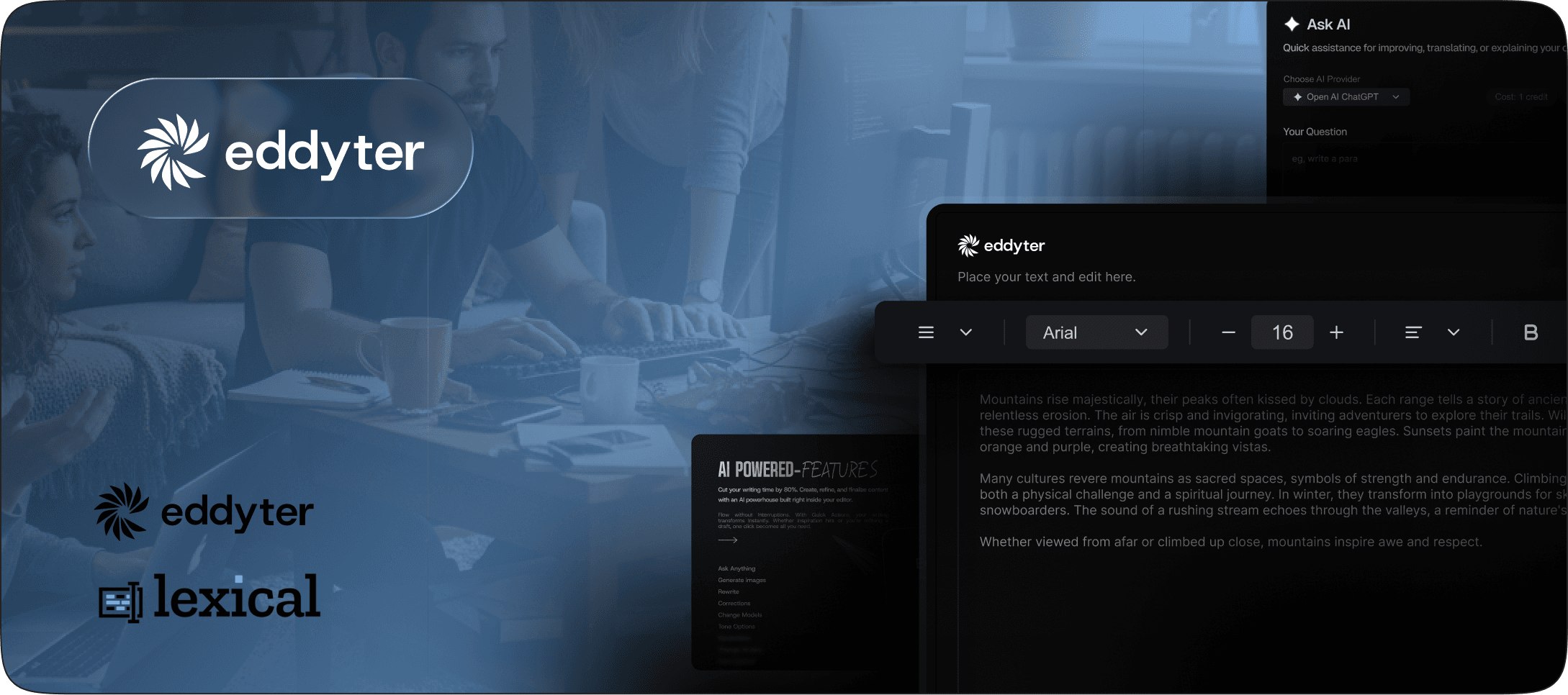
Eddyter is a complete plug-and-play AI WYSIWYG editor built on Lexical. It ships as a production-ready React component that you install via npm, configure with an API key, and render in your app — done in under 10 minutes. For developers exploring the AI editor category broadly, see our AI WYSIWYG Editor guide for the wider context.
What Eddyter Provides Out of the Box
- ✅ Complete toolbar with all formatting controls
- ✅ Bubble menu for inline formatting
- ✅ Slash commands — type
/for instant blocks - ✅ Advanced tables with cell merging and column/row resizing
- ✅ Drag-and-drop images with resize handles
- ✅ YouTube and Vimeo embeds
- ✅ 20+ font families built in
- ✅ AI chat assistant (Premium plans)
- ✅ Predictive autocomplete (Premium plans)
- ✅ Tone refinement (Premium plans)
- ✅ Theming via CSS variables on
.eddyter-scope - ✅ Mobile responsive out of the box
- ✅ Accessibility-ready WCAG-friendly defaults
- ✅ Managed infrastructure — hosting, AI, scaling handled
- ✅ Clean semantic HTML output
You get all of this in 3 steps. Let's see what that looks like.
How Eddyter Integration Works (The 10-Minute Path)
Eddyter integrates into any React or Next.js app in 3 steps. For a deeper walkthrough, see our How to Add a Rich Text Editor in Next.js tutorial.
Step 1 — Get Your API Key
Go to https://eddyter.com/user/license-key, copy your API key, and add it to your environment variables.
Step 2 — Install Eddyter
bash
Step 3 — Basic Integration (Next.js / React)
jsx
That's it. A complete WYSIWYG editor with all formatting, AI features (on Premium), tables, slash commands, media uploads, and theming — running in your app. For advanced configuration, see the Eddyter documentation.
🎥 See it integrated in real time: Integrate Eddyter in 30 Minutes Using AI Tools — Cursor, Claude, Lovable
What Building on Lexical Directly Looks Like
Here's what the equivalent build looks like if you go with Lexical directly. The contrast is sharp.
Step 1 — Install Lexical Packages
bash
Step 2 — Build the Editor Configuration
jsx
Step 3 — Build the Editor Component
jsx
What's Still Missing After This?
- The entire toolbar UI (every button, dropdown, state management)
- The bubble menu
- Slash commands menu
- The image upload flow (UI, backend, storage)
- The YouTube embed UI
- The link editor floating UI
- All theming (CSS for every element type)
- AI integration (chat, autocomplete, tone refinement)
- Mobile responsive handling
- Accessibility passes
- Paste handling for Word/Google Docs
Realistic timeline to ship a Lexical-based editor that matches Eddyter's feature set: 4–8 weeks of senior engineering time.
The Real Math Over 3 Years: Building vs Buying
Let's put concrete numbers on the build-vs-buy decision. For the full strategic breakdown, our Why Building Your Own Rich Text Editor Is a Startup Killer post covers this in depth.
Scenario A: Build on Lexical Directly
Year | Cost |
|---|---|
Year 1: Initial build (4–8 weeks senior dev time) | $30,000–$60,000 |
Year 1: AI integration project | $5,000–$15,000 |
Year 2: Maintenance + features | $20,000–$40,000 |
Year 3: Maintenance + features | $20,000–$40,000 |
3-Year Total | $75,000–$155,000 |
+ Opportunity cost | What didn't ship instead |
+ Senior dev focus drift | High risk |
Scenario B: Use Eddyter (AI Pro Managed)
Year | Cost |
|---|---|
Year 1: $59/mo subscription + 10 min integration | $708 + ~$50 dev time |
Year 2: $59/mo, automatic updates | $708 |
Year 3: $59/mo, automatic updates | $708 |
3-Year Total | $2,174 |
+ Opportunity cost | Zero — engineers shipped product features |
+ Senior dev focus | On what makes your product unique |
The savings are $72,826–$152,826 over 3 years — and that's just the visible cost. Opportunity cost is impossible to quantify but often much larger.
Feature-by-Feature Comparison
Feature | Lexical (Raw) | Eddyter |
|---|---|---|
Toolbar | ❌ Build it | ✅ Complete, customizable |
Bubble menu | ❌ Build it | ✅ Native |
Slash commands | ❌ Build it | ✅ Native (type |
Advanced tables | 🔧 Basic via plugin | ✅ Merging, resizing, context menus |
Image drag-and-drop | ❌ Build it | ✅ With resize handles |
Video embeds | ❌ Build it | ✅ YouTube, Vimeo native |
20+ font families | ❌ Configure | ✅ Built in |
AI chat assistant | ❌ Integrate yourself | ✅ Built in (Premium) |
AI autocomplete | ❌ Integrate yourself | ✅ Built in (Premium) |
Tone refinement | ❌ Integrate yourself | ✅ Built in (Premium) |
Theming | 🔧 CSS classes you define | ✅ CSS variables on |
Mobile responsive | 🔧 Build it | ✅ Out of the box |
Accessibility | 🔧 Primitives provided | ✅ WCAG-friendly defaults |
Clean HTML output | 🔧 Configure conversion | ✅ Semantic by default |
Paste from Word/Docs | 🔧 Build cleanup filters | ✅ Handled |
Managed hosting | ❌ Self-host everything | ✅ Included |
Updates | 🔧 Manual upgrade burden | ✅ Automatic |
Pricing | Free MIT | Free → $59/mo |
Setup time | Weeks to months | Under 10 minutes |
Maintenance ownership | You forever | Eddyter handles it |
For most teams in 2026, the trade-off heavily favors using Eddyter. For broader comparisons across the editor market, see our 9 Best Rich Text Editors of 2026 and TipTap vs CKEditor vs Eddyter Showdown.
When Building Directly on Lexical IS the Right Call
To be fair to Lexical, here are the rare cases where using it directly makes sense:
1. The Editor IS Your Product
If you're building Notion, Linear, Figma, or a similar product where the editor itself is the core experience and differentiator — yes, build on Lexical directly. You need total control over the editing experience because it's what users come to your product for.
2. You Have Genuinely Unique Document Model Requirements
If your content has a non-standard structure that no existing editor can handle — specialized scientific notation, custom CAD-like document models, music composition, mathematical equations beyond LaTeX — Lexical's customizable schema gives you the flexibility. This case is genuinely rare.
3. You Need to Match a Specific Visual System
If your design system is so distinctive that no off-the-shelf editor can match it — and even custom theming via CSS variables won't get you there — building UI on top of Lexical lets you achieve perfect visual integration.
4. You Have a Dedicated Editor Team
Companies like Atlassian, GitHub, Meta, Notion, and Linear have entire teams dedicated to editors. If you have the engineering resources to staff a 3–5 person editor team long-term, building directly on Lexical can work.
5. You're Selling Editor Tech as Your Product
If your business model is selling the editor itself — you're trying to be the next TipTap, CKEditor, or Eddyter — then you need to build. But you're not a normal startup with editor needs. You're an editor company.
For everyone else — that is, 99% of teams that need rich text editing in their app — using Eddyter is the right call.
The "I'll Just Use Lexical, It's Free" Trap
The most common reason developers reach for Lexical directly is the assumption that it'll be cheaper because it's free MIT-licensed. This is almost always a mistake.
The False Premise
"Lexical is free, Eddyter costs $12–$59/mo, so Lexical saves us money."
The Reality
Lexical is free as a framework. But you're not paying for Lexical — you're paying for engineering time to build everything on top of it. Senior React engineers cost $150K–$250K/year. Even at the low end, 4 weeks of senior engineering time costs $11,500. That's enough to pay for 16 years of Eddyter's AI Pro Managed plan at $59/mo.
The Compounding Cost
And building the editor is only the start:
- Every framework update may require refactoring
- Every browser update may break edge cases
- Every new AI model integration takes time
- Every accessibility audit reveals new gaps
- Every paste-from-Word bug eats hours
The maintenance treadmill on a custom Lexical editor never stops. With Eddyter, you pay a small predictable subscription and updates ship automatically.
The Opportunity Cost
The senior engineer building your editor isn't:
- Shipping the features that differentiate your product
- Closing technical debt
- Building integrations your customers requested
- Improving onboarding that hurts conversion
For a startup, opportunity cost compounds. The features you didn't ship this quarter cost you customers next quarter, which cost you funding the quarter after. Building on Lexical directly is rarely a money-saver — it's almost always a money-redirector toward editor work and away from product work.
When Eddyter Is Obviously the Right Call
If you check any of the following boxes, Eddyter is the right choice:
- ✅ You're building a SaaS, CMS, dashboard, CRM, or content tool
- ✅ The editor is a feature in your app, not the product itself
- ✅ You want to ship in under 10 minutes
- ✅ You need AI features now or in your near-term roadmap
- ✅ You want predictable subscription pricing instead of engineering capacity drain
- ✅ Your team has limited bandwidth for ongoing editor maintenance
- ✅ You're on React 18.2+ or React 19
- ✅ You're using Next.js 14 or 15
This is the situation for the overwhelming majority of teams in 2026. Eddyter exists exactly for this use case. For startup-specific guidance, see our 5 Best Embeddable Content Editors for Startups.
The Honest Question: Why Not Just Lexical Then?
If Lexical is the foundation Eddyter is built on, why not use Lexical directly?
Because the foundation isn't the product. Lexical is brilliant — it's why Eddyter performs so well, why it has clean output, why it scales to millions of users. But Lexical doesn't make any of the dozens of decisions that turn a framework into a usable editor:
- Which formatting buttons go on the toolbar?
- What does the bubble menu look like?
- How does the slash command menu behave?
- How are images uploaded, stored, and resized?
- How do tables handle merging and resizing?
- What's the AI integration UX?
- How does theming work cleanly?
- How does paste from Microsoft Word get cleaned up?
Eddyter has made all those decisions for you. Thousands of hours of design and engineering work went into them. Using Eddyter is like buying a complete car. Using Lexical directly is like buying an engine and asking "now what?"
🎯 The analogy: Lexical is to Eddyter as React is to Next.js. Both Lexical and React are excellent foundations — but most developers benefit from the higher-level framework (Eddyter, Next.js) that handles the production-grade decisions.
Decision Framework: Lexical vs Eddyter
Use this framework to decide:
Pick Eddyter if:
- You answer "yes" to: "Do I want to add rich text editing to an app?"
- You're shipping in days or weeks, not months
- AI features matter to your users
- You'd rather pay a subscription than maintain an editor
- You're on React/Next.js
- You want managed infrastructure
Pick Lexical (raw) if:
- You answer "yes" to: "Am I building an editor product?"
- The editor is your core differentiator
- You have a dedicated editor team
- You have genuinely non-standard document model needs
- You're explicitly selling editor tech as a product
For 99% of teams in 2026, the first list applies. Eddyter is the right call.
Frequently Asked Questions
What's the difference between Eddyter and Lexical?
Lexical is an open-source rich text editor framework released by Meta in 2022. It provides primitives (document model, plugin system, React bindings) but no UI or features. Eddyter is a complete plug-and-play editor built on top of Lexical. Lexical gives you the engine; Eddyter gives you the entire car ready to drive. See the Eddyter overview video for a demo.
Should I use Lexical directly or use Eddyter?
For 99% of teams — Eddyter. Building on Lexical directly takes 4–8 weeks of senior engineering time ($30K–$60K) plus ongoing maintenance forever. Eddyter integrates in 10 minutes and costs $12–$59/mo with everything included. Only choose Lexical directly if the editor IS your core product (you're building Notion/Linear/Figma-like apps).
Is Eddyter just Lexical with a wrapper?
No — Eddyter is a complete editor product built on Lexical's foundation. It includes a fully designed toolbar, bubble menu, slash commands, advanced tables, AI features, theming system, mobile responsiveness, accessibility implementation, paste handling, and managed infrastructure. The Lexical foundation provides the editing engine; Eddyter provides the rest. Think of it like the relationship between React (foundation) and Next.js (production-grade framework on top).
How much does building on Lexical directly cost?
Realistically, 4–8 weeks of senior engineering time to ship a basic production-grade editor — that's $30K–$60K depending on rates. AI integration adds another $5K–$15K. Ongoing maintenance is $20K–$40K per year. Over 3 years, expect $75K–$155K total. Eddyter's AI Pro Managed costs $708/year. The math overwhelmingly favors Eddyter for most teams.
Does Eddyter support all of Lexical's features?
Yes — and more. Eddyter exposes Lexical's full capability through its API while adding production-grade UI and features Lexical doesn't include (toolbar, AI, slash commands, advanced tables, drag-and-drop media). For advanced use cases, see the Eddyter documentation.
Can I customize Eddyter the same way I'd customize Lexical?
Eddyter supports theming through CSS variables on .eddyter-scope, toolbar configuration through props, and AI behavior customization. For 99% of branding and UX needs, this is enough. For deeper customization than what Eddyter exposes, you'd build directly on Lexical — but that puts you in the "editor is your product" category where building from scratch makes sense.
Why would I pay for Eddyter when Lexical is free?
The framework is free; the editor isn't. Building the editor on top of Lexical takes 4–8 weeks of senior engineering time costing $30K–$60K, plus $20K–$40K per year in ongoing maintenance. Eddyter's $59/mo all-inclusive Premium plan costs $708/year. You're paying for the editor work that's already done — and for AI infrastructure, hosting, updates, and bug fixes you'd otherwise own.
Does Eddyter work with React 19 and Next.js 15?
Yes. Eddyter is built natively for React 18.2+ and 19.x, including Next.js 14, 15, and the App Router. Just add "use client" at the top of your editor component. Full guides in the Eddyter documentation.
Can I migrate from a custom Lexical editor to Eddyter?
Yes. Both produce HTML output, so content migration is straightforward. The harder part is replacing your custom UI with Eddyter's — but that's usually a reduction in code, not an addition. Many teams that started on Lexical directly end up migrating to Eddyter once the maintenance burden becomes clear.
Can I migrate from Eddyter to Lexical later if I need more control?
Yes. Eddyter outputs clean semantic HTML — fully portable to any editor including a custom Lexical build. You're not locked in. That said, most teams scaling on Eddyter never need to migrate.
Does Eddyter use Lexical under the hood for the editing engine?
Yes. Eddyter is built on Meta's Lexical framework, which means you get all the performance, accessibility, and modern architecture benefits of Lexical while skipping the work of building the editor product on top.
Are there cases where I should pick neither — like TipTap or CKEditor?
Yes. TipTap is a strong choice if you want a headless ProseMirror-based editor and have engineering time to build the UI. CKEditor 5 is best for enterprise compliance (WCAG, GDPR) and real-time collaboration needs. Eddyter wins for most modern React/Next.js apps wanting AI features and 10-minute setup. See our full comparison: TipTap vs CKEditor vs Eddyter Honest 2026 Showdown.
Is Lexical going to remain actively maintained?
Yes. Lexical is Meta's actively developed editor framework — used internally for Facebook, Instagram, and WhatsApp Web. Meta retired Draft.js (their previous framework) and recommends Lexical going forward. This is one reason Eddyter chose Lexical as its foundation: it's the most future-proof editor framework in 2026.
Will Eddyter benefit from new Lexical features automatically?
Yes. Because Eddyter is built on Lexical, advances in Lexical (performance, accessibility, new node types) flow into Eddyter through normal updates. As a developer using Eddyter, you get these improvements automatically without doing any work — another reason Eddyter is positioned to age well over the next decade.
The Bottom Line
Lexical is brilliant. It's the modern foundation for rich text editing in 2026, used internally by Meta and chosen by Eddyter exactly because it's the best foundation available. If you're building an editor product, Lexical is the right framework.
But most teams aren't building editor products. They're building SaaS, CMS platforms, CRMs, dashboards, content tools — apps where rich text editing is a feature, not the product. For those teams, building on Lexical directly is a startup-killer move that consumes weeks of engineering time and creates ongoing maintenance burden.
Eddyter exists for those teams. It gives you a complete production-grade editor built on Lexical's foundation, with AI features, predictable pricing, and 10-minute integration. The decisions Meta and the Eddyter team have already made don't need to be remade by every developer adding text editing to their app.
The honest answer to "Eddyter vs Lexical?" is: use Eddyter unless you're building an editor product. That decision will save you weeks of work, tens of thousands of dollars, and ongoing maintenance burden — and your senior engineers can focus on what makes your product unique.
Ready to Skip the Framework Trap?
If you're considering Lexical directly, ask yourself honestly: am I building an editor, or am I adding editing to an app? If it's the latter, Eddyter saves you weeks of work and lets you ship faster.
👉 Try Eddyter free at eddyter.com 📚 Read the docs 🎥 Watch the intro video | Watch the 30-min integration guide

Written by
Shreya Taneja
Project Manager