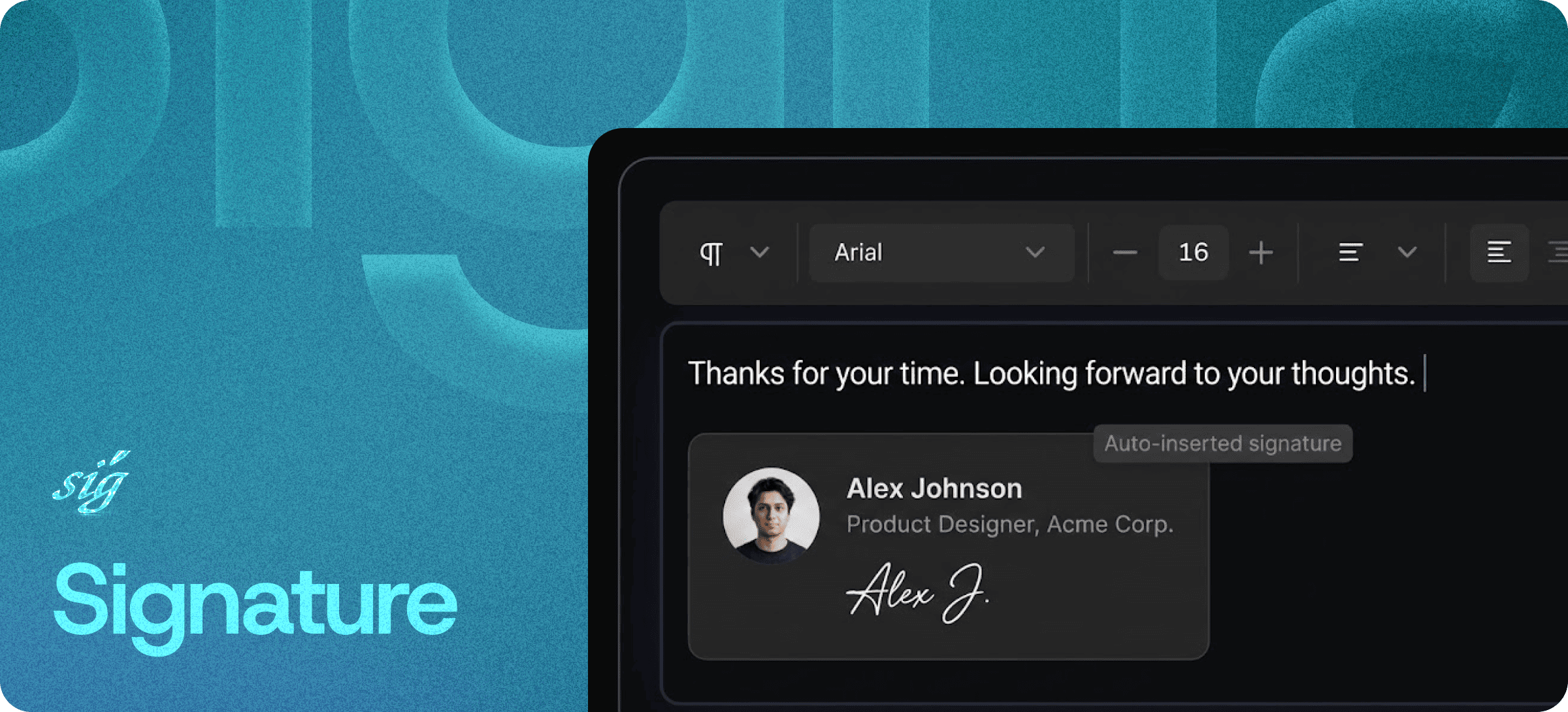
Auto-Applied Signatures for Your Content — Save Once, Apply Everywhere
Eddyter's Signature feature lets you save reusable signature blocks — author bios, contact details, branded sign-offs, legal disclaimers — and apply them automatically to any content you create in the editor. Set it once, apply it everywhere, update it globally.
No more copy-pasting the same author bio at the bottom of every blog post. No more forgetting the legal disclaimer. No more inconsistent team email sign-offs.
Save Once, Apply Everywhere
Most teams handle signatures the worst possible way: they copy-paste a block of text from a Google Doc into the bottom of every article, email, or document they create. The block gets out of date, formatting breaks, and different team members use slightly different versions.
Eddyter solves it by treating signatures as first-class reusable blocks:
- Create a signature block once with your preferred formatting
- Save it to your library
- Apply it to any content with one click — or auto-apply by default
- Update the master block, and every applied instance updates with it
The result is consistency across hundreds of documents without manual copy-paste discipline.
What You Can Save as a Signature
A "signature" in Eddyter is a reusable content block — anything you want to insert repeatedly with consistent formatting:
- Author bios for blog posts and articles
- Contact blocks for sales emails and proposals
- Legal disclaimers for documents and announcements
- Branded sign-offs for marketing emails and newsletters
- Footer information for internal team docs and reports
- Calls-to-action that close out customer-facing content
Anything you find yourself typing or pasting more than twice is a candidate for a signature block.
Centralized Management
All your signature blocks live in one place — a centralized library you and your team manage together:
- Edit once, update everywhere — changes propagate to applied instances
- Manage permissions — control who can edit shared signature blocks
- Organize by use case — author bios, legal blocks, marketing footers, etc.
- Track usage — see which signatures are applied where
For teams where multiple people are creating content, this is the difference between brand-consistent output and a slow drift into formatting chaos.
Consistent Branding by Default
When every team member uses the same signature blocks, branding consistency becomes automatic instead of policed:
- Visual style stays uniform across content channels
- Contact information stays accurate across teams
- Legal language stays compliant without per-document review
- Sign-off voice stays on-brand even with rotating contributors
Brand consistency stops being a manual check at publish time. It becomes the default state.
Built Directly Into the Editor
Signature management isn't a separate tool, third-party plugin, or external service. It ships with the standard Eddyter editor on every plan, including Free.
For developers integrating Eddyter into a SaaS app, that means:
- No template-management infrastructure to build
- No custom merge-field logic to maintain
- No external CMS to sync with
- Works out of the box in React and Next.js apps
Setup details are in the Eddyter Documentation. New to the editor? What is Eddyter? is a 2-minute walkthrough.
How It Compares to Common Workarounds
| | Manual copy-paste | Google Docs templates | Email-only signature tools | Eddyter Signatures |
|---|
Inside your content editor | ✅ Yes | ❌ No | ❌ No | ✅ Yes |
Update propagates everywhere | ❌ No | ⚠️ Partial | ⚠️ Email only | ✅ Yes |
Works for blogs, docs, emails | ⚠️ Manually | ⚠️ Manually | ❌ Email only | ✅ Yes |
Centralized team management | ❌ No | ⚠️ Per-doc | ✅ Yes (email) | ✅ Yes |
Subscription cost | Free | Free | Paid | Free on Eddyter |
Where Signatures Earn Their Keep
Blog and Editorial Content
Author bios at the bottom of every post, applied automatically with each writer's correct headshot, social links, and bio.
Sales and Customer Communication
Standardized email sign-offs across the sales team, with consistent contact info, scheduling links, and legal disclaimers.
Documentation and Help Articles
Footer blocks linking to support, status pages, and related docs — consistently rendered at the end of every article.
Marketing and Newsletter Content
Branded sign-off blocks that match campaign aesthetics without rebuilding them from scratch each send.
Legal and Compliance Documents
Disclaimer blocks applied uniformly across proposals, contracts, and customer-facing documents.
Internal Team Documents
Standard footer information for RFCs, team docs, and process documents — easy to update org-wide.
Why It Matters in 2026
Brand consistency at scale is no longer optional:
- Distributed teams create content from multiple contributors — without standardization, brand drift is inevitable.
- Compliance requirements make consistent legal disclaimers a real operational risk if missed.
- Trust and professionalism in B2B communication depend on uniform presentation across every touchpoint.
- Content velocity matters — teams shouldn't slow down to manually format every sign-off.
Eddyter's signature blocks turn brand consistency into a default, not a discipline.
If you're evaluating Eddyter end-to-end, Integrate Eddyter in 30 Minutes walks through full setup including signatures, AI features, and templates.
Signature at a Glance
Capability | Eddyter Signature |
|---|
Reusable signature blocks | ✅ Yes |
Auto-apply to documents | ✅ Yes |
Centralized library | ✅ Yes |
Update propagates to instances | ✅ Yes |
Team-shared signatures | ✅ Yes |
Available on Free plan | ✅ Yes |
Works in React / Next.js apps | ✅ Yes |
External tool required | ❌ No |
Frequently Asked Questions
1. What kinds of signatures can I save?
Anything you reuse across documents — author bios, contact blocks, legal disclaimers, branded sign-offs, footer text, and calls-to-action. If you've copy-pasted it more than twice, it can be a signature block.
2. Can I have multiple signatures for different use cases?
Yes. Save as many signature blocks as you need — author bios, marketing sign-offs, legal disclaimers, internal templates — and apply the right one based on the content type.
3. What happens if I update a signature block?
Updates propagate to applied instances. Edit the master block once and every place it's been applied reflects the change.
4. Can my whole team share signatures?
Yes. Signature blocks can be team-shared from a centralized library, with permission controls on who can edit shared blocks.
5. Is Signature management available on the Free plan?
Yes. Signature blocks are included on every Eddyter plan, including Free.
6. Does it work in React or Next.js apps?
Yes. Eddyter is a drop-in React component, and signature management is part of the standard editor — no extra configuration required.
7. Can signatures include images, links, and formatting?
Yes. Signature blocks support all the formatting options of the standard editor — images, links, headings, lists, color, and inline formatting.
Why It Matters
A consistent signature is a small thing — until you multiply it by every blog post, email, document, and announcement your team ships. Then it's the difference between a brand that feels unified and one that feels improvised.
Eddyter makes signature consistency the default. Save once, apply everywhere, update globally — and stop thinking about it.
Try Eddyter Free →