Generate AI Images Inside Your Editor — From Prompt to Inline in Seconds
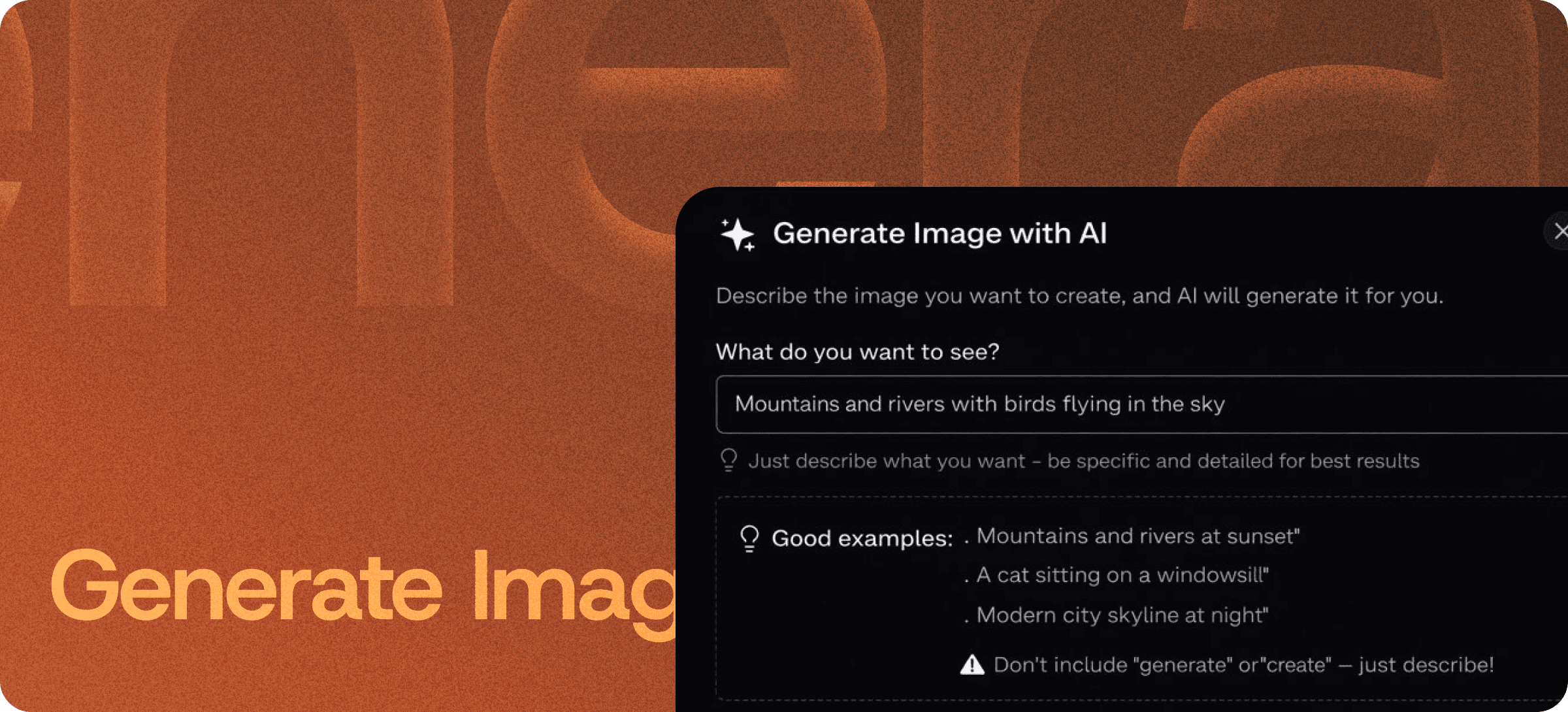
Eddyter's Generate Image with AI feature converts text descriptions into custom images, right inside the editor. Type a prompt, get a visual, insert it inline — without ever leaving your document, switching to Midjourney, or paying a separate stock-photo subscription.
For SaaS teams, content creators, and product builders, this is the difference between content that ships with original visuals and content that ships with the same generic stock photo every other site is using.
From Description to Image, In One Place
Most AI image generation tools live outside your writing workflow. You write your blog post in one tab, switch to Midjourney or DALL-E in another, generate the image, download it, upload it back into your editor, and then realize you wanted a different angle.
Eddyter collapses that entire workflow:
- Type a description of what you want
- AI generates the image
- Image is inserted inline at your cursor position
- Adjust the prompt and regenerate if needed
No tab-switching. No file downloads. No upload cycles. No formatting cleanup.
Create Images from Text Descriptions
Describe what you envision — a product hero shot, a conceptual illustration, a scenic background, an abstract visual — and AI generates an image matching your prompt:
- Concrete subjects ("a flat illustration of a developer at a laptop")
- Stylistic direction ("minimalist line art, monochrome blue palette")
- Conceptual visuals ("data flowing through a network, abstract geometric")
- Branded aesthetics ("modern SaaS dashboard mockup, isometric perspective")
- Decorative elements ("subtle pattern background, soft gradient")
The system understands both literal descriptions and stylistic cues, so you can dial in the visual that matches your content's tone.
Inserted Inline, Where You Need It
Generated images don't land in a separate gallery, downloads folder, or media library you have to manage. They appear inline at your cursor position — exactly where you'd insert them by hand.
This means:
- No upload cycles
- No file management overhead
- No "where did that image go" moments
- No formatting fixes after insertion
- Images move with your content if you reorder sections later
Built Directly Into the Editor
AI image generation isn't a plugin, browser extension, or third-party integration. It's part of the standard Eddyter editor on AI-enabled plans.
For developers integrating Eddyter into a SaaS app, that means:
- No DALL-E / Midjourney / Stable Diffusion API setup to manage
- No image hosting infrastructure to build and pay for
- No additional vendor relationships to maintain
- Works out of the box in React and Next.js apps
Setup details are in the Eddyter Documentation. New to the editor? What is Eddyter? is a 2-minute walkthrough.
How It Compares to External Image Workflows
| | Stock photo libraries | External AI tools (Midjourney, DALL-E) | Eddyter Generate Image |
|---|
Original visuals | ❌ Generic, overused | ✅ Yes | ✅ Yes |
Inside your editor | ❌ No | ❌ No | ✅ Yes |
Inline insertion | ❌ Manual upload | ❌ Manual upload | ✅ Automatic |
Subscription cost | ✅ Yes (separate) | ✅ Yes (separate) | Included in Eddyter AI plan |
Brand consistency | ⚠️ Generic | ✅ Custom | ✅ Custom |
Workflow friction | High | High | Minimal |
For SaaS teams shipping content at velocity, removing the tool-switching tax compounds. Every blog post, doc page, and email that needs a visual gets shipped faster.
Replace Stock Photos with Custom AI Visuals
The biggest practical win for most teams: goodbye, generic stock photos.
Stock photo libraries are saturated. The same five "diverse team in glass-walled meeting room" photos appear on every SaaS landing page. Custom AI-generated visuals, even imperfect ones, look more original than the most polished stock library shot.
For:
- Blog cover images — never use the same hero photo as a competitor again
- Documentation illustrations — visualize abstract concepts without hiring an illustrator
- Marketing emails and landing pages — original visuals at scale
- Social media content — generate platform-specific imagery on demand
- Pitch decks and reports — replace placeholder graphics with on-brand visuals
What You Can Generate
Blog Cover Images
Topic-specific cover art for every post. Hero illustration matching the article's subject, tone, and brand aesthetic.
Documentation Illustrations
Abstract concepts (auth flows, data pipelines, system architecture) rendered as clean visualizations.
Marketing Visuals
Custom imagery for landing pages, email campaigns, and ad creative — generated as fast as your copy.
Concept and Prototype Visuals
Mood boards, design directions, product concept renders — rough visualizations during brainstorming.
Social Media Content
On-brand imagery for posts, stories, and announcements without hiring a designer for every share.
Internal Documents
Pitch decks, board reports, RFC visualizations — original imagery for high-stakes internal artifacts.
Why It Matters in 2026
Visual content is no longer optional:
- Articles with images earn significantly more engagement and shares than text-only content.
- Stock photography saturation has reached a point where original visuals visibly differentiate brands.
- Designer time is expensive — most content teams can't get illustrations for every blog post.
- Speed-to-publish wins — content velocity compounds, and external image workflows are friction.
Eddyter's in-editor image generation removes the bottleneck. If you're evaluating Eddyter end-to-end, Integrate Eddyter in 30 Minutes walks through full setup including AI features and image generation.
Generate Image with AI at a Glance
Capability | Eddyter Generate Image |
|---|
Text-to-image generation | ✅ Yes |
Inline insertion at cursor | ✅ Yes |
Prompt refinement and regeneration | ✅ Yes |
Works inside the editor | ✅ Yes |
External API setup required | ❌ No |
Plan availability | Eddyter AI plans |
Works in React / Next.js apps | ✅ Yes |
Image hosting included | ✅ Yes |
Frequently Asked Questions
1. How do I generate an image inside Eddyter?
Open the AI command panel inside the editor, describe the image you want, and Eddyter generates and inserts it inline at your cursor position. No download or re-upload needed.
2. What kinds of images can I generate?
Illustrations, conceptual visuals, scenic backgrounds, product renders, abstract art, mood-board imagery, and decorative elements. The system handles both literal descriptions and stylistic direction.
3. Can I refine or regenerate an image after it's inserted?
Yes. Adjust the prompt and regenerate to iterate on the visual until it matches what you envisioned.
4. Is Generate Image with AI included in the Free plan?
Image generation is part of Eddyter's AI feature suite and is available on Eddyter AI plans. See the Eddyter pricing page for current plan availability and AI credit allocations.
5. Does it work inside React or Next.js apps?
Yes. Eddyter is a drop-in React component, and image generation is part of the standard editor on AI-enabled plans — no additional API setup required.
6. Where are generated images hosted?
Generated images are hosted as part of your Eddyter content. No separate image CDN or storage setup needed.
7. Can I download or export the images I generate?
Yes. Generated images can be exported alongside your content for use elsewhere if needed.
Why It Matters
The teams shipping the most original content are the teams that can generate visuals at the same pace they generate words. Stock photos slow you down. External AI tools slow you down. Designer review cycles slow you down.
Eddyter's Generate Image with AI keeps visual creation in the same place as everything else — so your content workflow stays one workflow.
Try Eddyter →