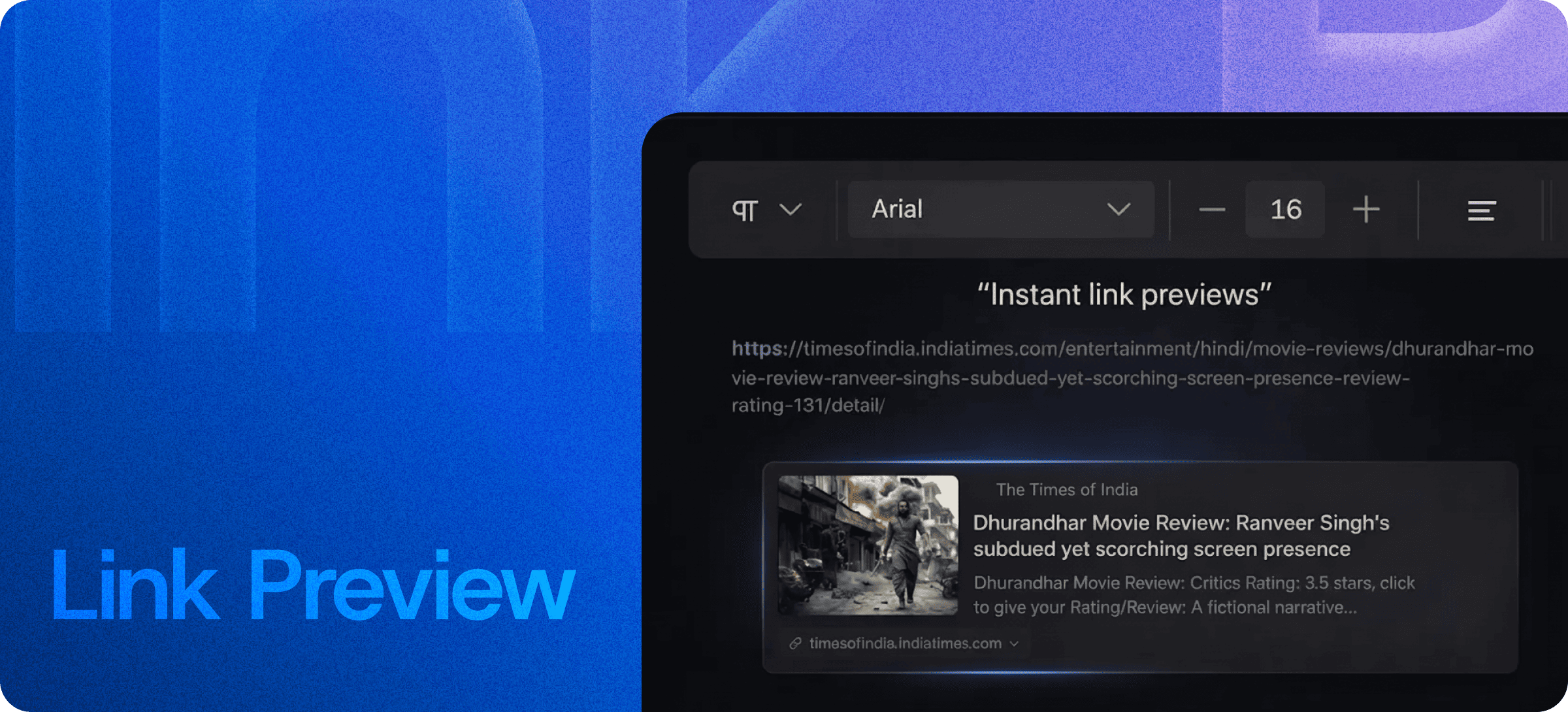
Auto Link Previews Inside Your Editor — From Plain URL to Rich Card
Eddyter's Link Preview feature turns plain URLs into rich, clickable preview cards automatically. Paste any link into your content and Eddyter fetches the title, description, and preview image — then renders it as a clean, share-ready card inline. No HTML, no manual metadata, no design work.
The same kind of link unfurling you see in Slack, Discord, LinkedIn, and Twitter — built directly into your editor.
Paste a URL, Get a Rich Card
Most rich text editors leave URLs as bare links — a string of text in blue, easy to ignore, hard to scan. Eddyter takes the opposite approach.
When you paste a URL, Eddyter:
- Fetches the page's Open Graph metadata
- Extracts the title, description, and preview image
- Renders a clean, clickable card inline at the cursor
- Keeps writing — no extra steps
The result is content that reads like a curated feed instead of a wall of hyperlinks. Readers see what each link actually points to before clicking.
What's Pulled Into Each Preview
Every link preview card automatically includes:
- Page title — pulled from
og:title or <title> tag - Description — pulled from
og:description or meta description - Preview image — pulled from
og:image (with fallback handling) - Site name and favicon — visual context for the source
- Direct, clickable link — readers click straight through
Eddyter handles the metadata fetch, image rendering, and fallback logic so you never see a broken card.
Built Directly Into the Editor
Link Preview isn't a plugin, browser extension, or third-party widget. It ships with the standard Eddyter editor on every plan, including Free.
For developers integrating Eddyter into a SaaS app, that means:
- No Open Graph fetching service to build or pay for
- No image proxy infrastructure to manage
- No fallback metadata logic to write
- Works out of the box in React and Next.js apps
Setup details are in the Eddyter Documentation. New to the editor? What is Eddyter? is a 2-minute walkthrough.
How It Compares to Other Approaches
| | Bare hyperlinks | Manual HTML embed cards | External services (Iframely, etc.) | Eddyter Link Preview |
|---|
Inline preview card | ❌ No | ✅ Yes (manual) | ✅ Yes | ✅ Yes |
Auto-fetch metadata | ❌ No | ❌ No | ✅ Yes | ✅ Yes |
Inside the editor | ✅ Yes | ⚠️ Partial | ❌ No | ✅ Yes |
Extra subscription | — | — | ✅ Yes | ❌ No |
Image fallback handling | — | ❌ Manual | ✅ Yes | ✅ Yes |
Works on Free plan | — | — | — | ✅ Yes |
For most teams, the choice comes down to: ship every blog post and doc page with bare hyperlinks, or ship them with rich cards that actually get clicked. Eddyter makes the second option the default.
Where Link Previews Earn Their Keep
Blog Posts and Editorials
Reference articles, papers, and external sources without dropping engagement. Readers see context before deciding whether to click out.
Product Documentation
Link to API references, third-party docs, or external tools cleanly. Each linked resource carries its own context.
Sales Decks and Proposals
Embed product page links, case study URLs, and pricing references with rich preview context — far more credible than bare links.
Newsletters and Internal Updates
Make every linked article scannable. Readers know what each link is before tapping through.
Knowledge Base and Help Articles
Link to external documentation, status pages, and references with full context for the reader.
Social and Marketing Content
The same link unfurling that works on LinkedIn and X works inside your content too.
Why It Matters in 2026
Bare hyperlinks have been a content-design relic for a decade. Modern readers expect:
- Visual context before clicking
- Recognizable source attribution (favicon, site name)
- Skimmable layouts — link cards break up walls of text
- Mobile-friendly tap targets — bare hyperlinks are notoriously hard to tap accurately
Link previews turn every external reference into a visual content unit. Engagement compounds.
If you're evaluating Eddyter end-to-end, Integrate Eddyter in 30 Minutes walks through full setup including link previews, AI features, and tables.
Link Preview at a Glance
Capability | Eddyter Link Preview |
|---|
Auto-generate preview cards | ✅ Yes |
Open Graph metadata support | ✅ Yes |
Image, title, description rendering | ✅ Yes |
Inline insertion at cursor | ✅ Yes |
Fallback handling | ✅ Yes |
Available on Free plan | ✅ Yes |
Works in React / Next.js apps | ✅ Yes |
External service required | ❌ No |
Frequently Asked Questions
1. How do I generate a link preview?
Paste any URL into your document. Eddyter automatically fetches the page metadata and renders a rich preview card inline. No clicks, no menus.
2. What metadata does Eddyter use to build the preview?
Eddyter reads Open Graph (og:title, og:description, og:image) tags first, then falls back to standard <title> and meta description tags if Open Graph isn't available.
3. What if the linked page doesn't have a preview image?
Eddyter handles fallbacks gracefully. If no og:image is found, the card renders with a default visual treatment so it stays clean and readable.
4. Can I customize how the preview cards look?
The preview card styling is part of Eddyter's themeable design system. CSS variables on the .eddyter-scope allow customization — see the Eddyter docs for theming options.
5. Is Link Preview available on the Free plan?
Yes. Link Preview is included on every Eddyter plan, including Free.
6. Does it work for YouTube, X, LinkedIn, and other social URLs?
Yes. Standard Open Graph and oEmbed metadata is supported, so most major platforms render rich previews automatically. YouTube and Vimeo also have dedicated embed support.
7. Will the previews load on mobile?
Yes. Link preview cards are responsive and render cleanly across desktop, tablet, and mobile.
Why It Matters
Bare hyperlinks are content friction. Rich link previews are content infrastructure.
When every external reference in your blog, doc, or proposal carries visual context, readers stay engaged longer, click through more often, and remember what they read better.
Eddyter makes that the default — without HTML edits, external services, or workflow changes.
Try Eddyter Free →