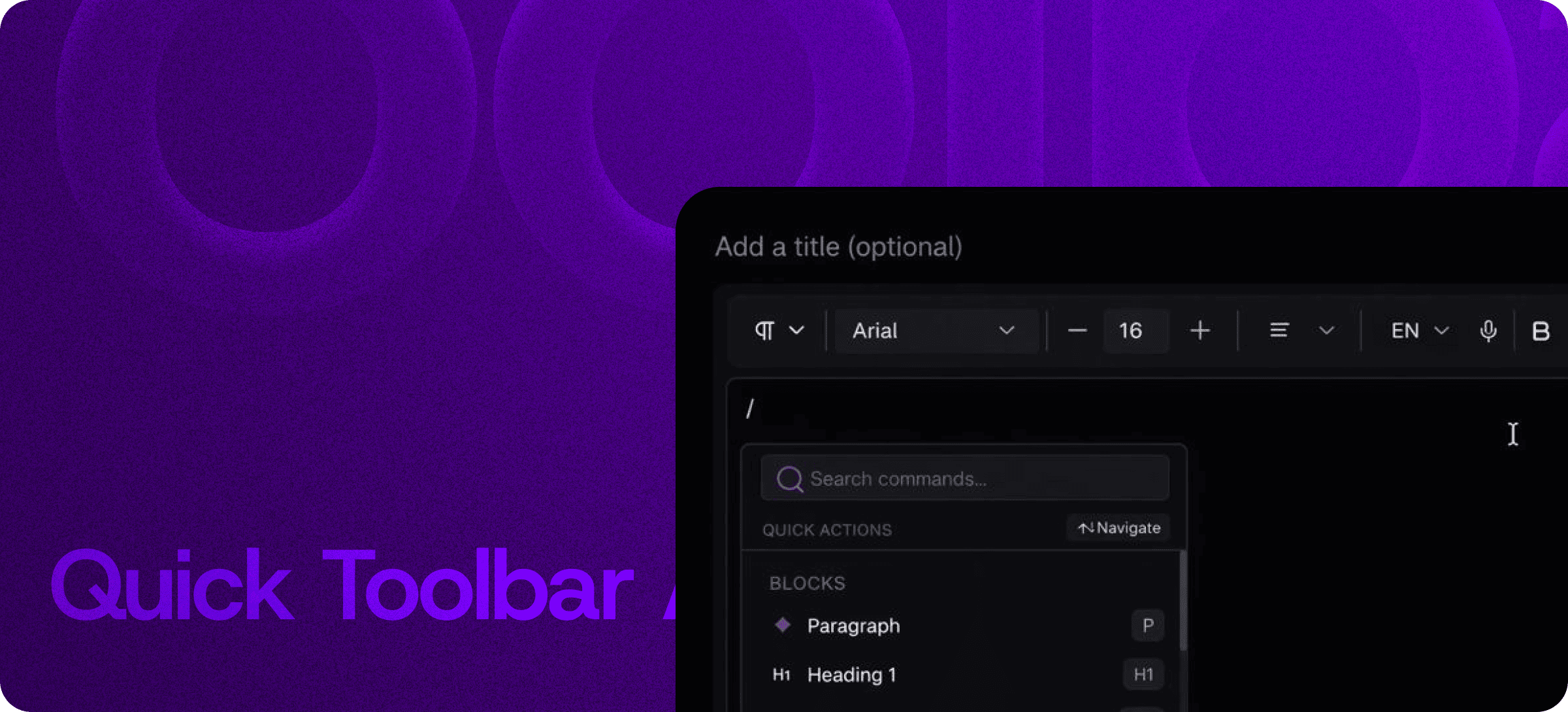
Quick Toolbar — Slash Commands for Faster, Distraction-Free Writing
Eddyter's Quick Toolbar is a slash-command system built into the editor. Type / anywhere in your document and a smart command panel opens — letting you insert headings, lists, tables, code blocks, embeds, and formatting in a single keystroke.
If you've used Notion, Linear, or modern docs apps, the experience will feel instantly familiar. The difference: Eddyter brings the same speed to your SaaS app, with zero plugin work and full React/Next.js support.
What Is the Quick Toolbar?
The Quick Toolbar replaces the traditional editor toolbar with a keyboard-first command panel. When you type /, a smart menu appears showing every block type, formatting option, and editor command available — searchable in real time.
Instead of moving your mouse to a toolbar, picking an option, and clicking back into the document, you stay on the keyboard. Type → search → insert → keep writing.
Insert Anything in One Keystroke
The Quick Toolbar handles every block type you'd reach for in long-form writing:
- Headings (H1, H2, H3)
- Paragraphs with inline formatting
- Lists — bulleted, numbered, and nested
- Tables with merge and resize support
- Quotes and callouts
- Code blocks with syntax preservation
- Media — images, YouTube, Vimeo
- Dividers and spacers
Everything is accessible from one search box. No hunting through toolbar dropdowns, no remembering keyboard shortcuts for every block type.
Keyboard-First by Design
The Quick Toolbar is built for the way modern teams actually write — fast, focused, mostly without touching the mouse:
- Type
/ to open the command panel - Type a few letters to filter —
h2, tab, code, quote - Press Enter to insert the block
- Keep writing — your cursor lands exactly where it should
No mouse. No context switching. No distraction tax.
Smart, Real-Time Search
As you type after the slash, Eddyter filters commands in real time. Aliases and partial matches both work — tab finds Table, bul finds Bulleted List, pic finds Image. In long, complex documents, this is the difference between losing your train of thought and shipping the next paragraph.
Built Directly Into the Editor
Slash commands aren't a plugin or third-party add-on. They ship with the standard Eddyter editor on every plan, including Free.
For developers integrating Eddyter into a SaaS product, that means:
- Zero command-palette library to evaluate, install, or maintain
- No keyboard event handling to debug
- Works out of the box in React and Next.js apps
- No styling or theming work to make it look good
Setup details are in the Eddyter Documentation. New to the editor? What is Eddyter? is a 2-minute walkthrough of how the editor works.
What You Can Build Faster
Technical Documentation
Insert headings, code blocks, callouts, and tables without breaking your writing flow. Documentation gets shipped at product velocity instead of becoming a bottleneck.
Blog Posts and Long-Form Articles
Build structure as you write. Headings, quote blocks, and embedded media drop in cleanly without hunting through toolbars.
Knowledge Base Entries
Maintain consistent formatting across hundreds of articles. Slash commands enforce structural consistency by default.
Release Notes and Changelogs
Ship product updates in minutes, not hours. Insert a heading, a code block, an image, and you're done.
Internal Team Documentation
Onboarding docs, process documents, RFCs — anywhere structure matters and speed matters more.
Why Slash Commands Matter in 2026
Every modern productivity tool has converged on the same insight: the keyboard is faster than the mouse for content creation, and slash commands are the cleanest way to expose every editor capability without cluttering the UI.
- Documentation must ship at product velocity — toolbars slow you down.
- Consistent structure is hard to enforce manually but easy with command-driven blocks.
- Distraction-free writing is a feature, not an aesthetic.
- Modern devs expect it — Notion, Linear, GitHub, and every modern doc tool ships slash commands.
If you're evaluating Eddyter end-to-end, Integrate Eddyter in 30 Minutes walks through full setup including slash commands, AI features, and tables.
Quick Toolbar at a Glance
Capability | Eddyter Quick Toolbar |
|---|
Slash command panel | ✅ Yes |
Real-time search and filtering | ✅ Yes |
Headings, lists, tables, code, media | ✅ Yes |
Keyboard-first navigation | ✅ Yes |
Mobile and tablet support | ✅ Yes |
Available on Free plan | ✅ Yes |
Works in React / Next.js apps | ✅ Yes |
Plugin or library required | ❌ No |
Frequently Asked Questions
1. How do I open the Quick Toolbar?
Type / anywhere in your document. The slash-command panel opens automatically and you can search for any block or formatting command.
2. Can I customize which commands appear in the slash menu?
Available commands are tied to the editor's enabled features (controlled via toolbarOptions props). See the Eddyter docs for the full configuration reference.
3. Does it work on mobile?
Yes. The Quick Toolbar works on desktop, tablet, and mobile. On touch devices, tap the slash command trigger to open the panel.
4. Is the Quick Toolbar available on the Free plan?
Yes. Slash commands ship with every Eddyter plan, including Free.
5. Does it work in React or Next.js apps?
Yes. Eddyter is a drop-in React component, and the Quick Toolbar is part of the standard editor — no extra configuration required.
6. What's the difference between Quick Toolbar and Slash Commands?
They're the same thing. "Quick Toolbar" is the product name; "slash commands" describes the underlying interaction. Devs and writers both use both terms.
Combine With Other Eddyter Features
The Quick Toolbar pairs cleanly with the rest of the Eddyter editor:
- HTML Code Editor — Toggle between rich text and HTML view
- Drag and Drop — Reorder blocks visually after inserting them
- AI Content Enhancement — Rewrite, translate, and improve content in place
- Real-Time Collaboration — Multiple editors working in the same document
Together, they create a complete writing and editing experience.
Why It Matters
Most editors slow you down with too many clicks, scattered tools, and toolbars that hide the commands you actually need. The Quick Toolbar removes that friction.
It helps you stay in flow, ship faster, and keep your content structured by default.
Try Eddyter Free →