Record & Transcribe — Voice-to-Editable-Text Inside Your Editor
Eddyter's Record & Transcribe feature lets you record your voice directly inside the editor and convert it into clean, editable text in one step. No external recording app, no transcription service, no copy-paste from another tool. Just press record, speak, and watch words appear.
Talking is faster than typing. For drafting, meeting notes, brainstorming, and on-the-go capture, voice-to-text turns a slow process into an immediate one — and Eddyter brings the whole workflow into a single place.
Speak. Convert. Edit.
Most voice-to-text workflows are stitched together from multiple tools: record in one app, export the audio, upload to a transcription service, wait, download the transcript, paste it into your editor, clean it up. By the time you're done, you've lost the productivity advantage that voice was supposed to give you.
Eddyter collapses the whole workflow into three steps:
- Record inside the editor
- Convert with AI transcription on the spot
- Edit the resulting text like any other content block
Everything happens in one place. The transcription drops directly into your document where the cursor is, formatted as editable text — ready to refine, restructure, or publish.
How It Works
The interaction is intentionally minimal:
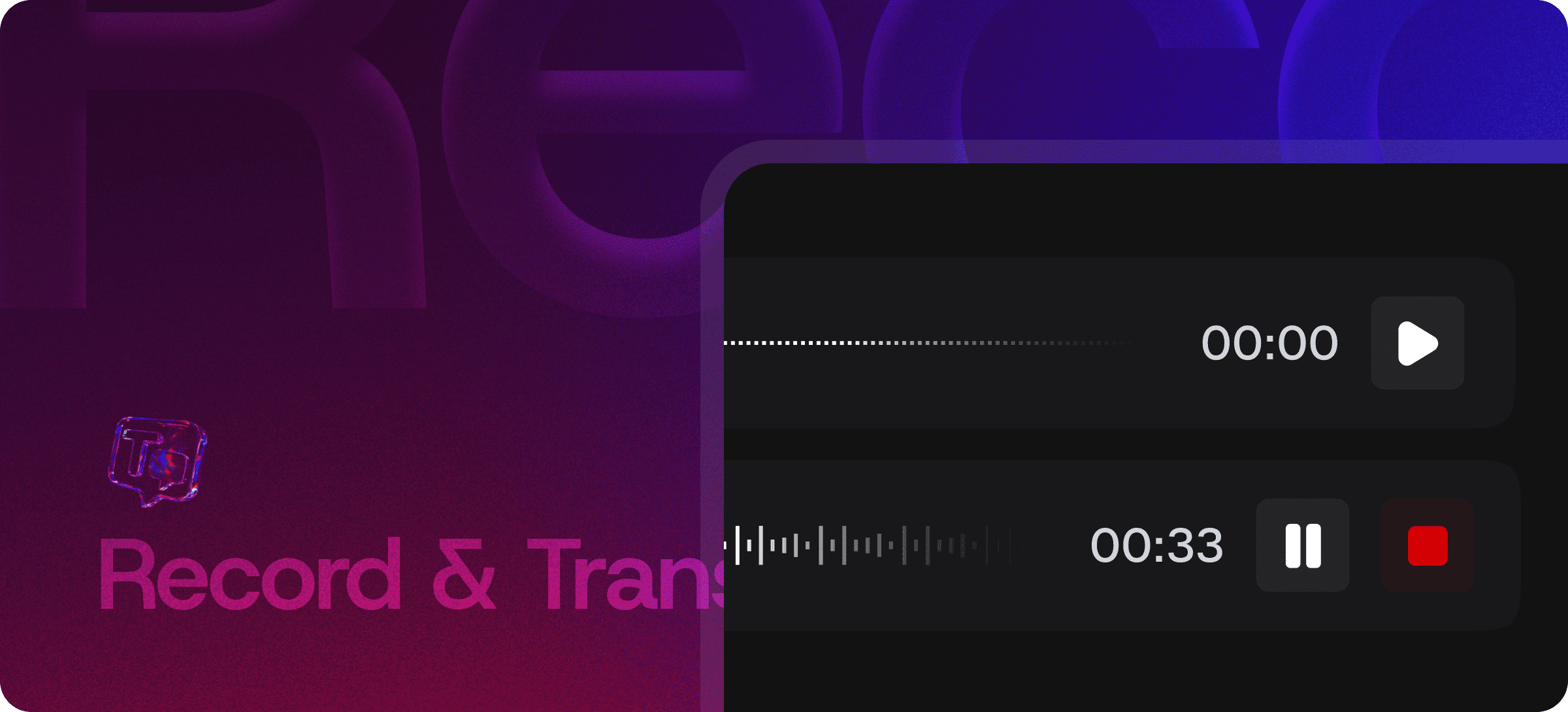
- Click Record inside the editor
- Speak naturally — meeting notes, blog draft, brainstorm, anything
- Click Stop when you're done
- AI transcribes the audio into structured, readable text
- Edit, format, and publish like any other content block
The text lands in the editor as a normal content block. Apply any formatting, paste it elsewhere, drag it around — it's just text now.
What You Can Capture
Voice-to-text excels for content where speed matters more than polish:
- Meeting notes — talk through key points while the meeting is fresh
- Brainstorm dumps — capture ideas faster than your hands can type
- Blog drafts — speak the first draft, edit afterward
- Voice memos — convert recorded thoughts into structured documents
- Interviews — record conversations and turn them into editable transcripts
- On-the-go capture — document product thoughts walking between meetings
- Customer feedback — record support calls and extract structured notes
Built Directly Into the Editor
Record & Transcribe isn't a Chrome extension, a separate SaaS subscription, or a third-party integration. It ships with the standard Eddyter editor on AI-enabled plans.
For developers integrating Eddyter into a SaaS app, that means:
- No external transcription API to set up and pay for separately
- No audio storage infrastructure to manage
- No microphone permission handling to write
- Works out of the box in React and Next.js apps
Setup details are in the Eddyter Documentation. New to the editor? What is Eddyter? is a 2-minute walkthrough.
How It Compares to External Voice-to-Text Workflows
| | Phone voice memos + manual transcription | Otter.ai / Rev | OS-level dictation (macOS, iOS) | Eddyter Record & Transcribe |
|---|
Inside the editor | ❌ Separate app | ❌ Separate app | ⚠️ Limited | ✅ Yes |
Transcribes automatically | ❌ Manual | ✅ Yes | ✅ Yes | ✅ Yes |
Text lands in your document | ❌ Manual paste | ❌ Manual paste | ⚠️ Variable | ✅ Yes |
Subscription cost | Free | Paid | Free | Eddyter AI plan |
Works in your SaaS app | ❌ No | ❌ No | ❌ No | ✅ Native React |
Built for content workflows | ❌ No | ⚠️ Meeting-focused | ❌ Generic | ✅ Yes |
For SaaS teams shipping editors to their own users, in-editor voice-to-text is the only option that doesn't force users to leave the app. Your customers shouldn't need to install Otter and copy transcripts back into your product.
Where Voice-to-Text Earns Its Keep
Content Creators and Bloggers
Speak first drafts at conversational pace. The roughest pass becomes editable text — far faster than typing the same thoughts.
Meeting Documentation
Record key decision points, action items, and discussion threads during meetings. No frantic typing while trying to listen.
Product Managers and Researchers
Capture customer interviews, user feedback sessions, and product brainstorms. Convert hours of audio into structured notes.
Mobile and On-the-Go Work
Document thoughts while walking, commuting, or away from a keyboard. The transcript syncs to your editor when you're back at your desk.
Accessibility
For users with mobility issues, RSI, or any condition that makes typing difficult, voice-to-text removes the keyboard as a bottleneck.
Long-Form Drafting
For 2,000+ word pieces, speaking the first draft can be 3-4x faster than typing it. Edit afterward in the same editor.
Why Voice-to-Text Matters in 2026
Voice-to-text crossed the accuracy threshold for serious productive use years ago. Modern models (Whisper-class) handle technical vocabulary, multiple speakers, accents, and noisy environments far better than the dictation tools of even five years ago.
- Voice input is faster than typing for first drafts and rough capture
- AI transcription is good enough to skip manual cleanup for most use cases
- Hands-free workflows matter for accessibility and on-the-go contexts
- Meeting documentation overhead is a major productivity drain that voice solves
Eddyter brings the modern voice-to-text capability into the editor where the content actually lives. If you're evaluating Eddyter end-to-end, Integrate Eddyter in 30 Minutes walks through full setup including AI features and Record & Transcribe.
Record & Transcribe at a Glance
Capability | Eddyter Record & Transcribe |
|---|
In-editor audio recording | ✅ Yes |
AI-powered transcription | ✅ Yes |
Text inserted inline at cursor | ✅ Yes |
Edit transcript as normal text | ✅ Yes |
Multi-language support | ✅ See FAQ |
Plan availability | Eddyter AI plans |
Works in React / Next.js apps | ✅ Yes |
External transcription service required | ❌ No |
Frequently Asked Questions
1. How accurate is the transcription?
Eddyter uses modern AI transcription models (Whisper-class). Accuracy is high for clear audio in supported languages. For meetings with multiple speakers or noisy environments, brief manual cleanup is sometimes needed.
2. What languages are supported?
The underlying transcription model supports 50+ languages. For specific language coverage on your plan, see the Eddyter docs.
3. Where does the audio go after transcription?
Audio handling depends on your plan. On AI Pro Managed, transcription is handled fully managed. On AI Pro BYOK, you bring your own transcription provider key. See the Eddyter docs for the full data-handling spec.
4. How long can a single recording be?
Recording length limits depend on plan. Most use cases (meeting notes, blog drafts, interviews) fit comfortably within the supported limits. See Eddyter pricing for plan-specific details.
5. Is Record & Transcribe available on the Free plan?
Voice-to-text is part of Eddyter's AI feature suite and is available on Eddyter AI plans. See Eddyter pricing for current plan availability.
6. Does it work in React or Next.js apps?
Yes. Eddyter is a drop-in React component, and Record & Transcribe is part of the standard editor on AI-enabled plans — no extra configuration required.
7. Does it require microphone permissions?
Yes. Browsers require microphone permission before recording. Eddyter handles the permission prompt and microphone access automatically.
8. Can I edit the transcript after it's generated?
Yes. The transcribed text lands as a normal content block in the editor — apply any formatting, restructure, or edit just like any other text.
Why It Matters
Typing is slow. Voice is fast. For first drafts, meeting notes, and rapid capture, the speed difference is enormous — and most teams leave it on the table because the workflow is broken.
Eddyter fixes the workflow. Record inside the editor. Transcribe inside the editor. Edit inside the editor. One tool, three steps, all the speed of voice with all the editability of text.
Try Eddyter →