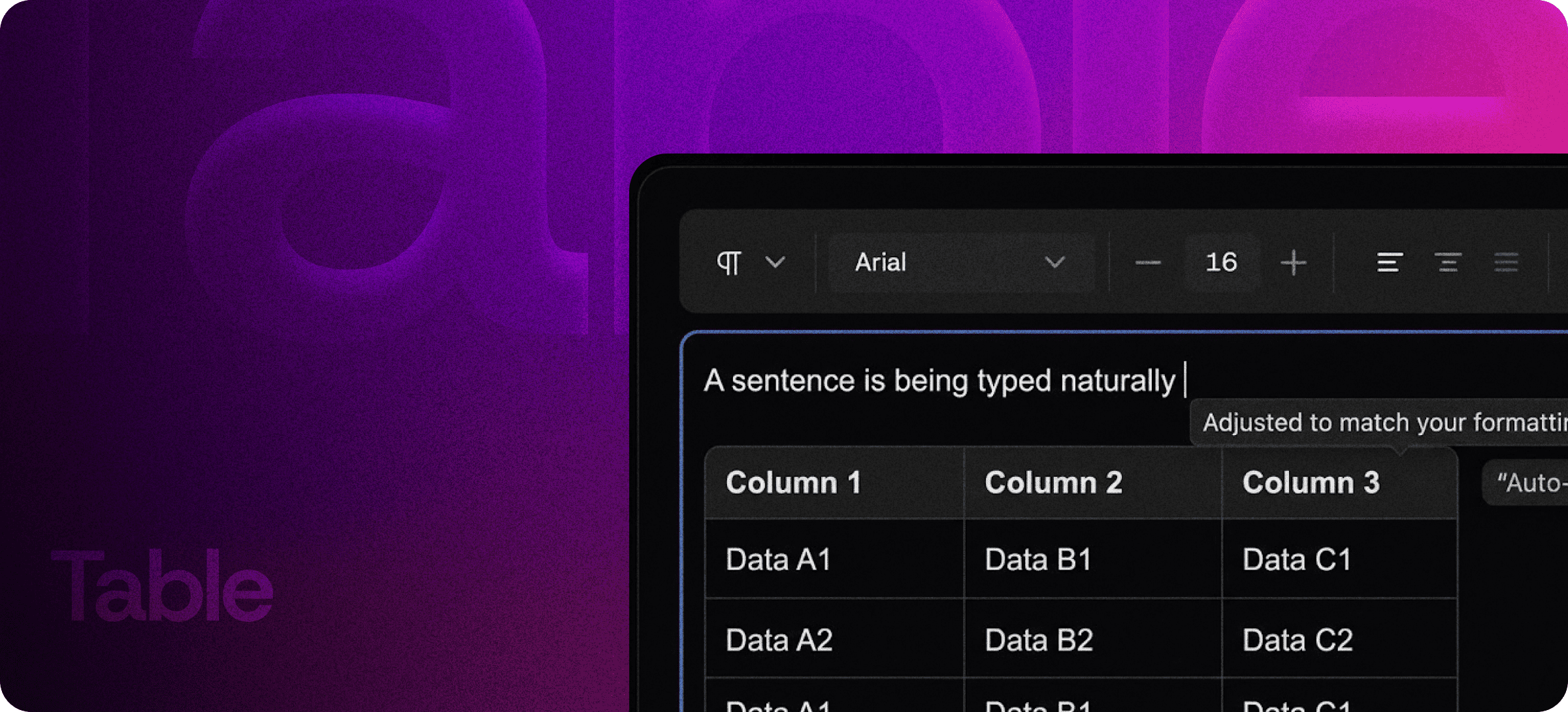
Rich Tables Inside Your Editor — Merge, Resize, and Responsive by Default
Eddyter's Table feature gives you full-featured table editing without ever leaving your rich text editor. Add rows, merge cells, resize columns, and ship clean, responsive tables that render perfectly across desktop, tablet, and mobile — with zero third-party plugins or formatting cleanup.
Tables are where most editors fall apart. Inserting them is clunky, editing them mid-document breaks layout, and rendering them on mobile turns into a horror show. Eddyter solves all three.
Full Table Editing, Built Into the Editor
Most rich text editors treat tables as an afterthought — limited to fixed columns, no merge support, and broken on smaller screens. Eddyter's tables work the way you'd actually want them to:
- Add and remove rows and columns with one click
- Merge cells for headers, spans, and complex layouts
- Resize columns by dragging — no manual width-tweaking
- Format cells with bold, italic, links, color, and inline code
- Nest content like images, links, and lists inside cells
- Reorder rows and columns without rebuilding the table
Everything happens in-place. No popup modals, no separate "edit table" mode, no copy-paste-from-Google-Sheets workaround.
Merge and Resize Without Breaking Layout
This is where Eddyter pulls ahead of most WYSIWYG editors. Merge cells across rows and columns to build complex headers, summary rows, or grouped sections. Resize columns by simply dragging the column edge — Eddyter handles the responsive math automatically.
The table stays clean, the surrounding content stays untouched, and the rendered output works in any frontend.
Responsive Tables That Don't Break on Mobile
Tables created in Eddyter automatically adapt to the screen they're rendered on. No matter how many columns you add, your table:
- Renders cleanly on mobile, tablet, and desktop
- Avoids horizontal-scroll dumpster fires on small screens
- Maintains readability without manual breakpoint setup
- Works in CMS-published content, marketing emails, and embedded widgets
For SaaS teams shipping content to global, mobile-heavy audiences, this is the difference between a comparison table that converts and one that gets bounced.
Built Directly Into the Editor
Tables aren't an add-on, plugin, or third-party integration. They're part of the standard Eddyter editor and ship on every plan, including Free.
For developers integrating Eddyter into a SaaS product, that means:
- Zero plugin configuration
- No additional API calls for table rendering
- No styling work to make tables look good
- No mobile-responsiveness debugging
Setup details are in the Eddyter Documentation. New to Eddyter? What is Eddyter? is a 2-minute walkthrough of the editor.
What You Can Build with Eddyter Tables
Comparison Tables (SEO Gold)
Comparison content ranks. "Eddyter vs Tiptap" pages, pricing comparisons, feature matrices — these are some of the highest-converting SEO pages on any SaaS site, and they all need clean tables.
Pricing Matrices
Build, edit, and update pricing tables directly in your editor. No CSS surgery when you add a new tier.
Knowledge Base Articles
Help center articles often need tables: keyboard shortcuts, error code references, configuration options. Eddyter renders all of these cleanly.
Data-Rich Newsletters
Tables that render across Gmail, Outlook, Apple Mail, and dozens of other clients without falling apart.
Product Documentation
API parameters, configuration options, version compatibility — anywhere structured data needs to be readable.
Reports and Dashboards
Embed tabular data inside long-form reports without breaking the document's layout.
Why In-Editor Tables Matter in 2026
The bar for content quality keeps rising:
- Mobile traffic is dominant. Tables that break on phones lose readers immediately.
- Comparison content drives SaaS conversion. Buyers want side-by-side specs, not paragraphs of feature claims.
- Accessibility matters. HTML tables are searchable, screen-reader-friendly, and indexable. Image-based tables are none of those.
- Content velocity matters. Editors that slow you down on tables slow your whole content engine.
Eddyter's table system removes friction at every step. If you're evaluating Eddyter end-to-end, Integrate Eddyter in 30 Minutes walks through full setup including tables, AI, and translation.
Tables at a Glance
Capability | Eddyter Tables |
|---|
Add/remove rows and columns | ✅ Yes |
Merge cells | ✅ Yes |
Drag-to-resize columns | ✅ Yes |
Inline formatting in cells | ✅ Yes |
Nest images, links, lists in cells | ✅ Yes |
Mobile-responsive rendering | ✅ Yes |
Available on Free plan | ✅ Yes |
Works in React / Next.js apps | ✅ Yes |
Third-party plugin required | ❌ No |
Frequently Asked Questions
1. Can I merge cells in Eddyter tables?
Yes. Cells can be merged across rows and columns to build complex headers or grouped sections. Unmerging is just as simple.
2. Are Eddyter tables responsive on mobile?
Yes. Tables automatically adapt to screen size and render cleanly on desktop, tablet, and mobile without manual breakpoint setup.
3. Can I resize columns?
Yes. Drag the column edge to resize. Eddyter handles the responsive math automatically — no manual width values to manage.
4. Can I nest content like images or links inside table cells?
Yes. Cells support inline formatting (bold, italic, links, color), images, lists, and inline code.
5. Are tables available on the Free plan?
Yes. Tables — including merge, resize, and responsive rendering — are part of every Eddyter plan, including Free.
6. Do Eddyter tables work in React or Next.js apps?
Yes. Eddyter is a drop-in React component. Tables ship with the standard editor and work without additional configuration.
7. Will Eddyter tables render correctly in newsletters and emails?
Yes. Tables generate clean, semantic HTML that renders across email clients. For pixel-perfect email rendering, follow standard email-client testing practices.
Why It Matters
Tables are how you communicate structure. Comparison tables sell products. Pricing tables drive conversions. Documentation tables save engineering time. Help center tables reduce support tickets.
When tables work, content works. Eddyter makes them work — without the third-party tools, broken layouts, or mobile breakage that plagues most editors.
Try Eddyter Free →