AI Translation Inside Your Editor — Preserve Tone, Format, and Meaning
Eddyter's built-in AI Translate turns your rich text editor into a multilingual content engine. Translate documentation, blog posts, support articles, and marketing copy across 50+ languages — without leaving your editor, switching tools, or losing a single heading, link, or list item.
Most translation tools treat language as a substitution problem: swap one word for another and hope for the best. The result is content that reads like a robot wrote it — stiff phrasing, broken formatting, and lost meaning wherever idioms or technical terms appear.
Eddyter is built differently.
Translate Without Losing Meaning, Tone, or Structure
Eddyter's Translate feature converts your content into different languages while keeping your original intent intact. It understands context — not just vocabulary.
Your message stays clear. Your tone stays consistent. Your formatting stays publish-ready.
How Context-Aware AI Translation Works
When you trigger Translate inside Eddyter, the editor passes your content through a translation pipeline that goes far beyond word-for-word conversion. Here's what the system evaluates before producing output:
1. Sentence Structure and Grammar
Different languages order words differently. English puts the verb in the middle; Japanese puts it at the end; Arabic flips subject and object. Eddyter restructures sentences so they read naturally in the target language — not like a literal mirror of the source.
2. Tone and Voice
Casual blog posts shouldn't be translated like legal contracts. Eddyter preserves the register of your original content — friendly, formal, technical, or persuasive — so your brand voice carries across borders without flattening into corporate-speak.
3. Technical Terminology
Product names, API references, code snippets, and industry jargon are recognized and preserved. You won't find your SaaS product's name awkwardly translated into a generic noun, or an API endpoint mangled by an over-eager translator.
4. Natural Language Flow
Idioms, transitions, and connective phrases are adapted, not transliterated. Translated content reads fluently — the way a local user expects to read it — instead of betraying its English-language origins.
Built Into the Editor — Not Bolted On
Most teams localize content the slow way: export the document, send it to a translation service, wait hours or days, re-import the result, and manually fix the broken formatting. Eddyter eliminates every step of that workflow.
- No tab-switching. Translate without leaving your editor.
- No copy-paste cycles. Source and translation live in the same workspace.
- No formatting loss. Headings, bullet points, tables, links, and images stay intact.
- No external API setup. Translation works out of the box on every plan.
For developers integrating Eddyter into their own SaaS apps, Translate ships with the standard editor — no extra configuration. Full setup is documented in the Eddyter Documentation, and if you're new to the editor, What is Eddyter? is a 2-minute walkthrough of how it fits into your stack.
Preserve Formatting and Document Structure
This is the part most translation workflows quietly destroy. Eddyter doesn't.
When you translate a document inside Eddyter, the following stay perfectly intact:
- Headings (H1–H6) and their hierarchy
- Bulleted and numbered lists
- Tables, including merged cells and column widths
- Inline links and anchor text
- Bold, italic, underline, and color formatting
- Code blocks and inline code (kept verbatim, not translated)
- Embedded YouTube and Vimeo media
- Images and captions
The translated document is publish-ready — paste it into your CMS, push it to your help center, or export it without spending an hour rebuilding the layout.
Why In-Editor AI Translation Matters in 2026
Going global used to mean hiring a localization agency and waiting weeks. In 2026, the bar is faster — and higher.
- Users expect native-feeling content. Awkward translation kills credibility on the first read.
- SEO is multilingual. Search engines reward properly localized content with country-specific search visibility.
- Documentation needs to ship at the same pace as features. Multi-week translation cycles slow product velocity.
- Support content must be inclusive. Customers expect help in their own language, immediately.
Eddyter helps SaaS teams clear all four bars without bolting together a translation pipeline from scratch. If you'd like to see how fast a full Eddyter integration takes — Translate included — watch Integrate Eddyter in 30 Minutes.
Who Uses Eddyter's Translate Feature
- SaaS product teams localizing in-app documentation and onboarding flows
- Technical writers maintaining multilingual help centers
- Content marketers publishing blog posts across regional markets
- Customer support teams translating macros and canned responses
- Developer relations teams keeping API docs in sync across languages
- Startup founders entering new markets without hiring a localization team
Translate at a Glance
Capability | Eddyter Translate |
|---|
Built-in to the editor | ✅ Yes |
Context-aware (not word-for-word) | ✅ Yes |
Preserves formatting and structure | ✅ Yes |
Languages supported | 50+ |
External API setup required | ❌ No |
Available on Free plan | ✅ Yes |
Works in React / Next.js apps | ✅ Yes |
Code blocks preserved verbatim | ✅ Yes |
Frequently Asked Questions
1. How accurate is Eddyter's AI translation?
Eddyter uses context-aware AI models that analyze sentence structure, tone, and terminology before translating. Accuracy is significantly higher than word-for-word tools, especially for technical and long-form content. For regulated or legal content, a human review pass is still recommended.
2. Which languages does Eddyter Translate support?
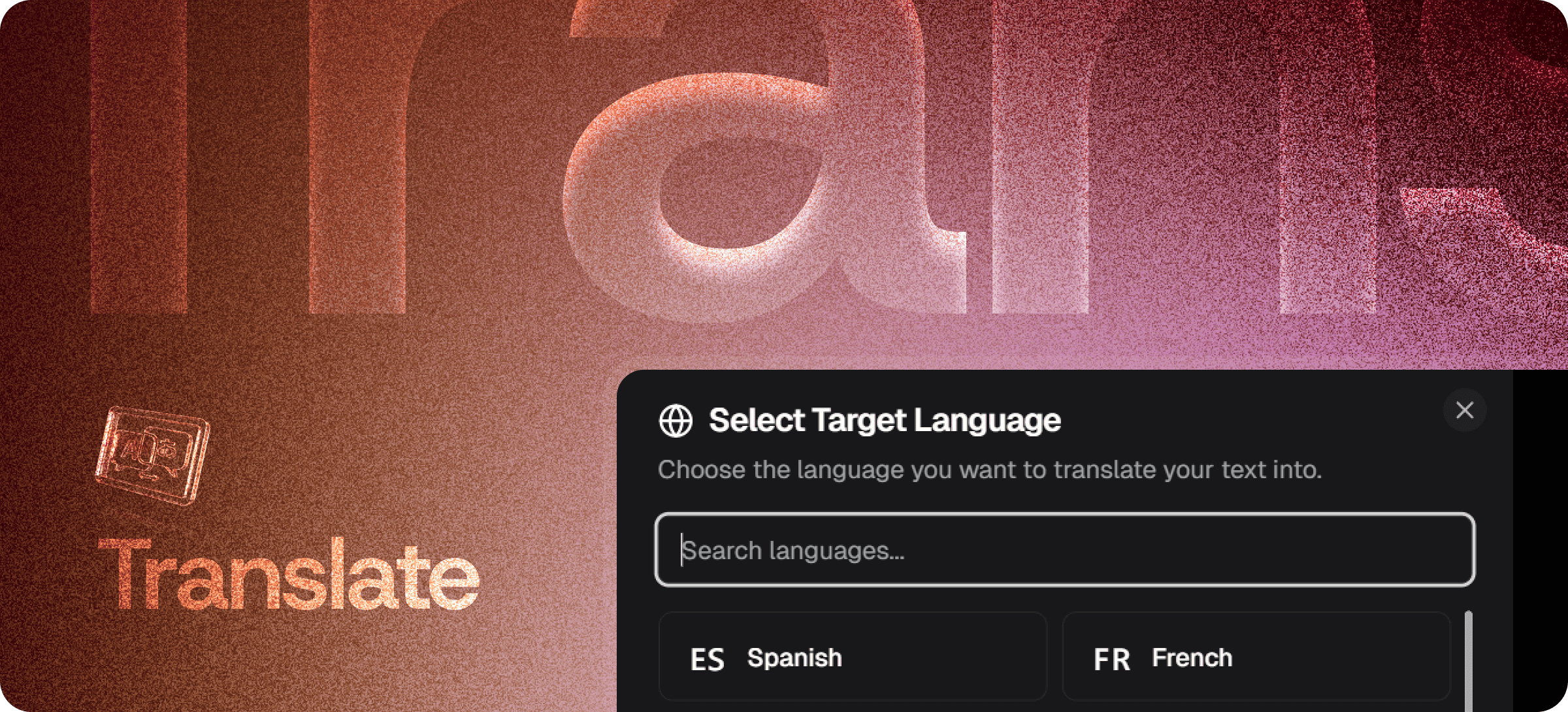
Eddyter supports 50+ languages including Spanish, French, German, Portuguese, Italian, Dutch, Japanese, Korean, Simplified and Traditional Chinese, Arabic, Hindi, Russian, Polish, Turkish, and many more.
3. Will translation break my document's formatting?
No. Headings, lists, tables, links, code blocks, and embedded media are preserved. Only the text content is translated.
4. Is Translate available on the Free plan?
Yes. Translate is available across every Eddyter plan, including the Free tier.
5. Does Translate work inside React or Next.js apps?
Yes. Eddyter is a drop-in React component and Translate is part of the standard editor. Setup is documented in the Eddyter docs.
6. Are code blocks translated?
No. Code blocks and inline code are preserved verbatim — only natural language content is translated.
Why It Matters
Expanding globally requires precision. Weak translation creates confusion. Accurate, context-aware translation builds credibility.
Eddyter helps you communicate confidently across languages — without leaving the editor where you write.
Try Translate Free →