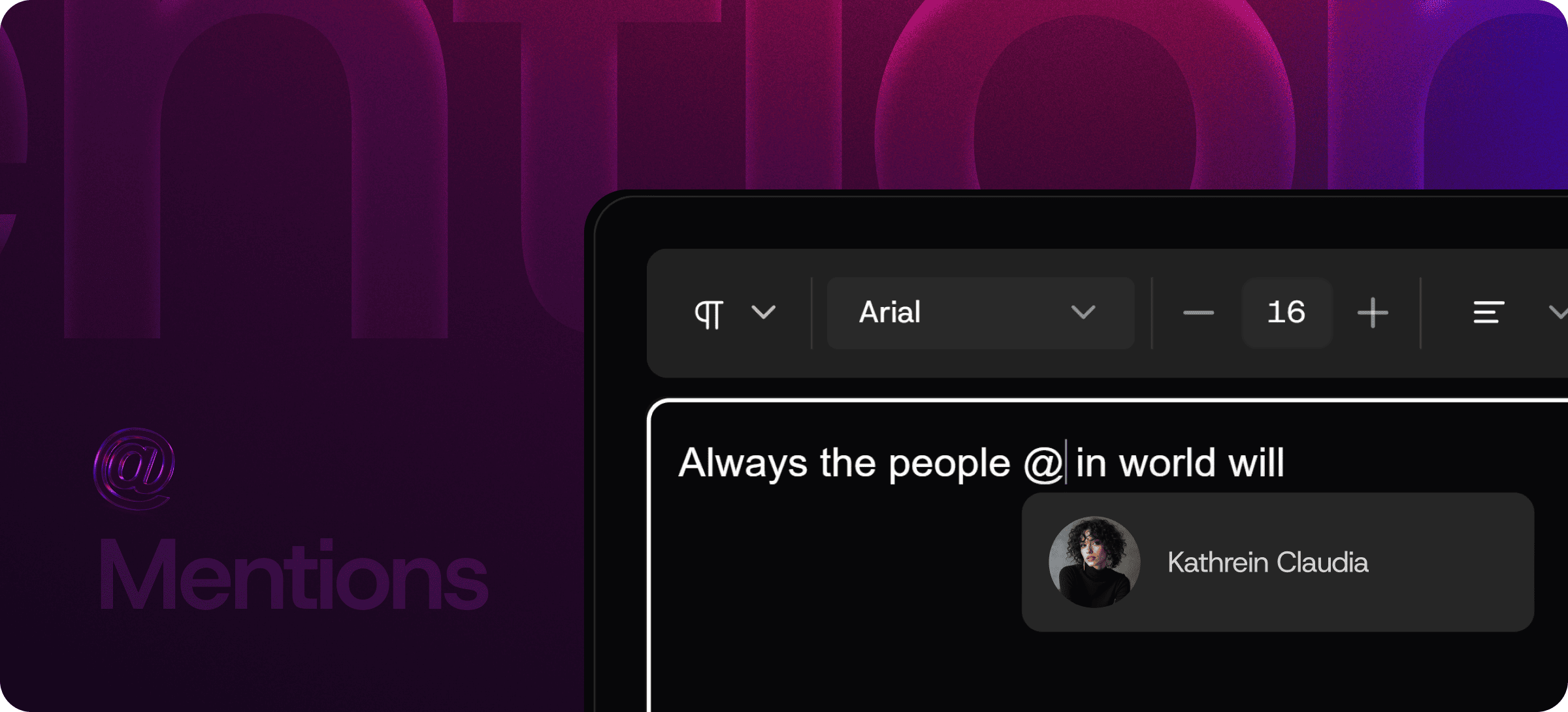
@Mentions Inside Your Editor — Bring the Right People Into the Text
Eddyter's Mentions feature lets you tag teammates directly inside the editor using @ — exactly like Slack, Notion, or Linear. The moment you mention someone, they're notified — and the notification is anchored to the specific part of the document where they were tagged.
No more switching to Slack to ping someone about a document. No more "can you take a look at the section on..." messages. The tag IS the notification, and the context is automatic.
Why @Mentions Belong Inside the Editor
Most teams handle in-document collaboration the worst possible way: they write in a doc, then leave to ping the relevant person in Slack with a link, then describe what they want them to look at. The reviewer comes back, can't find the section, and asks for clarification.
Inline mentions collapse all of that into one action:
- Type
@ where the person needs to look - Select them from the suggestion list
- Add context if needed
- Submit — they're notified, and the notification deep-links to the exact spot
Three steps. Zero context loss. Zero tool-switching.
Mentions vs Comment on Text — What's the Difference?
These two features pair together but serve different purposes. Worth knowing the distinction:
| | @Mentions | Comment on Text |
|---|
Trigger | Type @ anywhere | Select text, add comment |
Purpose | Notify specific people | Leave feedback on specific text |
Anchored to | Cursor location or comment | Selected text |
Best for | "Hey, look at this" | "This sentence needs a citation" |
Notification | Direct to mentioned user | Document watchers |
Most review workflows use both: comments leave the actual feedback, mentions make sure the right people see it. Eddyter ships both as separate, clearly-purposed features.
How to Use @Mentions
The interaction is intentionally familiar to anyone who's used Slack, Notion, or Linear:
- Type
@ inside the editor (anywhere — body text, comments, or replies) - Select a teammate from the auto-complete list
- Add context ("can you review?", "your call", etc.)
- The mentioned user gets notified — and the notification deep-links to the exact location
Mentions stay linked to the text. As the document changes, the mention stays anchored to the content it was tied to.
What @Mentions Enable
- Direct notifications to specific people, not the whole document watcher list
- Contextual deep-links — recipients land exactly where they were tagged
- Cross-feature use — mention someone inside a comment, in body text, or in a reply
- Auto-complete — fast user lookup as you type
- Notification routing — integrate with your existing notification channels (email, Slack, in-app)
Built Directly Into the Editor
Mentions aren't a plugin or third-party widget. They ship with the standard Eddyter editor on every plan, including Free.
For developers integrating Eddyter into a SaaS app, that means:
- No mention auto-complete UI to build
- No notification routing infrastructure to wire up
- No deep-link logic to maintain
- Works out of the box in React and Next.js apps
Setup details are in the Eddyter Documentation. New to the editor? What is Eddyter? is a 2-minute walkthrough.
How It Compares to External Notification Workflows
| | Slack ping with link | Email notification | Generic in-app notification | Eddyter @Mentions |
|---|
In-context | ❌ External | ❌ External | ⚠️ Variable | ✅ Yes |
Deep-links to exact spot | ❌ Manual | ❌ Manual | ⚠️ Variable | ✅ Yes |
Anchored to content | ❌ No | ❌ No | ❌ No | ✅ Yes |
Familiar pattern | ⚠️ Different tool | ⚠️ Different tool | ⚠️ Variable | ✅ Slack-style |
Works in your SaaS app | ❌ No | ❌ No | ❌ No | ✅ Native React |
For SaaS teams shipping editors to their own users, the @mention pattern is what users now expect. It's the lingua franca of modern collaboration tools.
Where @Mentions Earn Their Keep
Editorial and Content Review
Editors mention writers in comments to flag issues. Writers mention editors back when fixes are ready. The whole loop happens in-document.
Documentation Reviews
Mention the engineer who owns the API when documenting it. Mention the security lead when documenting auth flows. The right people see the right sections.
Cross-Team Approvals
Mention legal in legal sections. Mention compliance in compliance sections. Mention brand in messaging sections. Each team sees only what they need to see.
Product Spec Collaboration
PMs draft specs and mention engineers, designers, and stakeholders for input on specific sections. Discussion happens in-context.
Internal Team Documentation
Onboarding docs that mention the relevant team for each topic. Process documents that route to the right owner.
Customer Success Handoffs
Mention the support lead when escalating an issue. Mention the customer success owner when looping them into a conversation.
Why @Mentions Matter in 2026
Modern collaboration has converged on one pattern: tag the person, don't message them separately. Slack, Notion, Linear, Figma, Jira — every modern collaboration tool ships @mentions because they work.
The teams that move fastest are the teams whose tools support this pattern natively. Editors that don't have @mentions force users to leave the document to ping people — a small friction that compounds into massive review-cycle delays.
If you're evaluating Eddyter end-to-end, Integrate Eddyter in 30 Minutes walks through full setup including mentions, comments, and collaboration features.
@Mentions at a Glance
Capability | Eddyter @Mentions |
|---|
Type @ to mention | ✅ Yes |
Auto-complete user list | ✅ Yes |
Direct notification to mentioned user | ✅ Yes |
Deep-link to mentioned location | ✅ Yes |
Works in body text and comments | ✅ Yes |
Mention anchored to content | ✅ Yes |
Available on Free plan | ✅ Yes |
Works in React / Next.js apps | ✅ Yes |
Frequently Asked Questions
1. How do I @mention a teammate?
Type @ anywhere inside the editor — in body text, inside a comment, or in a reply. An auto-complete list of available users appears. Select the person, add context, and submit.
2. How do mentioned users get notified?
Notifications can be routed through your configured notification channels — email, in-app notifications, or external integrations like Slack. Setup details are in the Eddyter docs.
3. Can I mention multiple people in one place?
Yes. You can chain multiple @mentions to notify several people at once.
4. What's the difference between @Mentions and Comment on Text?
@Mentions notify specific people. Comment on Text leaves feedback anchored to specific text. Most workflows use both — see the Comment on Text feature for inline commenting.
5. Are @Mentions available on the Free plan?
Yes. Mentions are included on every Eddyter plan, including Free.
6. Does it work in React or Next.js apps?
Yes. Eddyter is a drop-in React component, and @mentions are part of the standard editor — no extra configuration required.
7. Can I use @mentions in comments and replies?
Yes. Mentions work in body text, inside comments, and inside comment replies — same syntax everywhere.
Combine With Other Eddyter Features
The Mentions feature pairs cleanly with the rest of the editor:
Together, they create a complete collaborative editing experience.
Why It Matters
Collaboration is fundamentally about getting the right people involved at the right time. Email and Slack handle "right time" badly — messages pile up, context is lost, deep-links to specific sections rarely make it into the message.
@Mentions inside the editor get both right at once. Tag the person, anchor the notification to the content, and let the reviewer land exactly where they need to be.
Try Eddyter Free →




