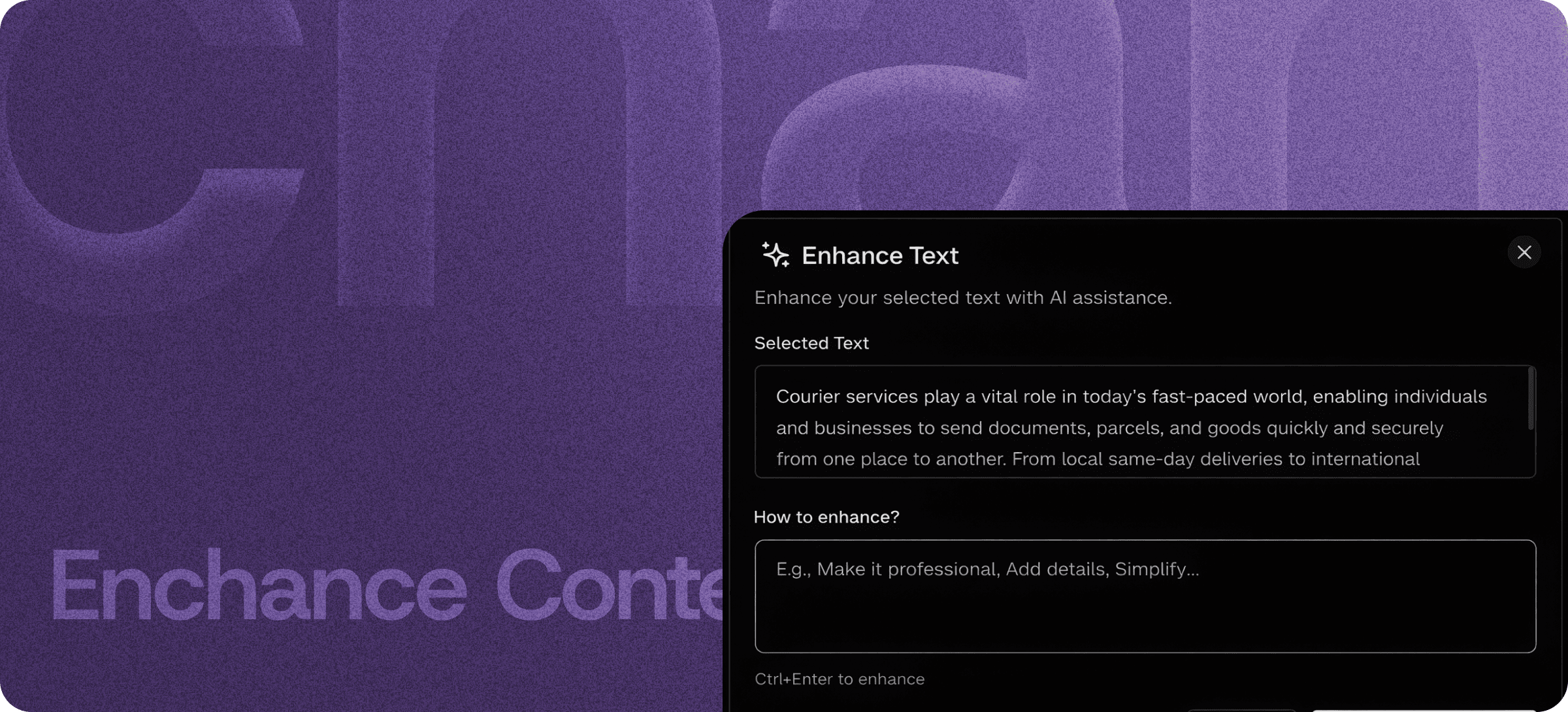
AI Writing Assistant Inside Your Editor — Refine, Simplify, Adjust
Eddyter's AI Writing Assistant is built into your editor — refine, simplify, adjust tone, change length, and rewrite content directly inside the document where you write. No tab-switching to ChatGPT. No copy-pasting into Grammarly. No external SaaS subscription.
The full set of AI writing actions live next to your cursor. Highlight any text, pick the action, and watch your content improve while your voice and intent stay intact.
What the AI Writing Assistant Does
Most AI writing tools have a problem: they're separate apps. You write somewhere, then leave to "improve" the writing somewhere else, then come back and paste the result. The workflow is broken by design.
Eddyter brings the entire AI writing toolkit into the editor. Highlight text and apply any of the following actions in one click:
Each action is purpose-built. Together, they cover the full spectrum of "make this writing better" without the AI flattening your voice into corporate sludge.
Stay True to Your Voice
The biggest failure mode of AI writing tools is voice flattening. You feed in something interesting and you get back something generic — technically correct but stripped of personality, perspective, and brand voice.
Eddyter's AI Writing Assistant takes a different approach: enhance, don't replace. The AI improves clarity, structure, and readability while preserving:
- Your sentence rhythm and writing voice
- Your deliberate word choices (especially in technical content)
- Your brand tone and stylistic conventions
- Your point of view and argumentative structure
Result: content that reads like you wrote it, just better.
How It Compares to External AI Writing Tools
| | ChatGPT / Claude (manual prompting) | Grammarly Pro | Standalone AI rewriters | Eddyter AI Writing Assistant |
|---|
Inside your editor | ❌ Separate tab | ⚠️ Browser extension | ❌ Separate app | ✅ Built-in |
Purpose-built actions | ❌ Manual prompting | ⚠️ Limited | ✅ Yes | ✅ Yes |
Preserves voice | ⚠️ Heavy rewrites | ⚠️ Variable | ⚠️ Variable | ✅ Yes |
One-click application | ❌ Manual | ✅ Suggestions | ✅ Yes | ✅ Yes |
Subscription cost | Paid | Paid | Paid | Eddyter AI plan |
Works in your SaaS app | ❌ No | ❌ No | ❌ No | ✅ Native React |
For SaaS teams shipping editors to their own users, the in-editor option is the only one that scales. Your customers shouldn't need to set up ChatGPT or install a Grammarly extension to write better content in your product.
Core AI Actions, Explained
Simplify
Dense paragraphs become clear sentences. Jargon becomes plain language. Long structures become readable. Ideal for technical documentation, customer support replies, and any content reaching non-specialist readers. Read more about Simplify.
Adjust Tone
Shift writing register without rewriting from scratch. Convert formal documentation into approachable explanation; soften an aggressive draft into a measured response; tighten a casual note into a professional update. Read more about Adjust Tone.
Make Longer / Shorter
Adjust content length intentionally. Pad too-thin drafts with relevant detail; tighten over-long copy without losing key points. Read more about Make Longer / Shorter.
Fix Grammar
Catch grammar, spelling, and structural errors without rewriting your sentences. A proofreader, not a ghostwriter. Read more about Fix Grammar.
Translate
Convert content into 50+ languages while preserving formatting, tone, and technical accuracy. Read more about Translate.
Generate AI Image
Turn text descriptions into custom visuals inserted inline. Replace stock photo subscriptions and external image tools. Read more about Generate AI Image.
Built Directly Into the Editor
The AI Writing Assistant isn't an add-on, plugin, or third-party integration. It ships with the standard Eddyter editor on AI-enabled plans.
For developers integrating Eddyter into a SaaS app, that means:
- No OpenAI / Anthropic API setup to manage (or BYOK option for AI Pro plans)
- No prompt engineering to maintain
- No content leaving your environment unnecessarily
- Works out of the box in React and Next.js apps
Setup details are in the Eddyter Documentation. New to the editor? What is Eddyter? is a 2-minute walkthrough.
Where AI Writing Tools Earn Their Keep
Content Marketing Teams
Polish blog drafts, refine landing page copy, adjust tone for different campaigns — all without leaving the editor.
Technical Writers
Simplify dense documentation for non-technical readers while preserving technical precision in the source content.
Customer Support and Success
Polish replies, adjust tone for difficult conversations, and translate responses into customer languages — without copy-paste cycles.
Product Marketing
Adjust messaging across landing pages, product descriptions, and emails for different audiences and personas.
Distributed Teams
Standardize writing quality across team members with different language backgrounds and writing styles.
SaaS Product Teams
Embed AI writing tools inside your own app — your users get full AI capabilities without installing browser extensions or copying into ChatGPT.
Why AI Writing Tools Matter in 2026
The bar for written content keeps rising:
- Reader attention is scarcer than ever — dense or unclear writing gets bounced.
- Multilingual audiences are now the default for most B2B SaaS — content needs to be readable across cultures.
- Content velocity matters — teams shipping the most content win, but only if quality holds.
- Original voice is a competitive moat — generic AI-flattened content reads as untrustworthy.
Eddyter's AI Writing Assistant lets you ship better content faster, while keeping your voice intact. If you're evaluating Eddyter end-to-end, Integrate Eddyter in 30 Minutes walks through full setup including all AI features.
AI Writing Assistant at a Glance
Capability | Eddyter AI Writing Assistant |
|---|
Simplify, Adjust Tone, Length, Grammar | ✅ All included |
Translation (50+ languages) | ✅ Yes |
AI Image Generation | ✅ Yes |
Inside the editor | ✅ Yes |
Preserves voice and tone | ✅ Yes |
One-click application | ✅ Yes |
BYOK option (bring your own LLM key) | ✅ AI Pro BYOK plan |
Managed AI option | ✅ AI Pro Managed plan |
Works in React / Next.js apps | ✅ Yes |
Frequently Asked Questions
Will the AI rewrite my content and lose my voice?
No. Eddyter's AI Writing Assistant is designed to enhance, not replace. It improves clarity, structure, and length while preserving your voice, sentence rhythm, and intent.
What AI actions are available?
Simplify, Adjust Tone, Make Longer / Shorter, Fix Grammar, Translate, and Generate AI Image. Each is purpose-built rather than generic prompting.
Is the AI Writing Assistant available on the Free plan?
AI features are part of Eddyter's AI plans (AI Pro BYOK or AI Pro Managed). See the Eddyter pricing page for current plan details and AI credit allocations.
Can I bring my own OpenAI / Anthropic API key?
Yes. Eddyter's AI Pro BYOK plan lets you bring your own LLM key and pay your provider directly for usage.
Does it work in React or Next.js apps?
Yes. Eddyter is a drop-in React component, and AI features are part of the standard editor on AI-enabled plans — no extra configuration required.
Will my content be sent to external AI services?
Processing depends on your plan and configuration. AI Pro Managed handles AI fully managed; AI Pro BYOK uses your own API key. See the Eddyter docs for the full data-handling spec.
What's the difference between Enhance with AI and the individual AI features?
Enhance with AI is the overview — Simplify, Adjust Tone, Make Longer/Shorter, Fix Grammar, Translate, and Generate Image are the specific actions. Each has its own dedicated documentation linked above.
Why It Matters
Writing well is hard. Writing well consistently, across hundreds of documents, is harder. AI writing tools were supposed to solve this — but most replaced your voice with generic prose, or required leaving the editor to use them.
Eddyter's AI Writing Assistant fixes both problems. Built into the editor. Preserves your voice. Covers the full spectrum of writing actions you actually need.
Try Eddyter →